
flog (file logger) is a program that reads input from STDIN and writes to a file. #File logger #STDIN input #Change detection #Flog #Logger #Reads
flog (file logger) is a program that reads input from STDIN and writes to a file.
If SIGHUP is received, the file will be reopened, allowing for log rotation [see logrotate(8) on RH.]
The log file will only be reopened if flog detects that rotation has occurred (ie, old file gone or inode changed). flog is extremly small (less than 500 bytes memory footprint.)
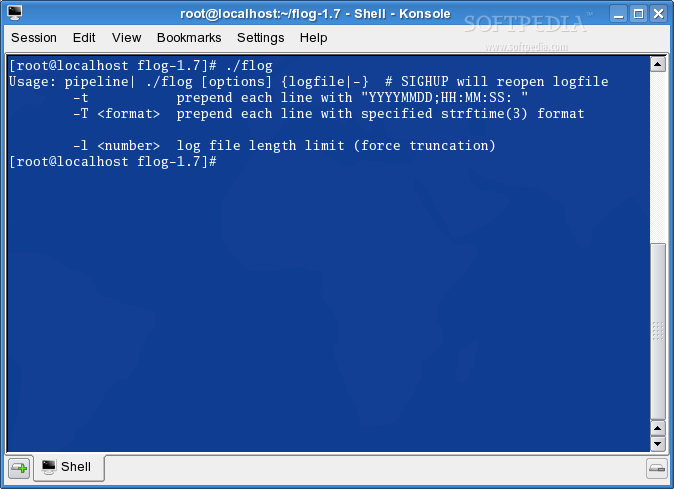
Usage: pipeline | flog [-t] logfile # SIGHUP will reopen logfile -t prepend each line with "YYYYMMDD;HH:MM:SS: " -T prepend each line with specified date format
Typically flog is used to log STDERR output from a daemon. It's also very useful with Apache. This way you never have to HUP apache itself:
ErrorLog "|/bin/flog /httpd/logs/error_log"
Typical example:
(mydaemon >stdout.file) |& flog [-t] stderr.file
this will redirect daemon's STDOUT to a file called "stdout.file" and STDERR (thru flog) to "stderr.file". (example uses zsh: the best shell! like bash but better)
The -t option causes a timestamp to be prepended to each line.
The -T < format > option causes a timestamp to be prepended to each line with a user specified time format. See strftime(3) for how to specify the format.
What's New in This Release:
� Added -l option to limit file length
flog 1.7
add to watchlist add to download basket send us an update REPORT- runs on:
- Linux
- filename:
- flog-1.7.tar.gz
- main category:
- Utilities
- developer:
- visit homepage
ShareX 16.0.1

Bitdefender Antivirus Free 27.0.35.146

Zoom Client 6.0.4.38135

4k Video Downloader 1.6.0.0085 Plus / 4.30.0.5655

7-Zip 23.01 / 24.04 Beta

Context Menu Manager 3.3.3.1

Windows Sandbox Launcher 1.0.0

IrfanView 4.67

Microsoft Teams 24060.3102.2733.5911 Home / 1.7.00.10152 Work

calibre 7.10.0

- IrfanView
- Microsoft Teams
- calibre
- ShareX
- Bitdefender Antivirus Free
- Zoom Client
- 4k Video Downloader
- 7-Zip
- Context Menu Manager
- Windows Sandbox Launcher