
A tool to check and undelete partition, and another one for recovery data from damaged partitions. #Undelete partition #Signature based recovery #Check partition #PhotoRec #Partition #Undelete
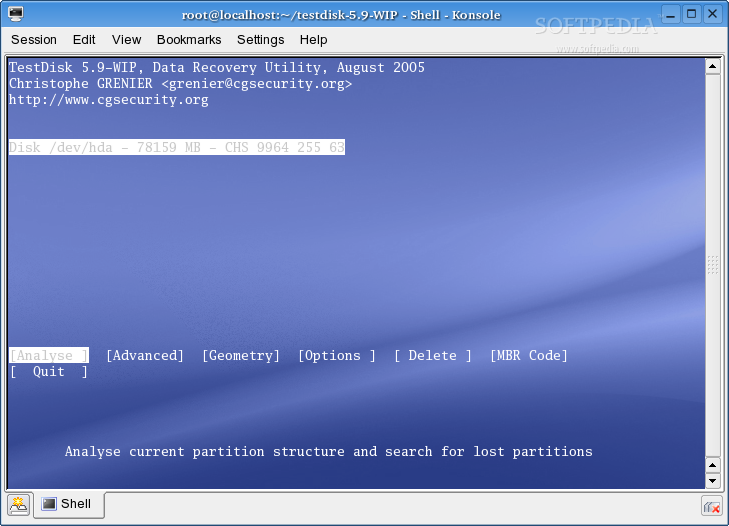
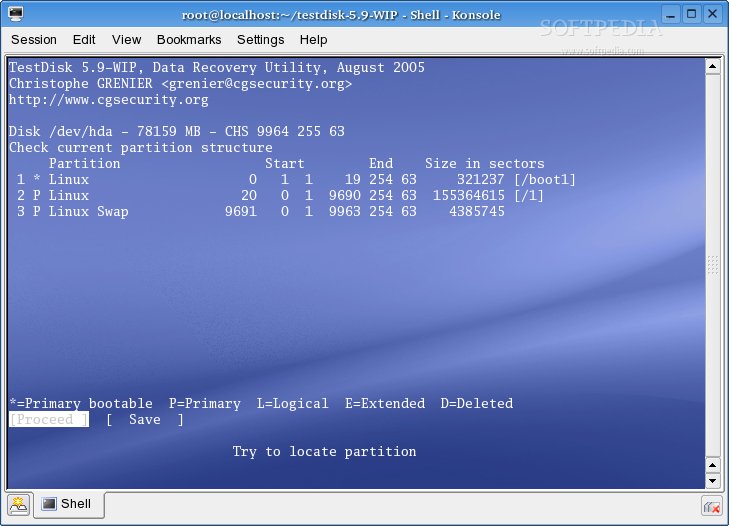
TestDisk is an open source data recovery utility that runs exclusively from the command-line interface and allows users to check and undelete partitions from a given hard disk drive.
If you accidentally deleted a partition, or if your computer’s hard disk drive was damaged by a certain type of virus or faulty software, with TestDisk you can easily recover lost partitions, as well as to make hard disk drives bootable again.
It can be used to repair partition tables and recover deleted partitions, fix FAT tables, recover boot sectors from NTFS and FAT32 backups, rebuild the boot sector of FAT12, FAT16, FAT32 and NTFS filesystems, and repair Master File Table using MFT mirror.
TestDisk can locate backup superblocks of the EXT2, EXT3 and EXT4 filesystems, undelete deleted files from EXT2, exFAT, NTFS and FAT filesystems, as well as to copy files from deleted EXT2, EXT3, EXT4, FAT, exFAT and NTFS partitions.
The application supports numerous filesystems, including FAT12, FAT16, FAT32, exFAT, FATX, EXT2, EXT3, EXT4, Btrfs, GFS2, LUKS, RAID, LVM, LVM2, NSS, ReiserFS, XFS, SWAP (version 1 and 2), CramFSm Netware, NTFS, UFS, UFS2, HFS, HFS+, HFSX, JFS, ZFS, WBFS, and BeFS.
It can successfully run under Linux, BSD (FreeBSD, OpenBSD, NetBSD), DOS, Windows (NT4, 2000, XP, 2003, Vista, 2008, Windows 7 (x86 & x64)), Mac OS X and SunOS operating systems.
Few know that the developer of this handy software also included a second utility in the same package, called PhotoRec, designed to be used for digital picture and file recovery tasks from damaged hard disk drives.
Whether you know your way around data recovery tasks, or this is your first time when you try to undelete lost partitions and recover deleted data, TestDisk has been designed to be easily used by novice and expert users alike.
TestDisk 7.1
add to watchlist add to download basket send us an update REPORT- runs on:
- Linux
- main category:
- Utilities
- developer:
- visit homepage
4k Video Downloader 1.5.3.0080 Plus / 4.30.0.5655

Zoom Client 6.0.3.37634

Microsoft Teams 24060.3102.2733.5911 Home / 1.7.00.7956 Work

Windows Sandbox Launcher 1.0.0

IrfanView 4.67

Bitdefender Antivirus Free 27.0.35.146

Context Menu Manager 3.3.3.1

ShareX 16.0.1

calibre 7.9.0

7-Zip 23.01 / 24.04 Beta

- ShareX
- calibre
- 7-Zip
- 4k Video Downloader
- Zoom Client
- Microsoft Teams
- Windows Sandbox Launcher
- IrfanView
- Bitdefender Antivirus Free
- Context Menu Manager