
QuickSynergy is a graphical interface (GUI) for easily configuring Synergy2.. #Remote connection #Configure Synergy2 #Synergy2 GUI #QuickSynergy #GUI #Configure
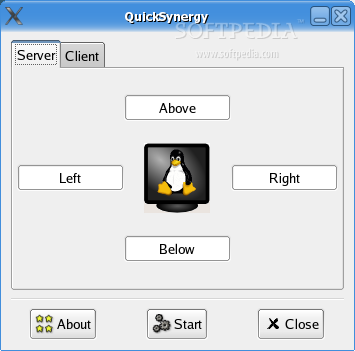
QuickSynergy is a graphical interface (GUI) for easily configuring Synergy2, an application that allows the user to share his mouse and keyboard between two or more computers.
Synergy2 uses the TCP-IP protocol to share the resources, without the need for any external hardware, even between machines with diferent operating systems, such as Mac OS, Linux and Windows.
So QuickSynergy is a graphical user interface for Mac OS and Linux systems, since the official website presents only a Windows version.
Just follow the usual procedure:
./configure make make install
You will need the GTK 2.0 and libglade-2.0 development packges installed on your computer in order to achieve a successful compilation.
To configure synergy as a server, select the Server tab on the QuickSynergy main window. Fill in the fields with the clients' IP adresses/hostnames and then click Start. If you wish to stop the server, click Stop. Please notice that you cannot change any of the configurations nor start a synergy client while running the server. Also notice that if you click the Close button, the server will NOT be stopped.
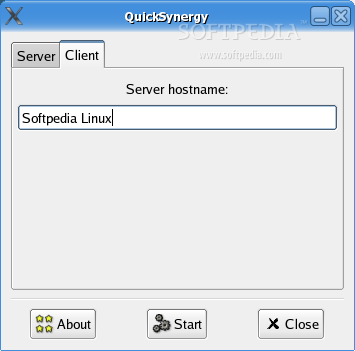
To configure synergy as a client, select the Client tab on the QuickSynergy main window. Fill in the field with the server's IP address/hostname and the click Start. If you wish to stop the client, click Stop. Please notice that you cannot change the server's address nor start a synergy server while running the client. Also notice that if you click the Close button, the client will NOT be stopped.
What's New in This Release:
� Fixed potential segmentation faults when loading/saving configuration files (patch submitted by J�r�mie Corbier).
QuickSynergy 0.8.1
add to watchlist add to download basket send us an update REPORT- runs on:
- Linux
- filename:
- quicksynergy-0.8.1.tar.gz
- main category:
- Utilities
- developer:
- visit homepage
Windows Sandbox Launcher 1.0.0

calibre 7.9.0

Context Menu Manager 3.3.3.1

Zoom Client 6.0.3.37634

Bitdefender Antivirus Free 27.0.35.146

IrfanView 4.67

7-Zip 23.01 / 24.04 Beta

ShareX 16.0.1

Microsoft Teams 24060.3102.2733.5911 Home / 1.7.00.7956 Work

4k Video Downloader 1.5.3.0080 Plus / 4.30.0.5655

- ShareX
- Microsoft Teams
- 4k Video Downloader
- Windows Sandbox Launcher
- calibre
- Context Menu Manager
- Zoom Client
- Bitdefender Antivirus Free
- IrfanView
- 7-Zip