
An advanced shutdown utility for KDE, supporting Linux, Windows and BSD operating systems #Shut down scheduler #Shut down utility #Restart scheduler #Power off #Shut down #Restart
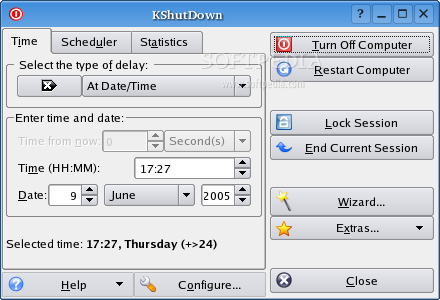
KShutdown is an open source graphical software that allows users to manipulate several system functions of a Linux computer. The application also works on Microsoft Windows and BSD operating systems.
With this application you will be able to shutdown, restart, suspend, or hibernate your computer at a specified time. It will also allow you to logout your current session or lock the screen, at a specific time in the future.
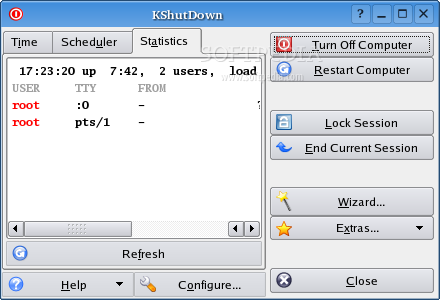
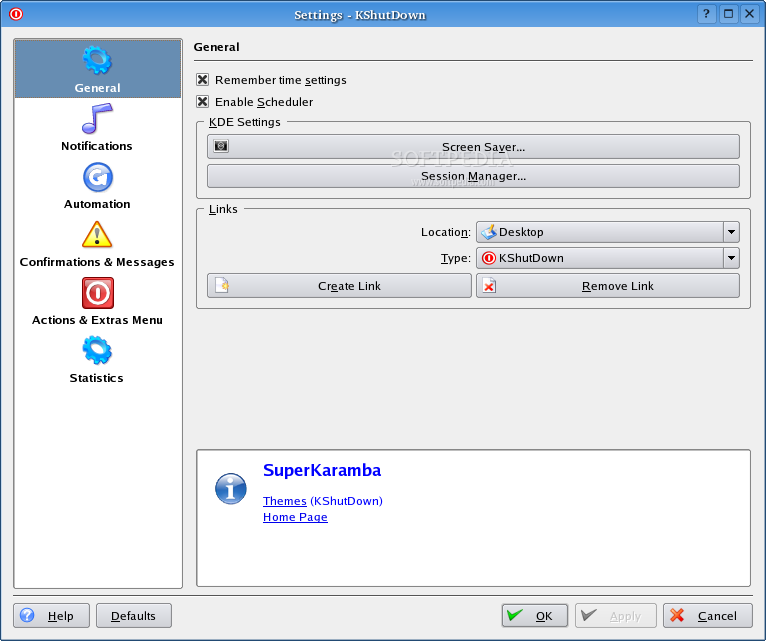
The program provides users with an easy-to-use and straightforward graphical user interface (GUI) that offers several delay and time options. Support for OSD notifications, sounds, a wizard, as well as command-line support (on Linux and BSD) is also implemented.
A set of customizable commands or actions, called extras, are available for those of you who want more from this application. For example, you can add a command to automatically open the default file manager of your desktop environment, or add, remove and edit folders or links, change the name or the icon of the application you want to run.
Among the supported file types, we can mention folder, links, shell scripts and programs. As mentioned before, the application can be executed from the command-line in UNIX environments. For example, running a command like kshutdown --extra "/full/path/to/myscript.sh" will force the software to use a custom script.
Another interesting feature is the ability to detect user inactivity or when the application is closed. KShutdown was written specifically for the KDE ecosystem, which means that it will require many KDE runtime packages.
The developer stated on the project’s homepage that the software works on many desktop environments, but the truth is that users will need to install numerous KDE packages just to run this tiny program. Because of this, some people will prefer to search for alternatives.
What's new in KShutDown 3.99.1 Beta:
- Command-Line:
- NEW: Support AM/PM time format (e.g. "8:15 pm")
- Fix regression in "--hide-ui" option
KShutDown 3.2 / 3.99.1 Beta
 Softpedia Editor's Pick
add to watchlist
add to download basket
send us an update
REPORT
Softpedia Editor's Pick
add to watchlist
add to download basket
send us an update
REPORT
- runs on:
- Linux
- main category:
- Utilities
- developer:
- visit homepage
Windows Sandbox Launcher 1.0.0

calibre 7.10.0

Microsoft Teams 24060.3102.2733.5911 Home / 1.7.00.10152 Work

4k Video Downloader 1.6.0.0085 Plus / 4.30.0.5655

Context Menu Manager 3.3.3.1

IrfanView 4.67

Bitdefender Antivirus Free 27.0.35.146

ShareX 16.0.1

7-Zip 23.01 / 24.04 Beta

Zoom Client 6.0.4.38135

- ShareX
- 7-Zip
- Zoom Client
- Windows Sandbox Launcher
- calibre
- Microsoft Teams
- 4k Video Downloader
- Context Menu Manager
- IrfanView
- Bitdefender Antivirus Free