Softpedia


LINUX CATEGORIES:


GLOBAL PAGES >>
NEWS ARCHIVE >>
SOFTPEDIA REVIEWS >>
MEET THE EDITORS >>
WEEK'S BEST
  • Linux Kernel 3.9.3 / 3....
  • LibreOffice 3.6.6 / 4.0.3
  • MPlayer 1.1.1
  • systemd 204
  • Arch Linux 2013.05.01
  • Blender 2.67
  • KDE Software Compilatio...
  • CrunchBang Linux Stable...
  • Elementary OS 0.1 / 0.2...
  • SystemRescueCd 3.6.0
  • Home > Linux > Text Editing&Processing > Others

    Minimum Profit 5.2.3

    Download button

    Downloads: 1,118  View global page NEW!  Tell us about an update
    User Rating:
    Rated by:
    Good (3.1/5)
    28 user(s)
    Developer:

    License / Price:

    Last Updated:

    Category:
    Angel Ortega | More programs
    GPL / FREE
    June 21st, 2012, 09:24 GMT [view history]
    ROOT / Text Editing&Processing / Others

     Read user reviews (0)  Refer to a friend  Subscribe

    Minimum Profit description

    Minimum Profit is a programmer's text editor.

    Minimum Profit is a FREE text editor for programmers.

    If you are reading this (you are), you probably know what a text editor is and thus I won't explain what 'open file', 'search and replace', 'tab size' and things like those, means. Only the special or not-so-intuitive features will be explained. In any other aspect, mp is just like
    the text editor you were using until today, before you've found this unknown jewel that will change your life.

    Much of Minimum Profit's behaviour is changeable from a configuration file, as key bindings, colors, the menu and other variables. Take a look at mprc.sample for details. The configuration files for Unix systems are /etc/mprc and $HOME/.mprc (see below to know how to set it in Win32).

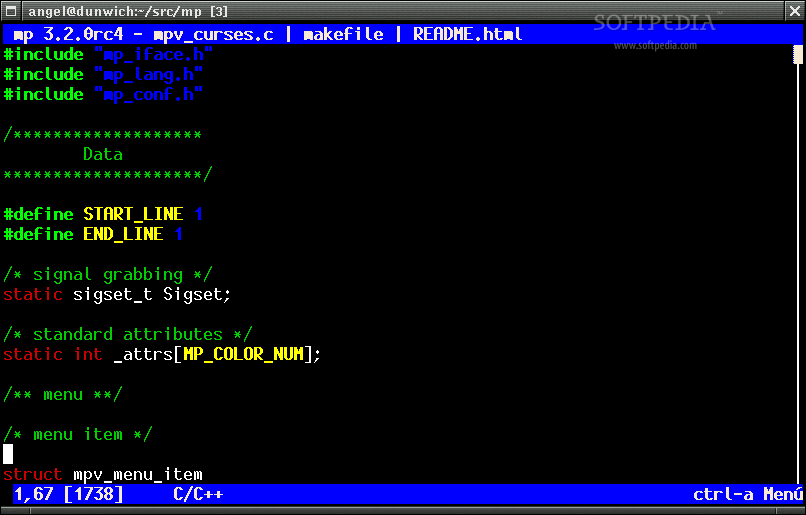
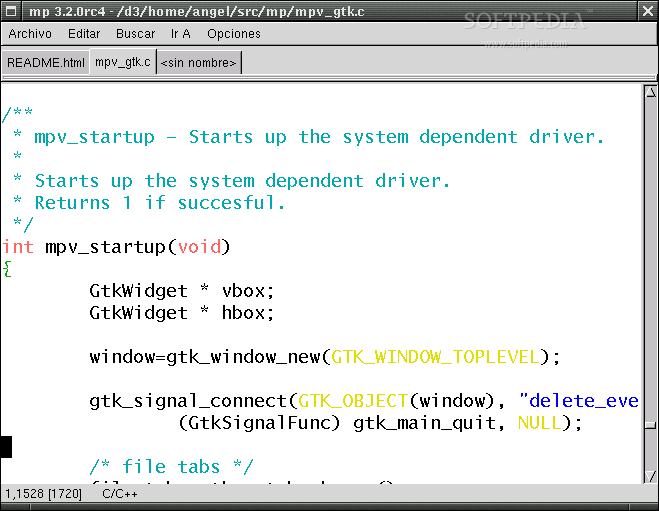
    Minimum Profit includes several interfaces:

    · curses: the good old text interface. You need any Unix (Linux, Solaris, IRIX, any BSD...) and the curses or ncurses library. It was also sucessfully compiled under BeOS (with a locally compiled ncurses) many years ago.
    · GTK: You need any X11 system with the GTK+ libraries installed. Support for GTK versions 1.2 and 2.0 is provided.
    · Win32: You need Microsoft Windows 95 or later and the lccwin32 compiler.

    Installation

    To compile under any Unix flavour, just run

    $ ./config.sh
    $ make

    The first step should automatically detect all usable interfaces and
    additional libraries and leave a Makefile behind. Previous Minimum Profit
    versions used to need GNU Make; this is no longer true. By running

    $ ./config.sh --help

    you can see a list of tweakable options. Also, a bunch of README.* files are
    included with Minimum Profit's standard distribution with information
    specific to many systems and cross-compilers. Notoriously, if you have
    the mingw32 cross-compiler suite in your Unix system, you can build an
    MS Windows binary pretty easily (README.mingw32).

    To install just run (as root):

    # make install

    and it will be instaled in /usr/local/bin. You can select an alternate
    installation directory in the configuration phase; for example, to install
    it on /usr/bin, do

    $ ./config.sh --prefix=/usr/bin


    Product's homepage

    Here are some key features of "Minimum Profit":

    · Multiple files can be edited at the same time and blocks copied and pasted among them.
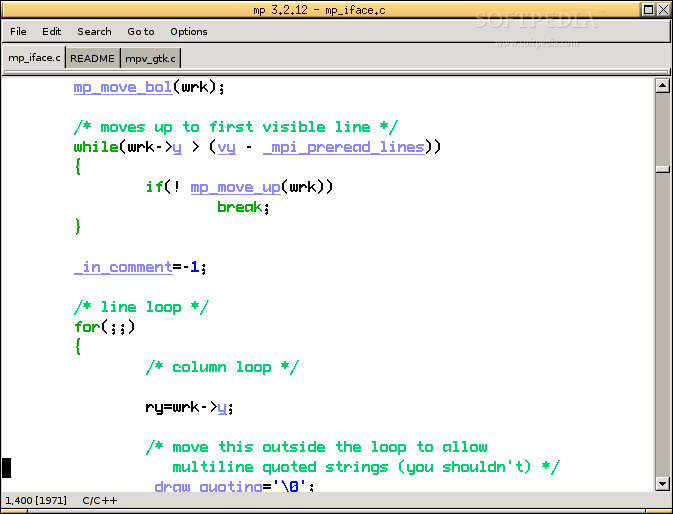
    · Syntax highlighting for many popular languages / file formats: C, C++, Perl, Shell Scripts, Ruby, Php, SQL, Python, HTML...
    · Creative use of tags: tags created by the external utility ctags are used to move instantaneously to functions or variables inside your current source tree. Tags are visually highlighted (underlined), and symbol completion can be triggered to avoid typing your own function names over and over.
    · Intelligent help system: pressing F1 over any word of a text being edited triggers the underlying system help (calling man when editing C or Shell files, perldoc with Perl, ri on Ruby, winhelp on MS Windows...).
    · Understandable interface: drop-down menus, reasonable default key bindings.
    · Configurable keys, menus and colors.
    · Text templates can be easily defined / accessed.
    · Multiplatform: Console/curses, GTK+ (1.2 and 2.0), MS Windows.
    · Automatic indentation, word wrapping, internal grep, learning / repeating functions.
    · Search and replace using plain text or regular expressions (including a special function to replace text on all open files).
    · Small memory footprint.
    · Multilingual.
    · Password-protected, encrypted text files (using the ARCFOUR algorithm).
    · It helps you abandon vi, emacs and other six-legged freaks definitely.
    · Awesome easter egg.

    What's New in This Release: [ read full changelog ]

    · If a block is selected, any keystroke substitutes it.
    · Support for Alt + keys (ASCII and movement) has been added, and mostly left unbound to be used by the user for his own keybindings.
    · A new tab mode, which uses the previous line as a template for tab columns.
    · Fixed action open_under_cursor.
    · The mp.paste() function returns the clipboard content as a string if called without arguments.
    · New Grutatxt syntax highlighter.
    · Fix F10 in Win32.
    · Fix a bug when calculating the drawing position in the selected block, that were leading to crashes.


    TAGS:

    programmer editor | text editor | word processing | programmer | text | editor

    Go to top

    WindowsGamesDriversMacLinuxScriptsMobileHandheldNews

    SUBMIT PROGRAM   |   ADVERTISE   |   GET HELP   |   SEND US FEEDBACK   |   RSS FEEDS   |   UPDATE YOUR SOFTWARE   |   ROMANIAN FORUM