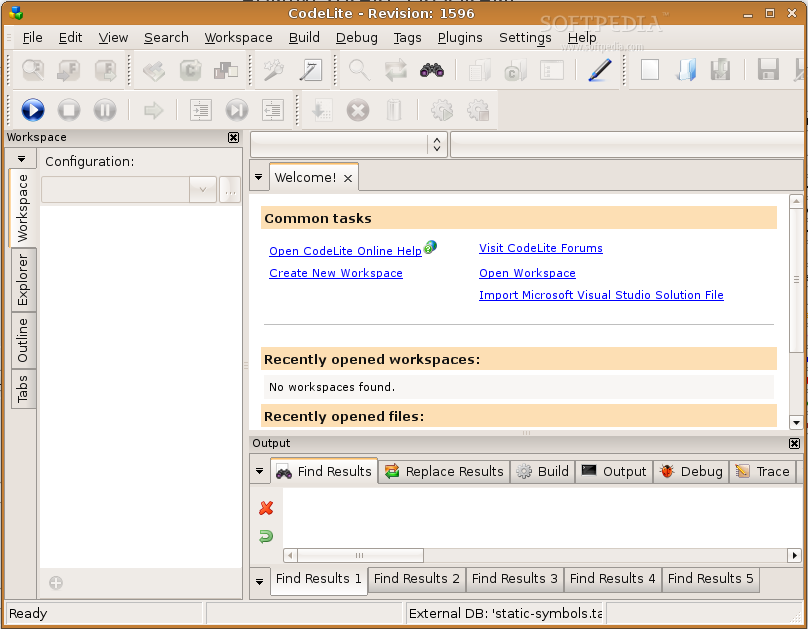
CodeLite is a powerful open-source, cross platform code editor for the C/C++ programming languages (regulary tested on Windows XP sp2, (K)Ubuntu 7.10 / 8.04, Fedora Core 6, Debian lenny/sid and Mac OSX 10.5.2). It is distributed under the terms of the GPL license.
CodeLite uses a sophisticated, yet intuitive interface which allows user to easy create and build complex projects
Here are some key features of "CodeLite":
· Generic support for compilers
· Can be easily extended with plugins (Several plugins are already included in the installer)
· Built-in GDB support, with the following features included:
· Watches table - add persistent watches by a single click
· Quick Watch - right click on a variable to expand it
· Locals tree - automatically displays the current stack variables (also displays *this if available)
· Threads view - provides list of currently running threads and easily switching between then by single click
· Breakpoint management - add/remove breakpoint management panel
· Automatic tooltip
· and more...
· Subversion plugin (based on the command line tool), which mimics the TortoiseSVN (but unlike it, it runs on Linux as well)
· Makefile based build system
· Project explorer (Workspace view)
· File Explorer
· Automatically imports MSVS workspace/projects and converts them to GNU based makefile
· Active document outline
· Sophisticated database based Code Completion mechanism, a default database is supplied which contains symbols for wxWidgets, STL and standard headers
· Function's call tip
· Hover tip
· Comments tips
· Members List
· Supports C++ templates, namespaces and other advance features of the language
· Automatically add include statement for symbols
· Quickly open resources in the editor using 'Find Resource in workspace'
· Quickly open types in the editor using 'Find Type in workspace'
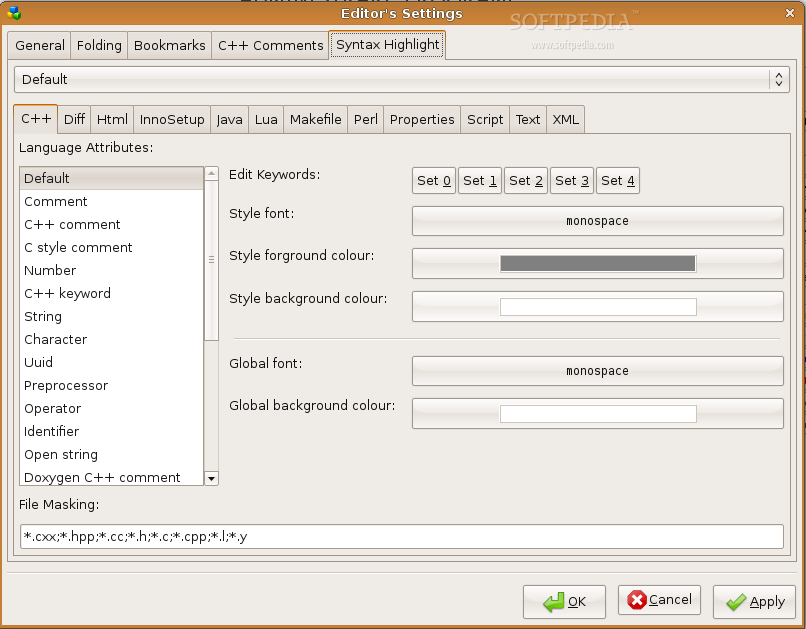
· XML based syntax highlighting, comes with the following:
· C/C++
· Java
· Perl
· XML
· Makefile
· Lua
· Diff files
· PHP
· JavaScript
· Python
· HTML
· ASP
· Text Folding
· Bookmarks
· Find In Files
· Replace In Files
· Highly Configurable
· Built-in doxygen comment generator for functions/classes
· And much more...
What's New in This Release:
· fixed make_deb.sh script, added the 'rename symbol' option to the accelerator table
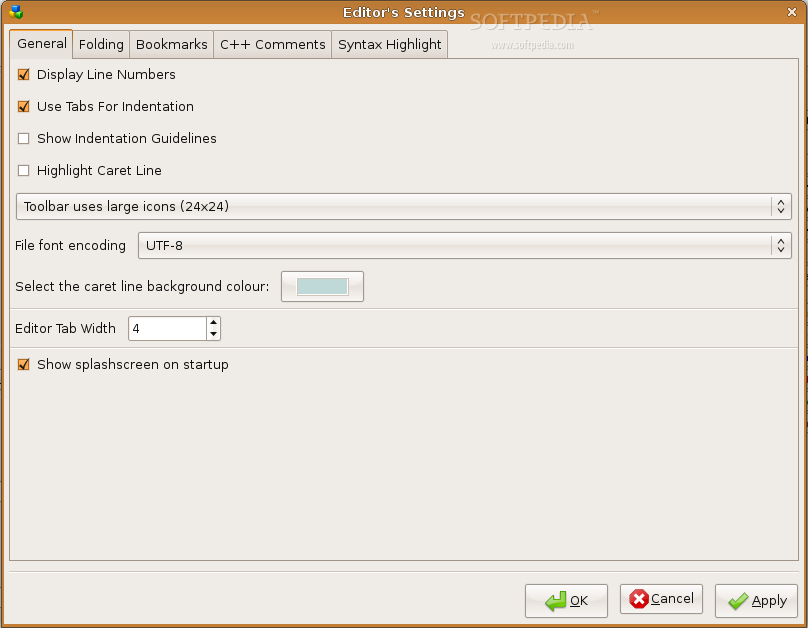
· Fixed: [#1963469 ] Add Tab width option
· Removed obsolete option from Editor's options (set caret colour) which is now part of the lexers
· set the default font to empty so the system will choose the best for it
· fixed make_mac_bundle.sh to copy correct files
· On Mac exit is forced at the main frame destruction. this is a temporary solution until a proper fix is applied
· fixed on Mac 'resolve ambiguity' dialog will now properly display the list items
· updated make_mac_bundle.sh to include the wx library as part of the bundle
· Implemented FR# [ 1965668 ] Add a new environment variable to the CodeLite.exe path $(CodeLiteApp)
· Fixed: Find implementation / declaration will now give priority to scoped tags over global tags
· Replaced wxScintilla CC box with custom implementation. this solves the following bugs:
· case sensitive matches are now displayed properly when hitting Ctrl-Z/Y/C etc, the CC will disappear
· CodeCompletion box and function tip window can now co-exist
· CodeCompletion box now uses case sensitive match search first, if it fails, it will try again with non-case sensitive match when single choice exist, it will be inserted automatically to the control and CL will fix any case sensitive typos
· Fixed bug# 1967745 Find in Files doesnt work if special characters are included
· find/replace was re-writtern from scratch and now works much better (better regex support) the modified code does not apply to Find In Files, only for single file search/replace
· New: CodeLite now allows search and replace with selected text (Find/Replace dialogs were modified accordingly)
· New: Bookmark All -> will now also highlight the word with alpha rectangle at the back of it
· New: Find / Replace dialogs, now have button to 'Clear all bookmarks'
· When selecting: Bookmark All in 'Find/Replace' dialog, old bookmarks are now removed automatically
· On Linux, the alpha rectangle is drawn as transparent rectangle with only border
· applied fix which should fix random crashes that occurs on file save
· further thread safety issues
· centered the following dialogs: quick outline, open resource, open type and find/replace
· New: Highlight Word feature: when enabled (blue marker icon in the toolbar) and the caret is placed on a word, its background will be coloured. The colour is configurable via the 'Settings -> Editor -> Bookmarks'
· Fixed: a fix that apply for wxMac, caused the CC box not response to up/down arrows, this is fixed now
· Highlight word policy changed, it is now highlighted when user selects text either by Ctrl+Left Click OR by double cliking a word
· Find / Replace will set the caret to statring origin incase the search/replace failed to find any matches
· Find/Replace: A message box will appear incase no matches were found
· moved the 'highlight word' functionality to secondary thread for better user experience
· New: Copyright plugin: a small plugin that allows one to easily add copyright notice into the entire workspace/project or a single file
· removed backtick from codelite_prefix.h file
· Applied pacth for [FR 1964181] Ability to change source file encoding Jacek Kucharski
· cenered dialogs on Mac: The following dialogs were centered on Mac:
· Tags Options, env variables, debugger settings, editor's settings, project settings, svn commit dialog and svn options dialog
· moved the navigation bar to be embedded inside the main editing area instead of being a toolbar, this to resolve an issue that toolbars does not appear in toolbar under wxMac.
· refactored the 'replace in files' > should be *much* faster now by factor ~20
· on dark theme, the word highlight indicators uses an empty rectangle rather than opaque one this makes the selection much more effective
· default word highlight color is set to light blue
· 'Add function implementation' now properly respects const functions
|