
Envy is an application for Ubuntu Linux and Debian written in Python and PyGTK which will install Nvidia and ATI video drivers.. #ATI installation #Nvidia installation #Linux video driver #ATI #Nvidia #Video
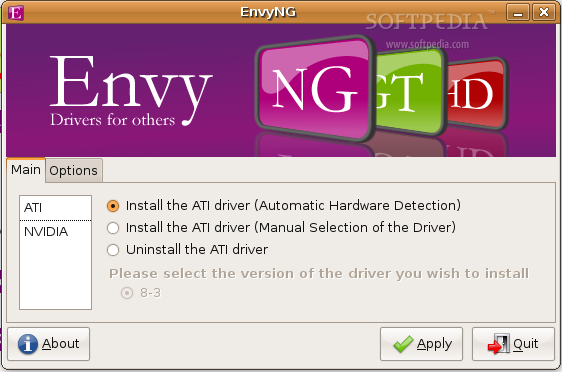
Envy is an application for Debian and Ubuntu Linux written in Python and PyGTK which will:
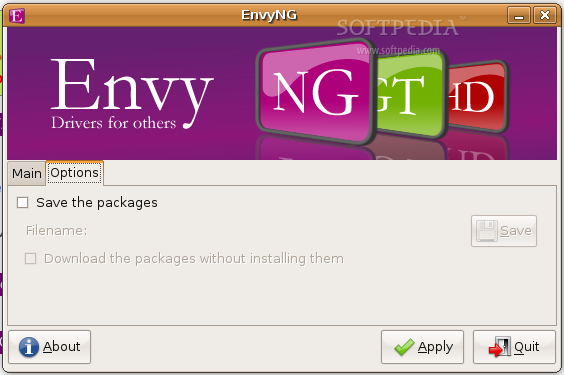
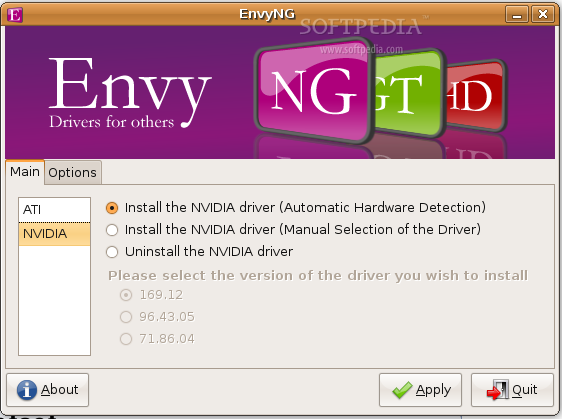
1) detect the model of your graphic card (only ATI and Nvidia cards are supported) and install the appropriate driver. However automatic detection can be overridden with the "Manual installation" 2) package the driver that comes with ATI or Nvidia's installer (from their respective websites) 3) install all you need to package and install the driver 4) configure the Xserver for you
Envy features both a GUI (which you can launch only inside a Desktop Environment) and a textual interface which you can use if, for example, you cannot start the Xserver.
WARNING: you will have to remove the driver you installed with Envy before upgrading Debian or Ubuntu to a newer release (e.g. upgrading Ubuntu Edgy to Ubuntu Feisty or Debian Etch to Debian Lenny).
System requirements
- Python
- PyGTK
Envy 0.9.10
add to watchlist add to download basket send us an update REPORT- runs on:
- Linux
- filename:
- envy_0.9.10-0ubuntu10_all.deb
- main category:
- System
- developer:
- visit homepage
4k Video Downloader 1.5.3.0080 Plus / 4.30.0.5655

Microsoft Teams 24060.3102.2733.5911 Home / 1.7.00.7956 Work

ShareX 16.0.1

7-Zip 23.01 / 24.04 Beta

Zoom Client 6.0.3.37634

Bitdefender Antivirus Free 27.0.35.146

Context Menu Manager 3.3.3.1

IrfanView 4.67

calibre 7.9.0

Windows Sandbox Launcher 1.0.0

- IrfanView
- calibre
- Windows Sandbox Launcher
- 4k Video Downloader
- Microsoft Teams
- ShareX
- 7-Zip
- Zoom Client
- Bitdefender Antivirus Free
- Context Menu Manager