
Yet another GoblinX Live Linux operating system, built around Xfce and WindowMaker. #Linux distribution #Operating system #Live CD #GoblinX #Linux #Distribution
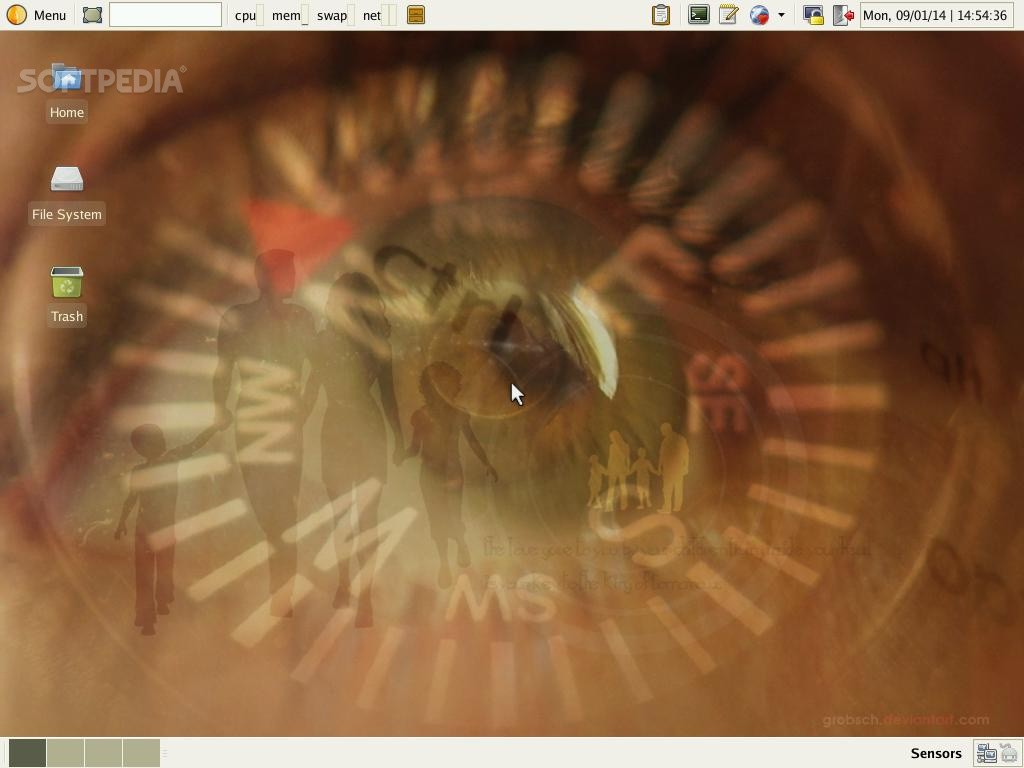
g:Mini (GoblinX Mini Edition) is a special edition of the GoblinX Linux operating system derived from the Slackware distribution and built around the Xfce desktop environment. It’s a minimalist and simple desktop-oriented OS that can be used to transform dusty computers into reliable workstations.
As its name suggests, g:Mini is distributed as a minimal, dual-arch Live CD ISO image that contains software packages optimized only for the 32-bit instruction set architecture. While it is designed to run on old computers, it can be successfully used on modern 64-bit machines.
Besides the standard boot options, such as the ability to start the live system in graphics or text mode, the Live CD boot menu includes advanced boot options like booting the live environment to RAM (system memory), start a fresh copy of the live system (the default boot options run in persistent mode), boot the distro much faster by dumping several daemons, as well as to boot the system without user/root customization options.
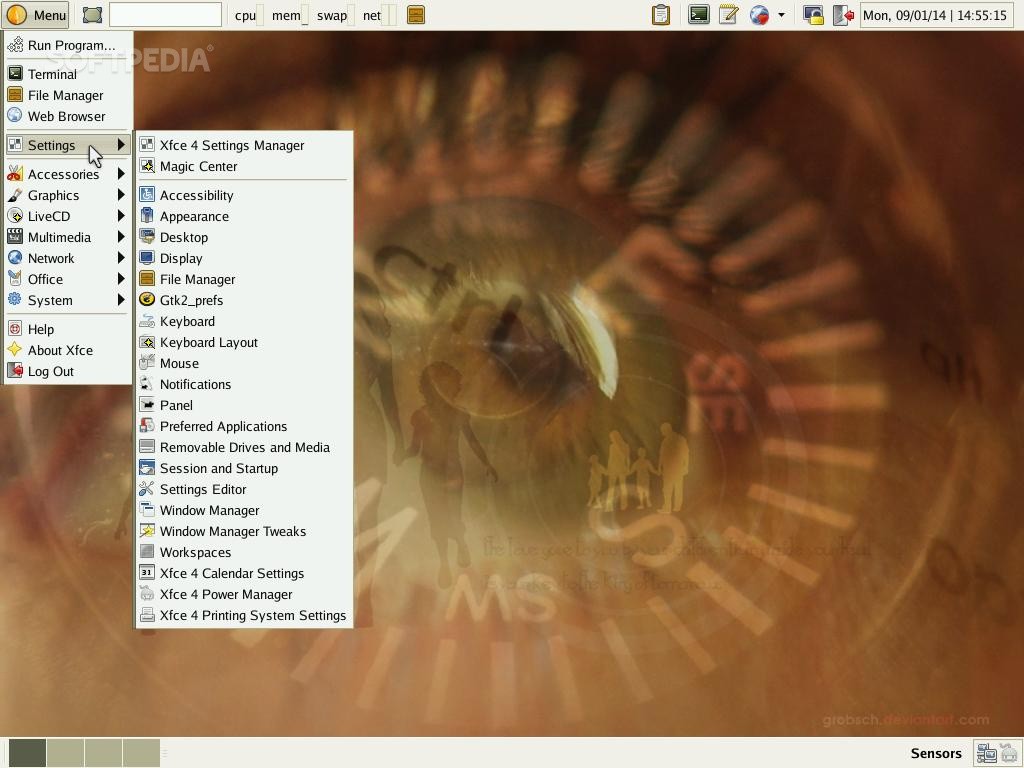
Xfce is in charge of the graphical session inside g:Mini. It uses a two-panel layout in the style of GNOME Classic, where the bottom panel is used for interact with virtual workspaces and running programs. On the other hand, the top panel includes the main menu, a show desktop applet, search function, system memory applet, as well as the system tray area.
Another strong point of the g:Mini distribution is that it includes a vast amount of applications, despite the fact that it’s designed with simplicity and minimalism in mind. Among the most popular ones, we can mention the GIMP image editor, Audacious and XMMS audio players, Mozilla Firefox web browser, gFTP file transfer client and Pidgin multi-protocol instant messenger.
What's new in GoblinX Mini Edition 3.0:
- Upgraded Kernel(2.6.27.6), Linuxlive(6.2.9), AuFS(1.89) and SquashFS(3.4).
- Upgraded several packages and libraries including the new Xfce (4.6).
- Added Ucview, GXine, Claws Mail, Twitux, Epdfview and Gigolo.
- Removed Leafpad, Nautilus, Totem, Evince, Ristretto and Squeeze. We prefer use Xfce related applications instead of GNOME ones.
GoblinX Mini Edition 3.0
add to watchlist add to download basket send us an update REPORT- runs on:
- Linux
- filename:
- g.Mini-3.0.iso
- main category:
- Linux Distributions
- developer:
- visit homepage
Windows Sandbox Launcher 1.0.0

7-Zip 23.01 / 24.04 Beta

ShareX 16.0.1

IrfanView 4.67

paint.net 5.0.13 (5.13.8830.42291)

Bitdefender Antivirus Free 27.0.35.146

calibre 7.9.0

4k Video Downloader 1.5.3.0080 Plus / 4.30.0.5655

Microsoft Teams 24060.3102.2733.5911 Home / 1.7.00.7956 Work

Zoom Client 6.0.2.37566

- 4k Video Downloader
- Microsoft Teams
- Zoom Client
- Windows Sandbox Launcher
- 7-Zip
- ShareX
- IrfanView
- paint.net
- Bitdefender Antivirus Free
- calibre