
A Live Linux distribution based on Slackware Linux and featuring the Xfce desktop environment. #Salix OS #Salix Xfce #Live CD #Salix #Xfce #LiveCD
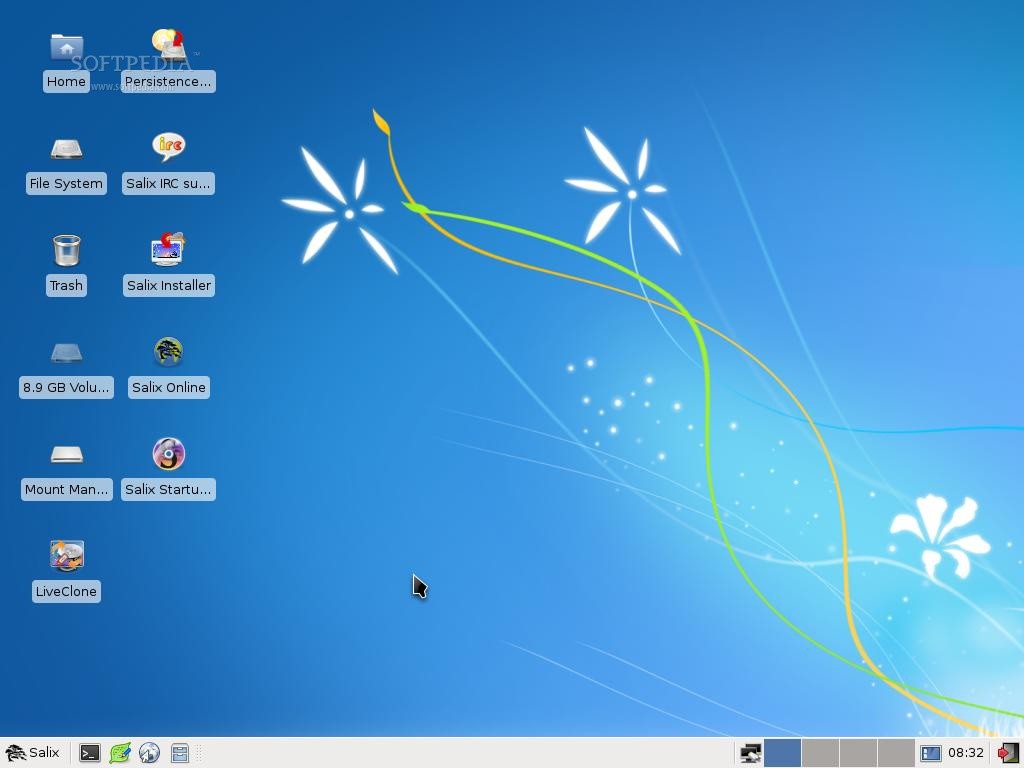
Salix OS Xfce Live is a freely distributed operating system built around the lightweight Xfce desktop environment and based on the powerful Slackware Linux distribution. This is the live edition of the Salix OS Xfce distro, which can only be installed on a local drive using a text-mode installer.
The Xfce Live edition of Salix OS comes as Live DVD ISO images of approximately 800MB in size, available for download from our website or from the project’s homepage (see link above). Supported architectures include 32-bit and 64-bit.
It is a multi-language edition that supports the English, Spanish (Argentinian and Castilian), French, Danish, German, Italian, Hungarian, Turkish, Portuguese, Brazilian Portuguese, Dutch, Lithuanian and Swedish languages.
From the boot menu, the user can choose a keyboard layout, change boot options (boot from an ISO, change root password, set a proxy, add custom kernel parameters, disable sound, text mode, copy to RAM, as well as to enable/disable numlock, iBus, synaptics fdi, and autologin), perform a memory test, and start the live environment.
As mentioned, this Salix OS edition comes with the lightweight Xfce desktop environment, which comprises of a single taskbar on the bottom edge of the screen, allowing the user to quickly access and launch applications, as well as to interact with opened programs and windows.
Default applications include the Midor web browser, Claws Mail email client, Pidgin multi-protocol instant messenger, Remmina remote desktop client, Transmission torrent downloader, Sakis3G 3G connection manager, Wicd network manager, and gFTP file transfer client.
The Exaile music player, ISO Master CD image editor, Parole media player, PiTiVi video editor, Xfburn CD/DVD burning software, Asunder Audio-CD ripper, Thunar file manager, Gslapt package manger, Ndiswrapper wireless driver installer, Viewnior image viewer, GIMP image editor and the entire LibreOffice office suite are also installed.
Summing up, the live edition of Salix OS Xfce is the perfect way to try this low on resources and traditional operating system without installing anything on your computer. A graphical installer is provided on the desktop if you intend to permanently install this distro on your computer.
What's new in Salix OS Xfce Live 14.2:
- This is the first Live release for the 14.2 series and is available in both 32-bit and 64-bit architectures.
- The live environment utilises our own Salix Live Scripts, which has been forked and improved from the original Slackware Live Scripts.
- In terms of included software, this Live release mirrors the standard Salix Xfce 14.2 release. All software that is included there, like the Xfce 4.12 desktop, Mozilla Firefox, the Libreoffice suite, the collection of Salix System Tools etc, are also included in this release. Some additional software, specific to the Live Edition is also included. That of course includes the Salix Live Installer, which has been updated for this release and allows the user to install SalixLive to the system's hard drive.
- Thanks to our translators, the live system can now be started in Czech, Danish, German, Greek, Spanish, French, Italian, Japanese, Hungarian, Dutch, Polish, Portuguese, Brazilian Portuguese, Russian and of course English (both US and UK variants).
Salix OS Xfce Live 14.2.1
add to watchlist add to download basket send us an update REPORT- runs on:
- Linux
- main category:
- Linux Distributions
- developer:
- visit homepage
IrfanView 4.67

Microsoft Teams 24060.2623.2790.8046 Home / 1.7.00.7956 Work

Windows Sandbox Launcher 1.0.0

4k Video Downloader 1.5.2.0077 Plus / 4.30.0.5655

calibre 7.8.0

ShareX 16.0.1

Bitdefender Antivirus Free 27.0.35.146

paint.net 5.0.13 (5.13.8830.42291)

7-Zip 23.01 / 24.04 Beta

Zoom Client 6.0.0.37205

- paint.net
- 7-Zip
- Zoom Client
- IrfanView
- Microsoft Teams
- Windows Sandbox Launcher
- 4k Video Downloader
- calibre
- ShareX
- Bitdefender Antivirus Free