Search Perform an advanced search query SOFTPEDIA
 
SOFTPEDIA
Updated one minute ago
HomeSubmit a program for being reviewedAdvertise on our websiteGet help on surfing our websitesSend us your feedbackGet information about our XML/RSS backend and how to use itBrowse the news archiveVisit our discussion forumVizitati forumul in limba romana


Program Finder

SYS 0.23 RC4

Download SYS 0.23 RC4
Add to download basket
Send update information
View more screenshots
Rating: Very Good
Rated by: 167 user(s)

Recent news
- Konami Presents Homecoming ...
- Windows Fiji Has RTM'd...
- Vista SP1 Update Makes Inte...
- Ubisoft Cracks Own Game wit...
- Motorola VE75 to Touch(scre...
- Eternal Sonata Announced fo...
- Google Knows 40 Languages
- Rocky and Bullwinkle Achiev...
- baKno Launches 'Insert...
- Court Rules in Favor of Dut...

Downloads: 1,417
Developer: Werner Landgraf | More programs by this producer
License: GPL (GNU General Public License)
Price: FREE 
Last Updated: June 15th, 2008 20:56
Category: MAIN :: System :: Operating Systems :: Linux Distributions
 Read user reviews (0) Add a review Refer to friend Subscribe

SYS description Download
SYS is a Linux distribution easy to install and to use for beginners but even so with plenty applications for advanced users.

Its previous name was Monkeynet Linux, however it hadn't an install CD, only packages since '6/07.

All principal packages, inclusive linux (kernel), X 7.3, mesa 7.0.1, glibc 2.7 , compiz-fusion/emerald , gimp were build by meself, since a long time, for using them on my server. Download of packages: sys-linux.yi.org/sys .

SYS contains a system that permits to dump an existing installation to a bootable/re-installable CD/DVD. This is very easy to use for backups/clones of your own
personalized system, inclusive for making sometimes releases and reinstall the cleaned-up system when developed forwards. Either additionally to reinstall the system or
exclusively, either after reinstalling or at the first use, one also can install packages, copy files, etc., what makes the system very flexible and good maintainable. It also contains a tool to compile programs from source-code and pack them.

This is not a Live CD. The philosophy is contrary: in the time a Live CD needs to start, or worse even to install, one can already have installed a definitive system. Also , coming to Linux should be more determined than 'trying' a lot of times a Live CD and continue with the old system installed. And the production of new install DVDs works immediately and don't depend on special kernel modules or versions.

Once you put in the install CD and boot from it, SYS Linux installs within 15-25 minutes and asks nothing -- nor if one want it. It comments out in lilo.conf Windows, but on the
desktop is visible a folder with it, and also Wine is installed, so that the users can use their files etc., like before.

It has a rescue system, who starts within 15 secs and who has good tools, like mc, ntfs-3g, testdisk/fotorecover, foremost, etc., to do plenty things, including to access/save files from a broken Windows system.

That's an ideal system for beginners.

It's pretended as a long-term distro, because the compilations/packages of new program versions I make anyway for my server and for my neighbours/friends to which I continue to install SYS.

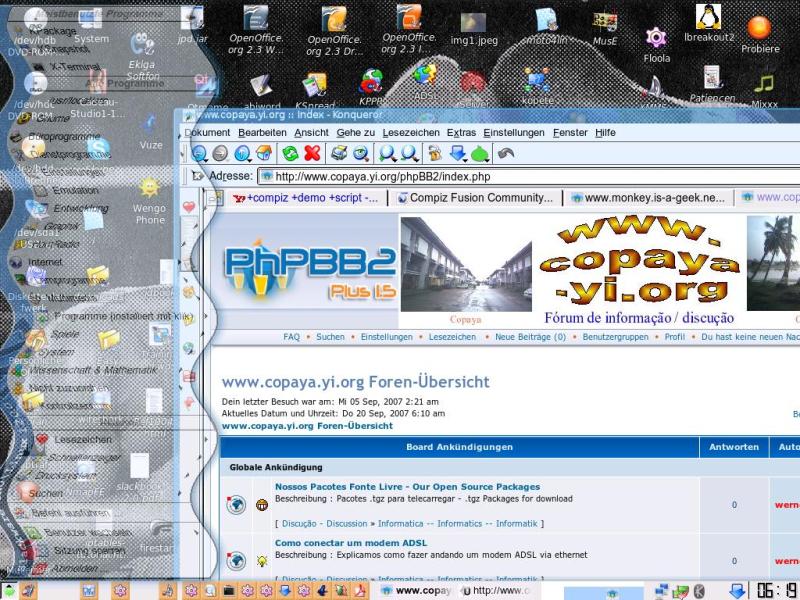
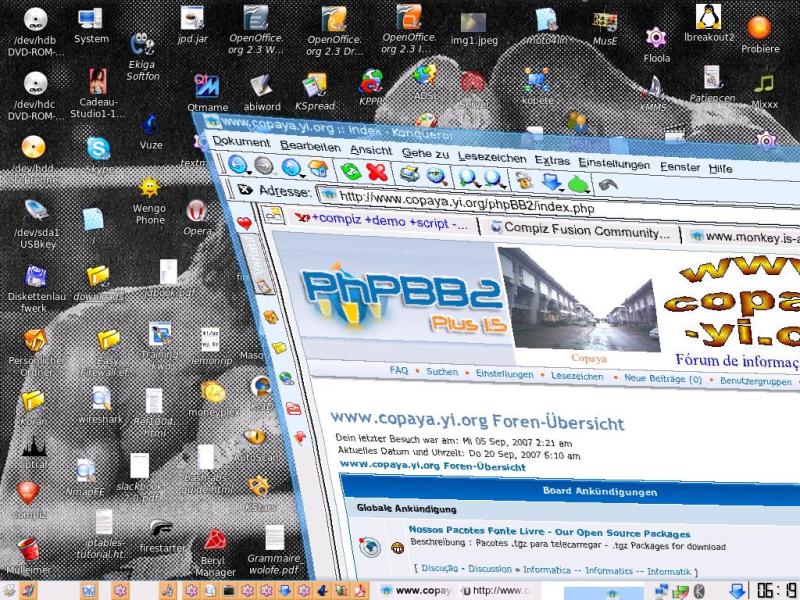
SYS also includes compiz-fusion and mesa, and who has a graphic card for which exists an open/mesa driver, can use the 3D desktop and start it with compiz-manager
(however one have to substitute or configure xorg.conf, depending on the graphic card).

Support Forum: http://SYS-Linux.yi.org/phpBB3, before: http://copaya.yi.org/phpBB2/viewforum.php?f=11

Installation DVD of SYS 0.21

The installation is EXTREMELY EASY -- nothing to answer or to do -- only put the CD in the drive, restart the computer, wait until the CD comes out and remove it. Messages in Portugues and German. By default, there is no root password after the installation.

Before, please verify in BIOS that your DVD drive is selected as the 1st boot device (typing DEL when the computer starts, and then search under the BOOT item).

The installation needs appr. 4x the space of the install .iso , currently 18 GB. This has to be present, either as unpartitioned space on the disk, or as the empty part of any formatted primary partition or the first logical partition, which then will be re-dimensioned (when you have Windows installed, it is good to execute chkdisk, before
install SYS). The installation fails when there isn't enough space.

When, by any reason, the installation fails, please make a next attempt: choose at the first question 'rescue'. Then type ./init, and now select 'install'. At the end, when
removing the DVD, press CTRL-C and type 'logout' or 'exit', in order to come back to the rescue system. There, please type 'mc' and inspect the logfile , to find any problems,
that you can mail to the support forum.

During the installation, potentially, the following problems can occur:

· Problems with burning the .iso. What's working is #growisofs -overburn -Z /dev/dvd=SYS_Linux-0.21.iso (instead of dvd you can put hdb or the name of your DVD
burner)
· Problems reading the DVD. The installation needs a long time without finishing. Burn the DVD again, and when that won't help, use another DVD burner/reader.
· Defects on the hard disk. The system doesn't work correct or starts, reclaiming about missing files and that the file system has errors. Beginners can simply install it a 2nd time, affirming that expressively at the advice that SYS is already installed. That installation will be placed more at the end of the hard disk, hopefully on a space without problems. Advanced users can enter into rescue, localize the defects, make after it 18 GB or more unpartitioned space and repeat the installation.
· The rescue system can be used before/without/for burning a DVD, either by mounting the downloaded .iso with #mount SYS_Linux-0.21.iso /cdrom -t udf,ro,unhide and then
go there with #cd /cdrom, or by downloading the rescue/backup system, unpack it into a folder and then go there, and after that type #chroot . and then #mount proc /proc -t proc .

NOTE: The upload of a new .ISO release takes time, but you can begin to download it if you switch on 'Show Hidden Files' in your FTP client!

SYS Download
SYS Screenshots
Find Related Downloads


MOST POPULAR PROGRAMS IN THIS CATEGORY ( Linux Distributions )  

Mandriva Linux 2008.1 / 2009 Alpha 2
Mandriva Linux is the operating system of choice for users keen on all things advanced.
screenshot
pick | update
Fedora 9
Fedora is the next genaration Linux distribution from Red Hat.
screenshot
pick | update
KNOPPIX 5.3.1
Knoppix is a bootable CD with a collection of GNU/Linux software.
screenshot
update
Kororaa AIGLXgl Live CD 0.3
Kororaa AIGLXgl is a live CD demonstrating the new Xgl technology for 3D window manipulation and other unusual effects.
screenshot
pick | update
BackTrack 3.0
BackTrack is a Slackware and SLAX-based live CD with a collection of security and forensics tools.
screenshot
pick | update
openSUSE Linux 11.0
openSUSE is the new and improved SUSE Linux.
screenshot
update
Slackware 12.1
Slackware Linux is a complete 32-bit multitasking UNIX-like system
screenshot
pick | update

go to top  


Welcome!
Hello, Guest

Login if you have a Softpedia.com account.

Otherwise, register for one.

Main categories:
  • Adaptive Technologies
  • Adobe AIR Apps
  • Artistic Software
  • Communications
  • Database
  • Desktop Environment
  • Documentation
  • Education
  • Games
  • Home Automation
  • Information Management
  • Internet
  • Multimedia
  • Office
  • Printing
  • Programming
  • Religion
  • Science
  • Science and Engineering
  • Security
  • System
  • Text Editing&Processing
  • Utilities

  • Week's best:
  • Softpedia Linux RSS ...
  • Ubuntu 8.04.1 (Hardy...
  • Pidgin 2.4.3
  • Adobe Flash Player f...
  • The Gimp 2.4.6 / 2.5...
  • openSUSE Linux 11.0
  • Linux Kernel 2.6.26
  • Super Grub Disk 0.97...
  • Skype 2.0.0.68
  • OpenOffice.org 2.4.1...
  • Mozilla Firefox 3.0....
  • Transmission 1.22
  • DeVeDe 3.9
  • Wine 1.1.1
  • wine-doors 0.1.2
  • Shoreline Firewall 4...
  • Linux Mint 5.0 (Elys...
  • Google Gadgets 0.10....
  • Fedora 9
  • Opera 9.51
  • Latest Distributions
  • ClarkConnect 4.2 SP1...
  • Puppy Linux 4.00 / 4...
  • Linux Mint 5.0 XFCE ...
  • CentOS 5.2 Live CD
  • Vixta.org 9.03
  • Gibraltar Firewall 2...
  • SliTaz GNU/Linux 1.0...
  • TFM Server 3.2
  • TFM Workstation 3.2
  • nUbuntu 6.10 / 8.04 ...
  • KDE 4.0 Live CD 1.0....
  • BLAG Linux And GNU 9...
  • m0n0wall 1.233 / 1.3...
  • Toorox 07.2008-KDE4
  • Toorox 07.2008
  • EasyHotspot 0.1 Beta
  • Incognito Live CD/US...
  • Openfiler 2.3
  • GNUstep Live CD 1.9
  • Sabayon 3.5 (Pod)
  • Latest Ubuntu Packages
  • BalanceNG 2.170
  • Phoronix Test Suite ...
  • trash-cli 0.1.10.r41
  • FUPPES 0.svn-r578
  • The Maze of Galious ...
  • Qtractor 0.2.0
  • Octopussy 0.9.7.4
  • NoMachine NX Client ...
  • Diamond Fighters 0.9...
  • Skulker 0.5.1
  • The Gimp 2.4.6 / 2.5...
  • HTCFlasher 20080615-...
  • Project Hamster 0.6....
  • Canta 0.2 Beta 4
  • Ardour 2.5
  • Zodiac 0.5 Beta
  • Manslide 2.0.3
  • recordMyDesktop 0.3....
  • Jools 0.20
  • AirSnort 0.2.7e
  • © 2001 - 2008 Softpedia. All rights reserved.
    Softpedia™ and Softpedia™ logo are registered trademarks of SoftNews NET SRL.
    Copyright Information | Privacy Policy | Terms of Use | Contact Softpedia | Update your software | Archive