
PizzaPup is an eye popping new Puppy-based Linux distribution.. #Linux distribution #Operating system #Live CD #Puppy #Linux #Distribution
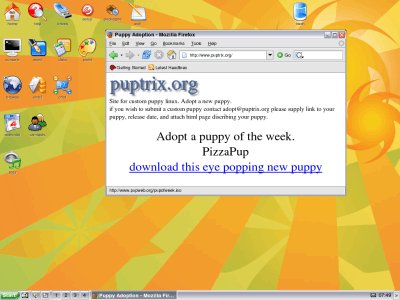
PizzaPup is an eye popping new Puppy-based Linux distribution.
Puppy Linux is an evolutionary operating system, based on GNU Linux. What's different here is that Puppy is extraordinarily small, yet quite full featured. Puppy Linux can boot into a 64MB ramdisk, and that's it, the whole caboodle runs in RAM.
Unlike live CD distributions that have to keep pulling stuff off the CD, Puppy in its entirety loads into RAM. This means that all applications start in the blink of an eye and respond to user input instantly.
Puppy Linux has the ability to boot off a flash card or any USB memory device (flash-Puppy), CDROM (live-Puppy), Zip disk or LS/120/240 Superdisk (zippy-Puppy), floppy disks (floppy-Puppy), internal hard drive (hard-Puppy).
Puppy occupies about 50-60M on my USB Flash drive, CDROM, or whatever is the storage media.
When Puppy boots, everything uncompresses into a RAM area that we call a "ramdisk". The live-CD will bootup on systems with only 32M RAM, but the more RAM you have the more Puppy is able to keep files permanently in ramdisk hence more speed. A PC with 128M RAM is the recommended minimum.
Note that Puppy will automatically use a swap partition if it exists. When booting from a USB Flash device, Puppy tries to load all the Flash files into physical RAM, but if there is not enough RAM then Puppy is able to copy the excess to a swap partition if it exists. This eliminates writes to the Flash memory during a session, greatly extending its life span.
PizzaPup 1.0.5
add to watchlist add to download basket send us an update REPORT- runs on:
- Linux
- filename:
- pizzapup105.iso
- main category:
- Linux Distributions
- developer:
- visit homepage
IrfanView 4.67

Windows Sandbox Launcher 1.0.0

Microsoft Teams 24060.3102.2733.5911 Home / 1.7.00.7956 Work

ShareX 16.0.1

Zoom Client 6.0.3.37634

Bitdefender Antivirus Free 27.0.35.146

Context Menu Manager 3.3.3.1

calibre 7.9.0

7-Zip 23.01 / 24.04 Beta

4k Video Downloader 1.5.3.0080 Plus / 4.30.0.5655

- calibre
- 7-Zip
- 4k Video Downloader
- IrfanView
- Windows Sandbox Launcher
- Microsoft Teams
- ShareX
- Zoom Client
- Bitdefender Antivirus Free
- Context Menu Manager