
A minimalist Linux operating system based on Puppy Linux and designed to look like Mac OS X. #Puppy Linux #Linux distribution #Operating system #Puppy #Linux #Distribution
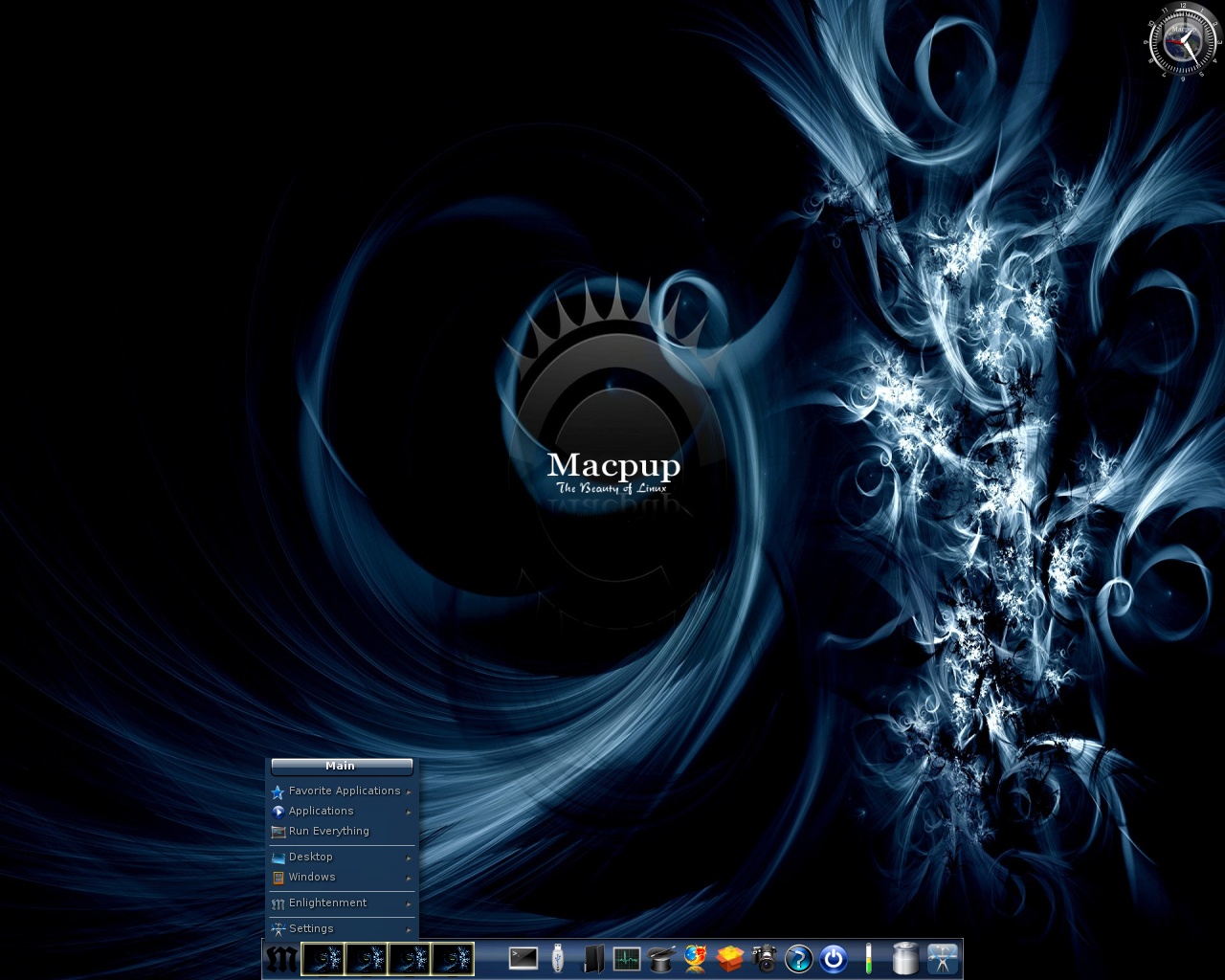
Macpup is a completely free and open source operating system based on the minimalistic Puppy Linux distribution and built around the Enlightenment desktop environment.
Being based on Puppy Linux, the distribution comes with a small Live CD ISO image of approximately 200MB in size, engineered to run on either 64-bit or 32-bit hardware platforms. You must write the ISO image to a CD disc or burn it onto a USB flash drive in order to boot it from the BIOS of a computer.
The boot prompt is also quite minimal, designed to allow the user to quickly start the live environment with default boot options or by loading the contents of the ISO image to RAM (system memory), ejecting the bootable medium. Advanced users can easily edit the boot options and add extra kernel parameters.
The beautiful desktop environment of Macpup is powered by Enlightenment, which does not look like a Mac OS X graphical session. It is comprised of a single panel/dock located on the bottom edge of the screen.
Default applications include the HomeBank personal finance manager, Gnumeric spreadsheet editor, AbiWord word processor, Geany IDE, Leafpad text editor, Viewnior image viewer, InkLite vector graphics editor, mtPaint digital painting tool, Mozilla Firefox web browser, gFTP file transfer software, Transmission torrent downloader, uGet download manager and XChar IRC client.
While the main design goal of this Puppy Linux derivative is to provide users with a Mac OS X-like desktop experience, we have to disappoint our readers since it seems that the Enlightenment desktop environment does not look like a Mac OS X graphical desktop interface. However, it looks very nice the way it is and will run extremely fast on low-end computers.
What's new in Macpup 550:
- MP550 is based on Precise Puppy 5.5.0, an official woof build of Puppy Linux that is binary-compatible with Ubuntu Precise packages.
- MP550 contains all the apps from Precise Puppy with the addition of Firefox 21.
- MP550 also includes the Enlightenment E17 window manager.
- The EFL libraries version 1.7.5 and E17 version 17.0 where compiled and installed from source.
Macpup 550
add to watchlist add to download basket send us an update REPORT- runs on:
- Linux
- filename:
- Macpup_550.iso
- main category:
- Linux Distributions
- developer:
- visit homepage
Context Menu Manager 3.3.3.1

Bitdefender Antivirus Free 27.0.35.146

ShareX 16.0.1

Microsoft Teams 24060.3102.2733.5911 Home / 1.7.00.7956 Work

IrfanView 4.67

4k Video Downloader 1.5.3.0080 Plus / 4.30.0.5655

Zoom Client 6.0.3.37634

Windows Sandbox Launcher 1.0.0

7-Zip 23.01 / 24.04 Beta

calibre 7.9.0

- Windows Sandbox Launcher
- 7-Zip
- calibre
- Context Menu Manager
- Bitdefender Antivirus Free
- ShareX
- Microsoft Teams
- IrfanView
- 4k Video Downloader
- Zoom Client