
An openSUSE-based Live Linux operating system that allows you to test the GNOME 3.4 desktop environment. #GNOME 3 #Linux distribution #OpenSUSE Linux #GNOME #Live #OpenSUSE
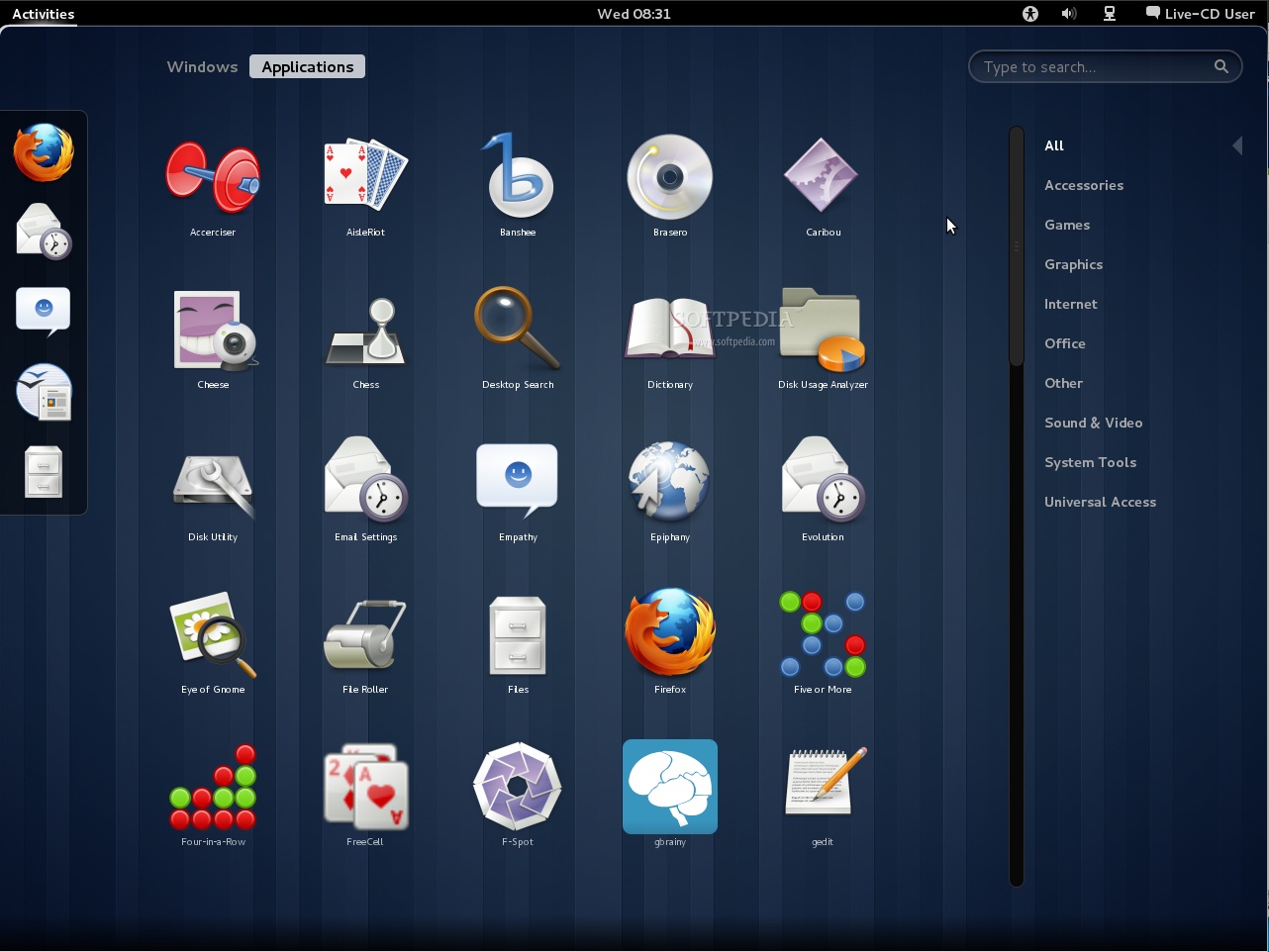
GNOME 3 Live is a unique software project that has been crafted by the hard working people behind the controversial GNOME desktop environment in order to promote it among Linux users. It is based off of a bare-bone openSUSE operating system.
As expected, GNOME 3 Live is distributed as a dual-arch Live CD, which has approximately 700MB in size and supports both 32-bit (i386) and 64-bit (x86_64) hardware platforms. It fits perfectly in a CD disc or a USB thumb drive of 1GB or higher capacity.
When booting the GNOME 3 Live ISO image from the BIOS of a computer, you will notice that it includes no boot options. It has been instructed to automatically start the live system with default kernel parameters and drivers.
GNOME 3, pure GNOME 3 with default applications
Even if the distribution uses an older version of the GNOME 3 desktop environment, it still provides users with a way to taste the sweetness of GNOME Shell and try the controversial interface for yourselves.
It contains the basic software selection that comes with any fresh GNOME installation, such as the Empathy multi-protocol instant messenger, Evolution email and calendar client, Rhythmbox music player, Shotwell image viewer and organizer, Epiphany web browser and Brasero CD/DVD burning software.
The Deja Dup backup software, Totem movie player, Orca screen reader and organizer, Cheese webcam viewer, Transmission torrent downloader, Simple Scan image scanner, Baobab disk usage analyzer and Nautilus file manager are also included.
Summing up, GNOME 3 Live is the perfect product for users who want to get a glimpse of the features and functionality implemented in the modern and productive GNOME 3 (with GNOME Shell) graphical desktop environment.
GNOME 3 Live 3.14 RC
add to watchlist add to download basket send us an update REPORT- runs on:
- Linux
- filename:
- GNOME-3.13.92.iso
- main category:
- Linux Distributions
- developer:
- visit homepage
Bitdefender Antivirus Free 27.0.35.146

ShareX 16.0.1

calibre 7.9.0

Context Menu Manager 3.3.3.1

Microsoft Teams 24060.3102.2733.5911 Home / 1.7.00.7956 Work

IrfanView 4.67

7-Zip 23.01 / 24.04 Beta

Windows Sandbox Launcher 1.0.0

Zoom Client 6.0.3.37634

4k Video Downloader 1.5.3.0080 Plus / 4.30.0.5655

- Windows Sandbox Launcher
- Zoom Client
- 4k Video Downloader
- Bitdefender Antivirus Free
- ShareX
- calibre
- Context Menu Manager
- Microsoft Teams
- IrfanView
- 7-Zip