
Interesting Debian-based OS featuring the Enlightenment desktop environment, perfectly suited for low-end computers. #Debian Linux #Enlightenment Desktop #Linux OS #Enlightenment #Debian #Linux
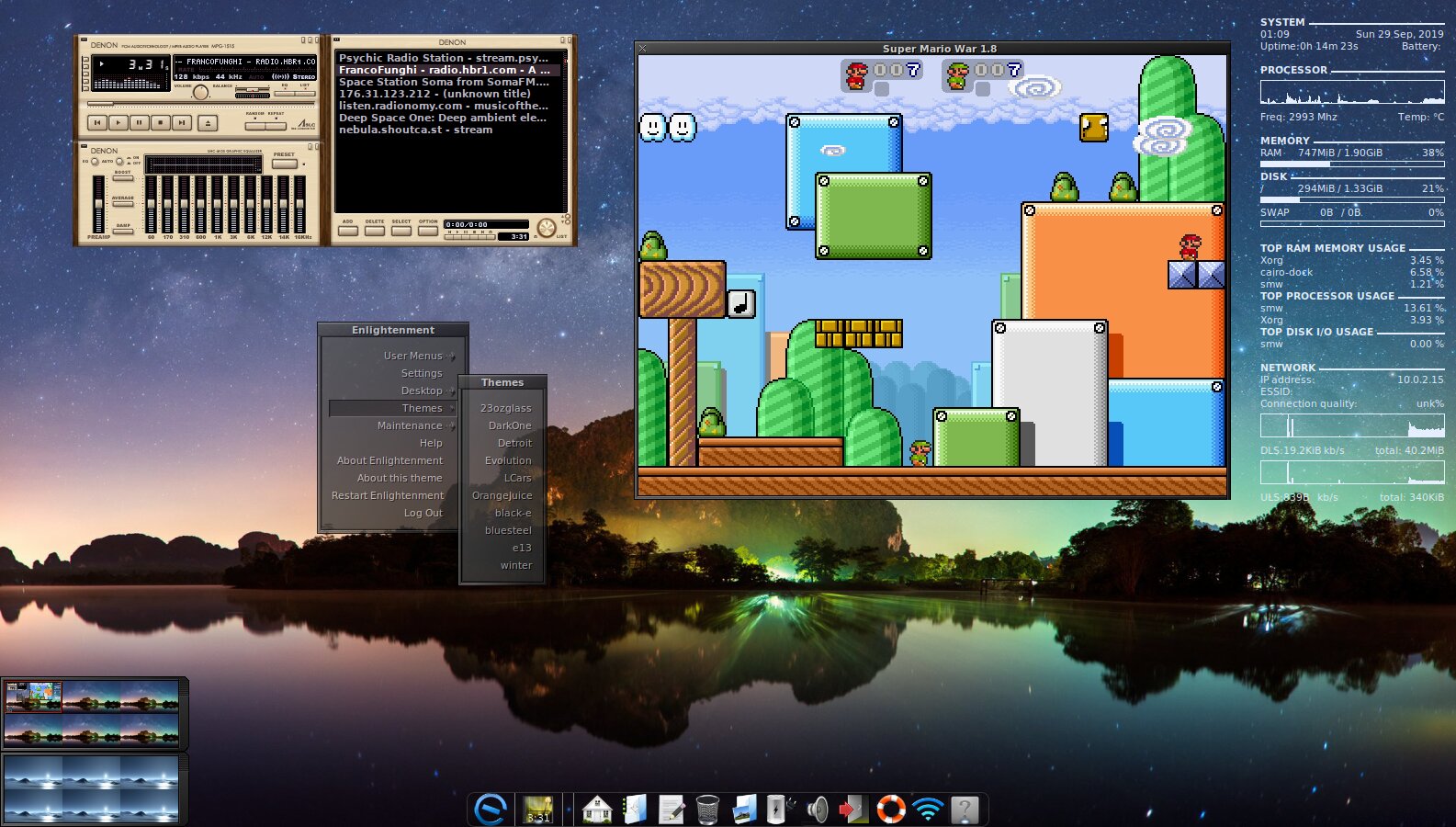
Elive is an open source Linux distribution built around the Enlightenment desktop environment and based on the Debian GNU/Linux operating system. It’s main goal is to demo the main features of the Enlightenment project on a stable and reliable base.
The distribution supports a plethora of Wireless devices, and can be tested in a virtual machine inside Microsoft Windows or Mac OS X operating systems. It includes a wide range of open source application for common tasks like web browsing, emailing, music playback, etc.
Another interesting feature is the ability to install other operating systems and run them on the same machine. You can automate tasks, run games and game emulators, share folders or access remote ones, and much more.
It is distributed as a single ISO image that should run well on both 32-bit and 64-bit architectures. Supports multiple languages and automatically detects most of your hardware components, as well as the timezone and language, based on your IP address.
As mentioned, the desktop session is powered by the lightweight and modern Enlightenment desktop environment. The Elive project provides users with an ISO image bundled with the current stable release of Enlightenment, and a Beta version, which runs the current development branch of the popular window manager.
The desktop is comprised of a pager, so you can organize your workspace much better, and an applications bar from where you can launch your favorite applications. The OS supports multiple audio cards at the same time, and comes with many options, allowing users to configure the Enlightenment session as they see fit. You can customize everything!
With Elive and Enlightenment, there’s no need to buy a performance video card, because all the desktop effects are software-rendered. We recommend it to those of you who want to transform old computers into modern workstations.
What's new in Elive 3.8.40 Beta:
- Big Upgrade using the Bookworm base with backports, this version has already been beta tested and improved for 3 months.
- MacBooks: Much improved support, featuring a very elegant boot selector.
- RAM: Improved performance and resources usage especially in Live mode.
- Crontab integration on desktop, which allows your system to enjoy features like automatic updates or hardware watchdogs without needing to re-login on your desktop.
Elive 3.0.6 / 3.8.40 Beta
 Softpedia Editor's Pick
add to watchlist
add to download basket
send us an update
REPORT
Softpedia Editor's Pick
add to watchlist
add to download basket
send us an update
REPORT
- runs on:
- Linux
- main category:
- Linux Distributions
- developer:
- visit homepage
Zoom Client 6.0.3.37634

4k Video Downloader 1.5.3.0080 Plus / 4.30.0.5655

calibre 7.9.0

Microsoft Teams 24060.3102.2733.5911 Home / 1.7.00.7956 Work

IrfanView 4.67

Windows Sandbox Launcher 1.0.0

ShareX 16.0.1

7-Zip 23.01 / 24.04 Beta

Context Menu Manager 3.3.3.1

Bitdefender Antivirus Free 27.0.35.146

- 7-Zip
- Context Menu Manager
- Bitdefender Antivirus Free
- Zoom Client
- 4k Video Downloader
- calibre
- Microsoft Teams
- IrfanView
- Windows Sandbox Launcher
- ShareX