
A minimalist distribution of Linux derived from the award-winning Debian GNU/Linux operating system. #Linux distribution #Operating system #Debian Linux #Bachata #Linux #Distribution
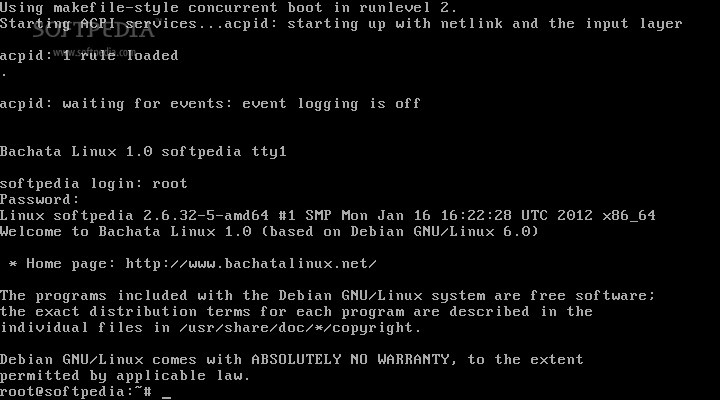
Bachata Linux is an open-source and very minimal distribution of Linux derived from the highly acclaimed Debian GNU/Linux operating system and designed from the ground up to be provide experienced Linux users with a minimal shell from where they can do various system administration tasks across the network.
The operating system reviewed here can be downloaded from Softpedia or directly from its official website (see link above) as installable-only ISO images. Two ISOs are available for the 32-bit instruction set architecture, supporting i686 and i486, and one ISO image for 64-bit (amd64) hardware platforms.
The user must write these ISO images to CD discs or USB thumb drives of 512MB or higher capacity in order to install the operating system to any computer that supports the aforementioned architectures.
When booting the distribution from the BIOS of a computer, using either a CD disc or a USB device, you will be prompted by the text-mode installer, which requires you to select a Debian mirror that is closest to your current location.
You will have to enter a hostname for the new system, select the disk to install Bachata Linux, partition the disk (optionally), select a file system for the selected partition, choose a country, set the timezone and enter a password for the root (system administrator) account.
Once the installation finished, you can press the Enter key on your keyboard to reboot the machine. After reboot, the system will start automatically without any user interaction. Login with the root username and the password set during the installation process.
You must run the “apt-get update” and “apt-get dist-upgrade” commands (without quotes) in order to update the system. Bachata Linux uses Debian’s APT package management system for installing, updating and removing packages from the system.
Bachata Linux 1.0
add to watchlist add to download basket send us an update REPORT- runs on:
- Linux
- main category:
- Linux Distributions
- developer:
- visit homepage
Windows Sandbox Launcher 1.0.0

7-Zip 23.01 / 24.04 Beta

IrfanView 4.67

ShareX 16.0.1

Bitdefender Antivirus Free 27.0.35.146

paint.net 5.0.13 (5.13.8830.42291)

calibre 7.8.0

Zoom Client 6.0.0.37205

4k Video Downloader 1.5.2.0077 Plus / 4.30.0.5655

Microsoft Teams 24060.2623.2790.8046 Home / 1.7.00.7956 Work

- Zoom Client
- 4k Video Downloader
- Microsoft Teams
- Windows Sandbox Launcher
- 7-Zip
- IrfanView
- ShareX
- Bitdefender Antivirus Free
- paint.net
- calibre