
A Live Linux distribution that transforms your PC into an Atari software compatible machine. #Atari computer #Live CD #Linux distribution #ARAnyM #AFROS #LiveCD
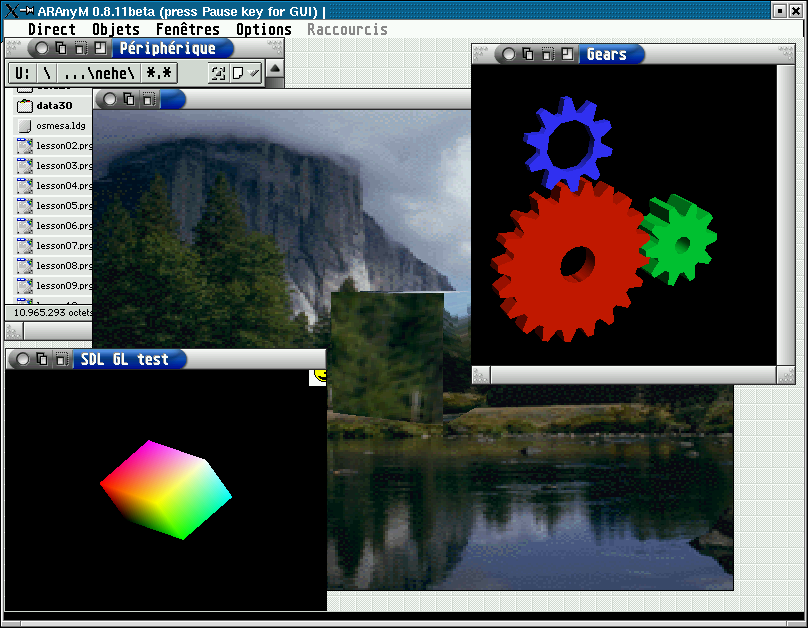
ARAnyM/AFROS Live CD is an open source, bootable and freely distributed operating system derived from Slax, which in turn is based on the geek-friendly Slackware Linux distribution. It is built around the ARAnyM and AFROS software projects, and helps you to transform a regular computer into an Atari compatible machine.
Key features include support for MC68040 compatible CPUs, including MMU, support for MC68881 compatible FPUs, JIT compiler for both FPU and CPU, ST-RAM 14 MB, Fast-RAM configurable from 0 to 3824 MB, host accelerated fVDI graphics, as well as parallel port support (bidirectional).
The distribution provides users with access to the filesystem of the host operating system using the BetaDOS or MiNT native XFS driver, Ethernet networking via host using MiNT-Net XIF driver, TOS 4.x XBIOS, DMA compatible sound, and support for MFP, ACIA, IKBD, VIDEL, FDC, BLITTER, IDE, MC56001 and DSP technologies.
The distribution is available for download as a Live CD ISO image that will boot on computers supporting the 32-bit (x86) or 64-bit (x86_64) hardware platforms. Being distributed as a Live CD, you will be able to run the operating system completely from a CD disc or a USB thumb drive, without interfering with the currently installed OS.
From the Live CD boot menu, the user will be able to start the live system with normal configuration, with the JIT CPU compiler, in safe graphics mode using the VESA display server, or in safe graphics mode with JIT.
ARAnyM/AFROS Live CD comes pre-loaded with various software projects. It includes an image viewer, multimedia player, text editor, web browser, file manager, file transfer client, VNC viewer, email client, and a couple of other tools.
ARAnyM/AFROS Live CD 8.12
add to watchlist add to download basket send us an update REPORT- runs on:
- Linux
- main category:
- Linux Distributions
- developer:
- visit homepage
calibre 7.9.0

Bitdefender Antivirus Free 27.0.35.146

7-Zip 23.01 / 24.04 Beta

Microsoft Teams 24060.3102.2733.5911 Home / 1.7.00.7956 Work

paint.net 5.0.13 (5.13.8830.42291)

Zoom Client 6.0.0.37205

4k Video Downloader 1.5.3.0080 Plus / 4.30.0.5655

ShareX 16.0.1

Windows Sandbox Launcher 1.0.0

IrfanView 4.67

- ShareX
- Windows Sandbox Launcher
- IrfanView
- calibre
- Bitdefender Antivirus Free
- 7-Zip
- Microsoft Teams
- paint.net
- Zoom Client
- 4k Video Downloader