
An Open Source project that provides a reporting interface to the Asterisk CDRs, packed as a Linux distro. #Reporting interface #Asterisk CDR interface #Network monitoring #Asterisk #Reporting #Interface
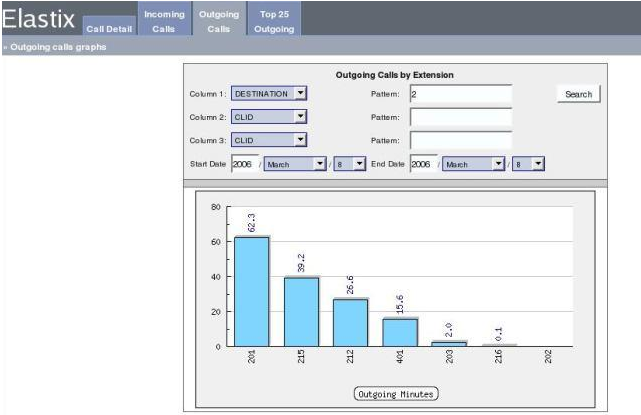
Elastix is an open source Linux operating system specifically designed for people who are looking for a free and easy-to-setup reporting interface to the Asterisk CDRs (Call Data Records) stored in a MySQL database. It is based on the CentOS distribution, which in turn is based on the Red Hat Enterprise Linux.
Key features include voicemail, fax-to-email, support for softphones, web Interface, virtual conference rooms, call recording, least cost routing, extension roaming, PBX interconnection, caller ID, CRM, as well as advance reports.
It provides users with cool graphics to the most common reports, such as top outgoing numbers dialed and top internal extensions called. The distro integrates some of best utilities that are available for the Asterisk PBX (Private Branch Exchanges) software.
The operating system is distributed as installable only ISO images, supporting both 32-bit and 64-bit architectures. From the minimal boot prompt, users can start a fresh installation of Elastix, as well as to upgrade an existing one. Both graphical and text-mode installers are available.
Hitting the Enter key on the boot prompt will start the graphical installer, which will require users to enable IPv4 and IPv6 networking from the get-go. The installer will automatically detect if the disk drive is not empty, warning users about it.
Choose a language for the installation process, select a keyboard layout, select a timezone, and set up the root (system administrator) password. Next, you will have to choose an installation type, which will automatically partition and encrypt (optionally) the disk drive.
In conclusion, Elastix is a stable, reliable and powerful operating system based on enterprise-grade Linux distributions, but designed for a limited group of people. If you want to deploy a dedicated VoIP, chat of fax server, download and install the Elastix distro.
Elastix 5.0.0
add to watchlist add to download basket send us an update REPORT- runs on:
- Linux
- main category:
- System
- developer:
- visit homepage
Windows Sandbox Launcher 1.0.0

Microsoft Teams 24060.3102.2733.5911 Home / 1.7.00.7956 Work

Zoom Client 6.0.3.37634

Bitdefender Antivirus Free 27.0.35.146

IrfanView 4.67

calibre 7.9.0

4k Video Downloader 1.5.3.0080 Plus / 4.30.0.5655

Context Menu Manager 3.3.3.1

7-Zip 23.01 / 24.04 Beta

ShareX 16.0.1

- Context Menu Manager
- 7-Zip
- ShareX
- Windows Sandbox Launcher
- Microsoft Teams
- Zoom Client
- Bitdefender Antivirus Free
- IrfanView
- calibre
- 4k Video Downloader
