
The official system monitoring application used in the GNOME desktop environment. #System monitor #Task manager #Memory usage #Monitor #Monitoring #Task
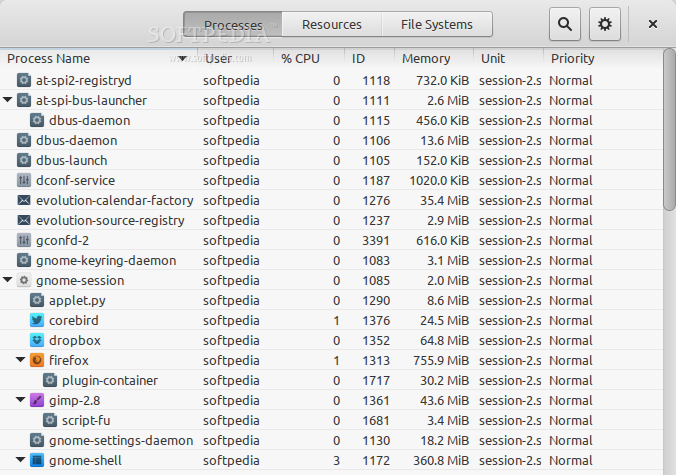
GNOME System Monitor is an open source application that provides users with a central place to monitor their entire Linux-based operating system, including running processes, resources and file systems.
The application is usually distributed as part of the GNOME project, but it can also be used on Cinnamon, MATE, Xfce, LXDE, and other open source desktop environments. It is available only as a source archive, but can be easily installed from the default software channels of your Linux distribution.
It comes with some nice features, including the ability to view dependencies of running processes and hide processes that you don't want to see. Its user interface follows the GNOME HIG (Human Interface Guidelines) specification, which means that is can be used by novice and experienced users alike.
The program uses application icons for both main processes and their dependencies, as well as graphical, real-time histories of CPU, RAM, SWAP and network usage. The interface uses three main sections, Processes, Resources and File Systems.
The Processes section is the most used and advanced one, as it allows users to view all running processes, only active processes, or just the processes started by the current user.
All process are displayed in rows, and the application uses columns to easily determine how much CPU and RAM each process uses, which user stated a certain process, as well as the IDs, priority and unit information of each process.
Clicking a process in the Processes section, will allow users to to end the respective process and its dependencies. If you right-click on a process, you will be able to stop, continue, end, kill, change priority, as well as to view memory maps and opened files of the selected process.
You can view a process’ properties in a separate dialog, including its status, physical, resident, writable, share and virtual memory used, CPU and CPU time, priority level, PID, security context, command, waiting channel, control group, etc.
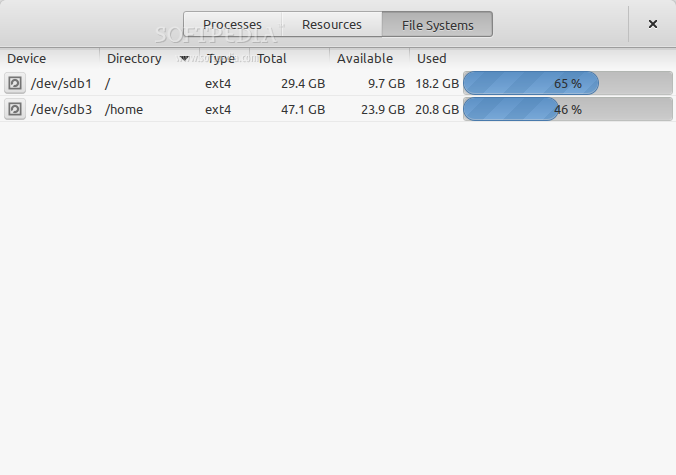
While the Resources section allows users to view real-time activity of CPU (Central Processing Unit), system memory (RAM), Swap and network traffic, the File System section lets them to view the total and used space of their partitions, as well as the mount point and filesystem used.
What's new in GNOME System Monitor 3.32.1:
- Added/updated translations:
- Dušan Kazik (sk)
- Goran Vidović (hr)
- Ask Hjorth Larsen (da)
GNOME System Monitor 3.32.1
add to watchlist add to download basket send us an update REPORT- runs on:
- Linux

- main category:
- System
- developer:
- visit homepage
ShareX 16.0.1

7-Zip 23.01 / 24.04 Beta

calibre 7.9.0

4k Video Downloader 1.5.3.0080 Plus / 4.30.0.5655

IrfanView 4.67

Microsoft Teams 24060.3102.2733.5911 Home / 1.7.00.7956 Work

Zoom Client 6.0.3.37634

Context Menu Manager 3.3.3.1

Windows Sandbox Launcher 1.0.0

Bitdefender Antivirus Free 27.0.35.146

- Context Menu Manager
- Windows Sandbox Launcher
- Bitdefender Antivirus Free
- ShareX
- 7-Zip
- calibre
- 4k Video Downloader
- IrfanView
- Microsoft Teams
- Zoom Client
