
Nvidia Linux Display Driver 32-bit For Linux
The OpenGL 3D native graphics driver installer developed by Nvidia for GNU/Linux operating systems running on 32-bit architectures. #Nvidia driver #Display driver #Linux video driver #Nvidia #Display #Driver
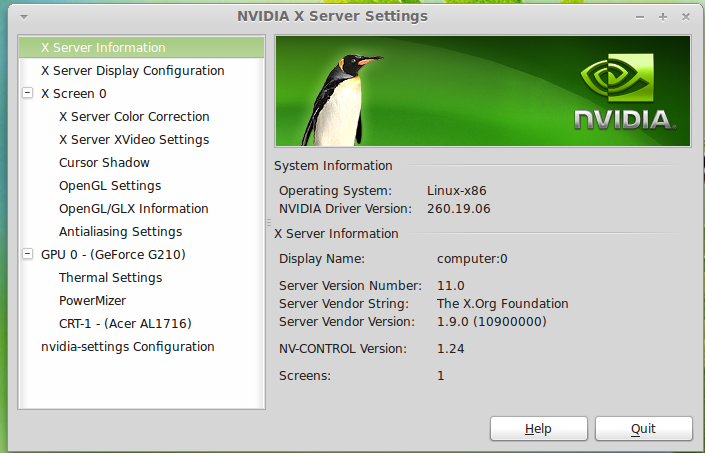
Nvidia Linux Display Driver is a proprietary OpenGL video driver that tries to bring support for the graphics cards produced by Nvidia on Linux-based operating systems. This version supports only the 32-bit architecture. For 64-bit support, see this link. Even if it provides a settings panel, the Nvidia Linux Display Driver is not an application. It is a hardware driver, which provides some instructions that tell an operating system how to use a piece of hardware.
In order to install the Nvidia Linux Display Driver on your Linux machine, one needs to download the binary package using the “Download” button above, save the file on their Home folder and execute the sh ./NVIDIA-Linux-x86-xxx.xx.run command, as root, in a Linux Terminal (where xxx.xx is the version number).
During the installation, users will be asked if they want to edit the X configuration file manually or let the installer do all the work. Alternatively, after installation, you can run the nvidia-xconfig command via a Linux Terminal to set the new driver as the default one.
These days, many Linux flavors are bundled with an open source driver for Nvidia graphics cards, called Nouveau, created by a group of developers who work for the freedesktop.org project.
The good thing about the Nouveau driver is that it works pretty well by default and it is integrated into the upstream Linux kernel, so you don’t have to download or install anything on your Linux operating system.
In our tests, we’ve discovered that the Nvidia Linux Display Driver supports much more Nvidia graphics cards than the open source Nouveau driver. It plays well with most of the ION, ION LE, Quadro Plex, Quadro Sync, GRID, NVS, nForce Professional 3000, Quadro FX, Quadro Blade, as well as all the GeForce series.
If you have a PC or laptop equipped with an Nvidia GPU, and you have issues with the default Nouveau open source driver, you may want to install the Nvidia Linux Display Driver. It’s also the number one choice for gaming users.
What's new in Nvidia Linux Display Driver 32-bit 390.129:
- Improved nvidia-bug-report.sh to grab the output of the `vulkaninfo` command when it is available.
- Updated nvidia-bug-report.sh to search the systemd journal for gdm-x-session logs.
- Added support to nvidia-installer for systems which provide ncurses libraries supporting the ncurses widechar ABI only.
- Updated nvidia-installer to avoid problems with commands whose proper functionality may be dependent on system localization (e.g. via the LANG environment variable.) For example, some kernel configurations may produce unusable kernel modules if LANG is set to a language other than English.
Nvidia Linux Display Driver 32-bit 390.129
add to watchlist add to download basket send us an update REPORT- runs on:
- Linux
- main category:
- System
- developer:
- visit homepage
Context Menu Manager 3.3.3.1

calibre 7.9.0

IrfanView 4.67

7-Zip 23.01 / 24.04 Beta

Windows Sandbox Launcher 1.0.0

Bitdefender Antivirus Free 27.0.35.146

Zoom Client 6.0.3.37634

Microsoft Teams 24060.3102.2733.5911 Home / 1.7.00.7956 Work

ShareX 16.0.1

4k Video Downloader 1.5.3.0080 Plus / 4.30.0.5655

- Microsoft Teams
- ShareX
- 4k Video Downloader
- Context Menu Manager
- calibre
- IrfanView
- 7-Zip
- Windows Sandbox Launcher
- Bitdefender Antivirus Free
- Zoom Client