
RAR For Linux
A powerful, yet closed-source archive manager for Linux and BSD operating systems. #Extract archive #Archive manager #Rar compression #Compress #Archive #Manager
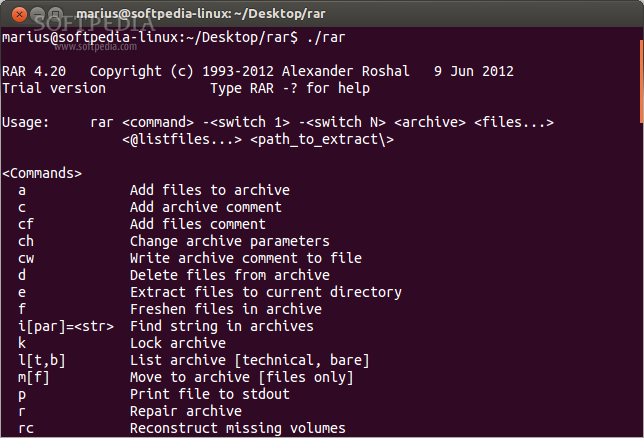
RAR is a free, closed-source command-line application that provides Linux and BSD users with an easy way to create or extract rar archives under their open source operating systems. Three executables are included in the binary packages, two versions of the rar command (a static and a shared one) and the unrar command, which is used to extract rar archives from the command-line.
While the application is able to create only RAR and ZIP archives, it has been engineered to extract TAR, GZ, BZ2, Z, 7Z, LZH, ISO, JAR, ARJ, ACE, CAB, and UUE archives.
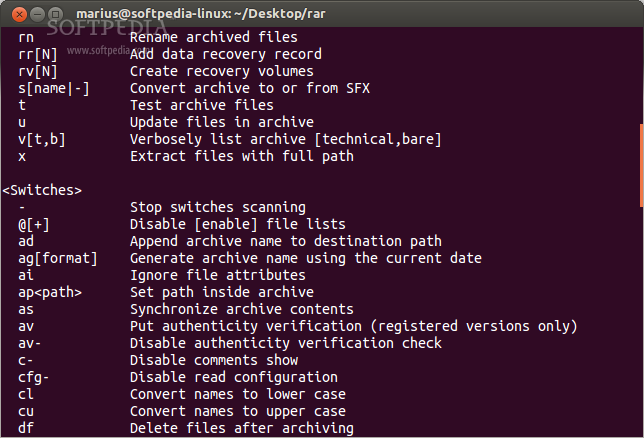
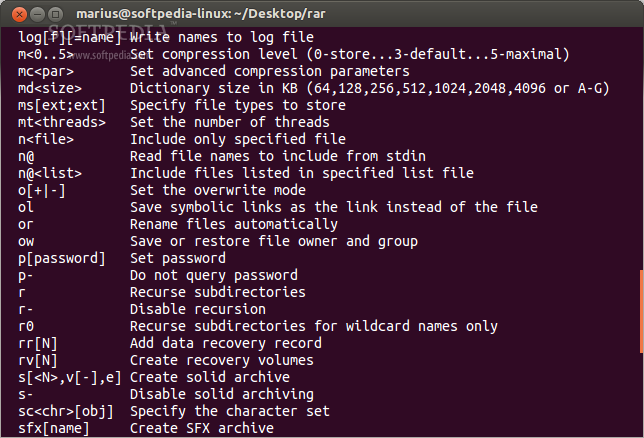
Among some of its main functions, we can mention the ability to add comments to archives, change archive parameters, delete specific files from archives, update files in an archive, repair archives, reconstruct missing volumes, or create recovery volumes.
Users will be able to use the RAR program to convert an archive to or from the SFX (Self-extracting archive) format, test archive files, rename archived files, lock archives, list the contents of an archive, as well as to extract files with full path.
While its compression rate is rather small, most Linux users will prefer to use the integrated TAR archive manager to create highly compressed archives, especially when using the tar.xz format.
However, if you want to extract rar archives under any open source Linux OS, you should use the open source unRAR program, which can be installed separately via the default software repositories of your Linux distribution.
On Linux, the software is distributed as two binary files, one for each of the supported hardware platforms (64-bit and 32-bit). To use the program, you’ll have to download and extract the corresponding file for your architecture.
It doesn’t require installation, but it is better to install it if you don’t want to always type long paths to the location of the executable every time you want to use the program. Several Linux distributions include the RAR program in their default software channels, so it is better to install the application from there.
What's new in RAR 5.80:
- Changes:
- "Preserve source files last access time" option on "Time" page of archiving dialog permits to preserve the original last access time of archiving files.
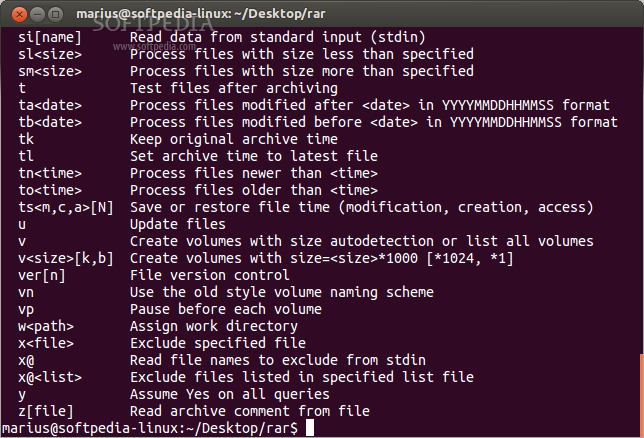
- Command line -tsp switch can be used to preserve the original last access time of archiving files. It can be combined with other -ts switches, like: rar a -tsc -tsp arcname files
RAR 5.80
add to watchlist add to download basket send us an update REPORT- runs on:
- Linux
- filename:
- rarlinux-x64-5.8.0.tar.gz
- main category:
- System
- developer:
- visit homepage
ShareX 16.0.1

Context Menu Manager 3.3.3.1

Bitdefender Antivirus Free 27.0.35.146

4k Video Downloader 1.5.3.0080 Plus / 4.30.0.5655

7-Zip 23.01 / 24.04 Beta

Zoom Client 6.0.3.37634

Windows Sandbox Launcher 1.0.0

IrfanView 4.67

calibre 7.9.0

Microsoft Teams 24060.3102.2733.5911 Home / 1.7.00.7956 Work

- IrfanView
- calibre
- Microsoft Teams
- ShareX
- Context Menu Manager
- Bitdefender Antivirus Free
- 4k Video Downloader
- 7-Zip
- Zoom Client
- Windows Sandbox Launcher