
Furius Cipher is a simple text encryption utility using the Advanced Encryption Standard (AES).. #Text encryption #Text decryption #AES cypher #Text #AES #Cypher
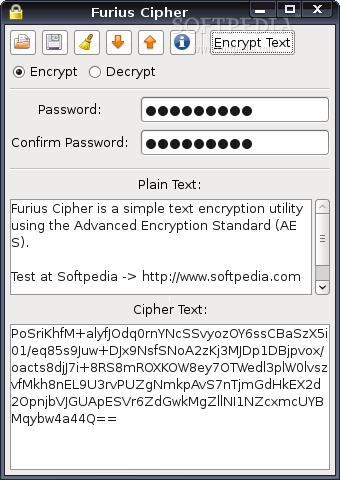
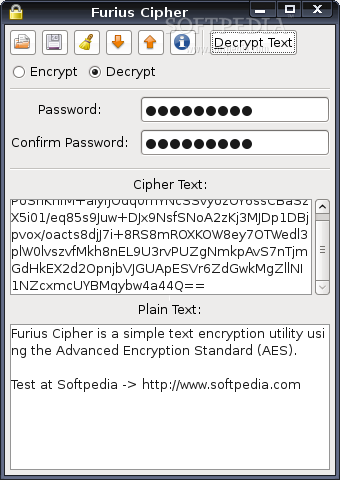
Furius Cipher is a simple text encryption utility using the Advanced Encryption Standard (AES).
Here are some key features of "Furius Cipher":
� US Government standard text encryption. � Supports UTF8 character encoding. � Text can be loaded from and saved to files.
Requirements:
� Mono
� Download the software. � Double click to install.
Now, create a launcher:
� Right-click on the gnome panel (the taskbar at the top of the screen) and choose “Add to Panel” � Select “Custom Application Launcher” and fill in these values:
- Type: Application - Name: Furius Cipher - Command: furiuscipher
� You can also select an icon to use with the launcher. � Click “OK”
Click the new launcher to start.
Other Users Compile from the source file furiuscipher-1.0.0.tar.gz
� wget http://www.marcus-furius.com/files/FuriusCipher/furiuscipher-1.0.0.tar.gz � tar xzvf furiuscipher-1.0.0.tar.gz � cd furiuscipher-1.0.0 � ./configure � make � su -c "make install"
Note: Above commands may vary depending on distribution.
Furius Cipher 0.2.0.0
add to watchlist add to download basket send us an update REPORT- runs on:
- Linux
- filename:
- furiuscipher_0.2.0.0_all.deb
- main category:
- Security
- developer:
- visit homepage
Windows Sandbox Launcher 1.0.0

7-Zip 23.01 / 24.04 Beta

Microsoft Teams 24060.3102.2733.5911 Home / 1.7.00.7956 Work

calibre 7.9.0

Zoom Client 6.0.3.37634

Context Menu Manager 3.3.3.1

Bitdefender Antivirus Free 27.0.35.146

4k Video Downloader 1.5.3.0080 Plus / 4.30.0.5655

IrfanView 4.67

ShareX 16.0.1

- 4k Video Downloader
- IrfanView
- ShareX
- Windows Sandbox Launcher
- 7-Zip
- Microsoft Teams
- calibre
- Zoom Client
- Context Menu Manager
- Bitdefender Antivirus Free