
This is the original GCC (GNU Compiler Collection) software for all POSIX systems #GNU compiler #GNU Compiler Collection #C++ compiler #GNU #Compiler #C
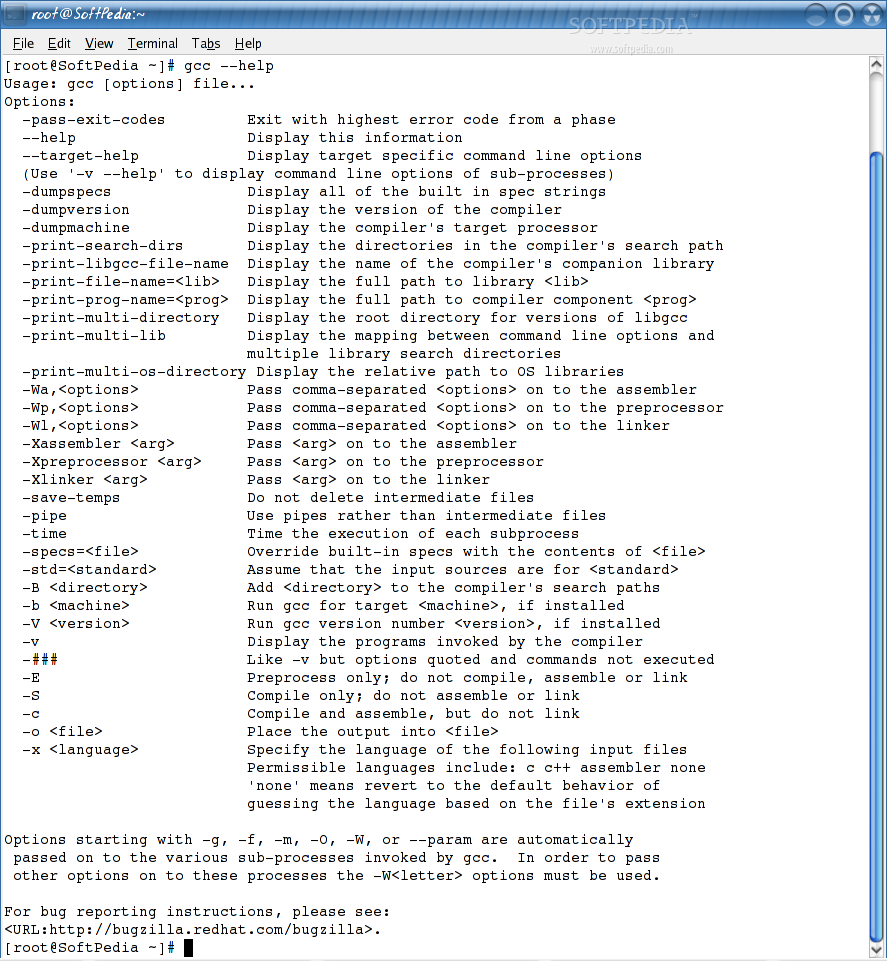
GCC (GNU Compiler Collection) is an open source command-line software designed to act as a compiler for GNU/Linux and BSD-based operating systems. It includes front-ends for numerous programming languages, including Objective-C, Go, C++, Java, C, Ada, and Fortran.
With GCC you can configure, compile and install GNU/Linux applications in Linux or BSD operating systems using only the source archive of the respective program. However, users don’t need to interact with the compiler, as this is done automatically by the configure and make scripts.
The project also includes libraries for various programming languages, such as libstdc and libgcj, and like most GNU software, it has to be configured before it can be built and installed on your computer.
It can also display the full path to a specific library, folders in the compiler's search path, full path to a specific component, target libraries directory, sysroot suffix that is used to find headers, and target's normalized GNU triplet.
There are various other options for passing certain comma-separated options and arguments on to the assembler, preprocessor and linker, compile and assemble without linking, create a shared library, and many others.
Being originally written as the main compiler for the GNU operating system, GCC (GNU Compiler Collection) was developed to be 100% free software and it is installed by default on any Linux distribution.
The software is also used by Open Source developers to compile their programs. The command-line comes with several options, among which we can mention the ability to display the compiler’s target processor, as well as the relative path to OS libraries.
GCC is one of the most essential components of any GNU/Linux operating system. Not only that we can’t even imagine a world without it, but GCC is the main reason behind the entire Open Source ecosystem.
GCC 9.2.0
 Softpedia Editor's Pick
add to watchlist
add to download basket
send us an update
REPORT
Softpedia Editor's Pick
add to watchlist
add to download basket
send us an update
REPORT
- runs on:
- Linux
- main category:
- Programming
- developer:
- visit homepage
Microsoft Teams 24060.3102.2733.5911 Home / 1.7.00.7956 Work

7-Zip 23.01 / 24.04 Beta

Zoom Client 6.0.4.38135

Windows Sandbox Launcher 1.0.0

Bitdefender Antivirus Free 27.0.35.146

ShareX 16.0.1

4k Video Downloader 1.5.3.0080 Plus / 4.30.0.5655

IrfanView 4.67

Context Menu Manager 3.3.3.1

calibre 7.9.0

- IrfanView
- Context Menu Manager
- calibre
- Microsoft Teams
- 7-Zip
- Zoom Client
- Windows Sandbox Launcher
- Bitdefender Antivirus Free
- ShareX
- 4k Video Downloader