
A simple and Open Source set of utilities to help you author DVDs under Linux-based operating systems #Dvd authoring #Dvd creator #Dvd encoding #Dvd #Authoring #Encoding
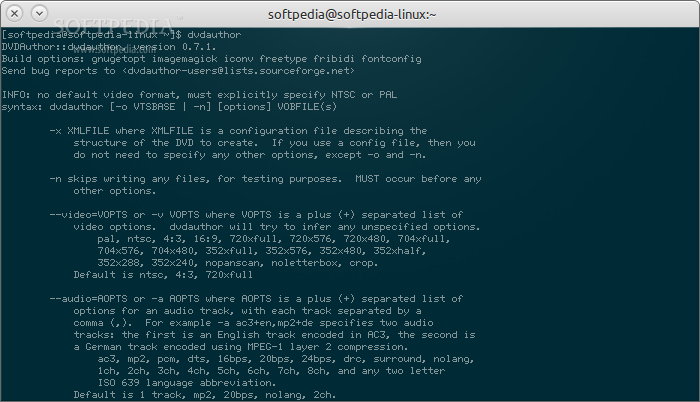
dvdauthor is an open source, totally free and multiplatform command-line program implemented in C and designed from the ground up to provides you with a comprehensive set of tools for authoring DVDs (Digital Versatile Discs), by creating menus, chapters, buttons, and other similar functions.
The application will help you to easily and quickly generate a DVD movie from valid MPEG files that contain the necessary DVD VOB packets. The resulting product should be playable on any DVD player device.
As expected, the program will present users with a bunch of command-line options, such as the ability to use a specific XML file that contains the structure of the DVD to generate. This option is the first and most important one, as the program won’t need any other parameters.
In addition to the above option, the software accepts the -n parameter for testing only purposes (simulation mode - will not write files to disk and must be used before any other options), -v for adding a separated list of video options like specific resolutions, systems or functions, -a for adding a separated list of audio options for an audio track, such as encoding or language.
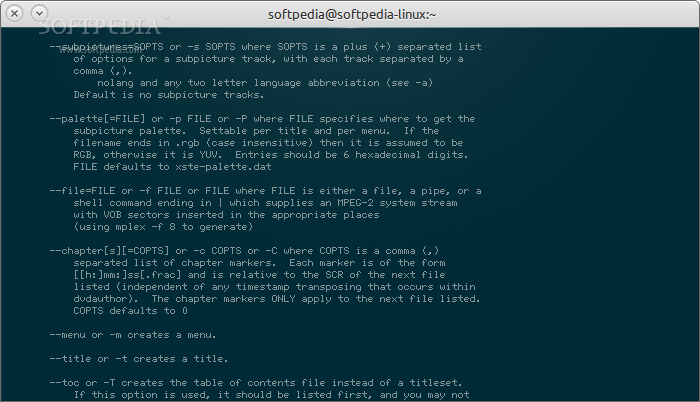
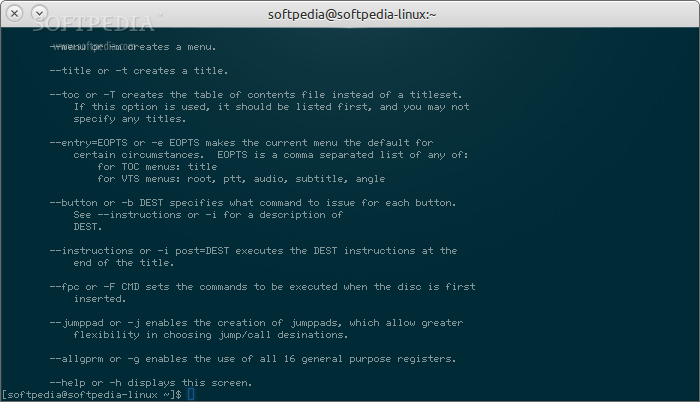
The user will also be able to define subtitle streams to be used in the final DVD-Video disc, specify subpicture palette, which can be set per menu or title, specify a file that supplies a MPEG-2 system stream with VOB sectors, as well as the ability to specify chapters, menus, titles, ToC (Table of Contents), buttons and other custom instructions.
Several GUI (Graphical User Interface) front-ends exist for the dvdauthor command-line program, including the well-known Q DVD Author, DVD Styler, DeVeDe and Bombono applications, as well as the less-known DVD Menu Animator and Polidori software.
What's new in dvdauthor 0.7.1:
- No longer silently fail to build dvdunauthor if libdvdread is not present; must be explicitly disabled with --disable-dvdunauthor, otherwise configure reports an error
- Allow format specification at top level of dvdauthor control file
- mpeg2desc now reports more details about video frames
- More explanatory XML-parsing errors
dvdauthor 0.7.1
 Softpedia Editor's Pick
add to watchlist
add to download basket
send us an update
REPORT
Softpedia Editor's Pick
add to watchlist
add to download basket
send us an update
REPORT
- runs on:
- Linux
- main category:
- Multimedia
- developer:
- visit homepage
7-Zip 23.01 / 24.04 Beta

Bitdefender Antivirus Free 27.0.35.146

ShareX 16.0.1

4k Video Downloader 1.6.0.0085 Plus / 4.30.0.5655

Context Menu Manager 3.3.3.1

Windows Sandbox Launcher 1.0.0

Microsoft Teams 24060.3102.2733.5911 Home / 1.7.00.10152 Work

IrfanView 4.67

Zoom Client 6.0.4.38135

calibre 7.10.0

- IrfanView
- Zoom Client
- calibre
- 7-Zip
- Bitdefender Antivirus Free
- ShareX
- 4k Video Downloader
- Context Menu Manager
- Windows Sandbox Launcher
- Microsoft Teams