
3gp movie wizard is a small perl/kommander script that helps you to convert almost any movie format to 3gp movie.. #Movie wizard #Video encoding #3gp movie #3gp #Movie #Wizard
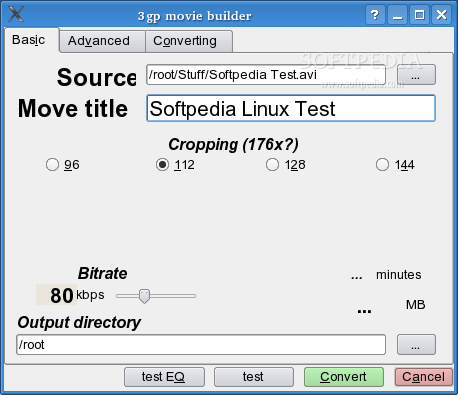
3gp movie wizard is a small perl/kommander script that helps you to convert almost any movie format to 3gp movie, suitable for watching on the modern mobile phones (tested only on Motorola V360 but should work with any mobile with 3gp support and 176 pixe
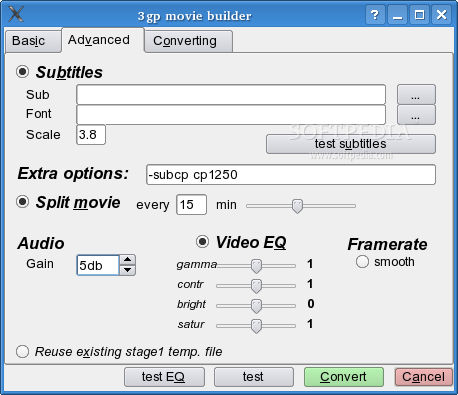
It should be extremely easy to use, yet offer advanced options such as a good subtitle support and video equalizer.
Requirements:
� perl � kommander � mplayer (preferably latest CVS) � ffmpeg with AMR support
I wrote a script that will (should) download, compile and install the latest cvs ffmpeg with AMR patches. Run the script as root: ./install-ffmpeg
The script will by default download the source to /usr/src/ffmpeg and install the compiled ffmpeg executable to /usr/local/bin/ffmpeg. It you would like to change the default paths, edit the script.
Please edit the 3gpwiz perl script and change the $ffmpeg variable to point to the just installed ffmpeg executable!
As root, run ./install
1) From commandline: 3gpwiz [filename] 2) From menu: Multimedia->3gp movie wizard 3) From Konqueror servicemenu (right click on a movie file)
What's New in This Release:
� crop autodetect (detects black borders) � crop zoom in factor � flip movie (for left handed fullscreen viewing) � moved to 'Actions' servicemenu
3gp movie wizard 1.3
add to watchlist add to download basket send us an update REPORT- runs on:
- Linux
- filename:
- 35274-3gpwiz.tar.gz
- main category:
- Multimedia
- developer:
- visit homepage
Windows Sandbox Launcher 1.0.0

Microsoft Teams 24060.3102.2733.5911 Home / 1.7.00.7956 Work

Zoom Client 6.0.3.37634

Bitdefender Antivirus Free 27.0.35.146

IrfanView 4.67

4k Video Downloader 1.5.3.0080 Plus / 4.30.0.5655

ShareX 16.0.1

Context Menu Manager 3.3.3.1

calibre 7.9.0

7-Zip 23.01 / 24.04 Beta

- Context Menu Manager
- calibre
- 7-Zip
- Windows Sandbox Launcher
- Microsoft Teams
- Zoom Client
- Bitdefender Antivirus Free
- IrfanView
- 4k Video Downloader
- ShareX
