LINUX CATEGORIES:


NEWS ARCHIVE >>
SOFTPEDIA REVIEWS >>

7-DAY TOP DOWNLOAD

#
Program
Chrome OS 0.4.237
Beta

4,198
BackTrack 3.0 / 4.0
Pre-Final

3,577
Wine 1.0.1 / 1.1.33
2,950
VLC 1.0.3
2,508
Ubuntu 9.10
2,410
Yahoo Messenger
1.0.4

2,361
Thunderbird PST
Import plugin 1.2

2,024
Adobe Flash Player
for Linux 10.0.32.18
/ 10.1 Beta

1,778
Fedora 12
1,660
Yellow Dog Linux 6.2
1,430

WEEK'S BEST

  • Ubuntu 9.10
  • Ubuntu Netbook Rem...
  • Pidgin 2.6.3
  • Wine 1.0.1 / 1.1.33
  • Linux Kernel 2.6.3...
  • Mozilla Firefox 3....
  • Fedora 12
  • OpenOffice.org 3.1.1
  • Firestarter 1.0.3
  • The Gimp 2.6.7 / 2...
  • FileZilla 3.3.0.1
  • Transmission 1.76
  • Super Grub Disk 0....
  • Gufw 9.04.2
  • Skype 2.0.072 / 2....
  • openSUSE Linux 11.2
  • Opera 10.01 / 10.1...
  • Adobe Flash Player...
  • wine-doors 0.1.3
  • Google Gadgets 0.1...
  • Home / Linux / Multimedia / Graphics

    The Gimp 2.6.7 / 2.7.0

    Softpedia Pick Award
    Download button

    Downloads: 43,382  Add to download basket  Tell us about an update
    User Rating:
    Rated by:
    Good (3.7/5)
    125 user(s)
    Developer:

    License / Price:

    Last Updated:

    Category:
    The GIMP Team | More programs
    GPL / FREE
    August 18th, 2009, 05:42 GMT [view history]
    ROOT / Multimedia / Graphics

     Read user reviews (8)  Add a review  Refer to a friend  Subscribe


    The Gimp description


    The GIMP is the GNU Image Manipulation Program.

    The GIMP is the GNU Image Manipulation Program. It is a freely distributed piece of software for such tasks as photo retouching, image composition and image authoring. The Gimp works on many operating systems, in many languages.

    GIMP is an acronym for GNU Image Manipulation Program. It is a freely distributed program for such tasks as photo retouching, image composition and image authoring.

    It has many capabilities. It can be used as a simple paint program, an expert quality photo retouching program, an online batch processing system, a mass production image renderer, an image format converter, etc.

    GIMP is expandable and extensible. It is designed to be augmented with plug-ins and extensions to do just about anything. The advanced scripting interface allows everything from the simplest task to the most complex image manipulation procedures to be easily scripted.

    GIMP is written and developed under X11 on UNIX platforms.

    Here are some key features of "The Gimp":

    Painting:

    · Full suite of painting tools including Brush, Pencil, Airbrush, Clone, etc.
    · Sub-pixel sampling for all paint tools for high quality anti-aliasing
    · Extremely powerful gradient editor and blend tool
    · Supports custom brushes and patterns

    System:

    · Tile based memory management so image size is limited only by available disk space
    · Virtually unlimited number of images open at one time

    Advanced Manipulation:

    · Full alpha channel support
    · Layers and channels
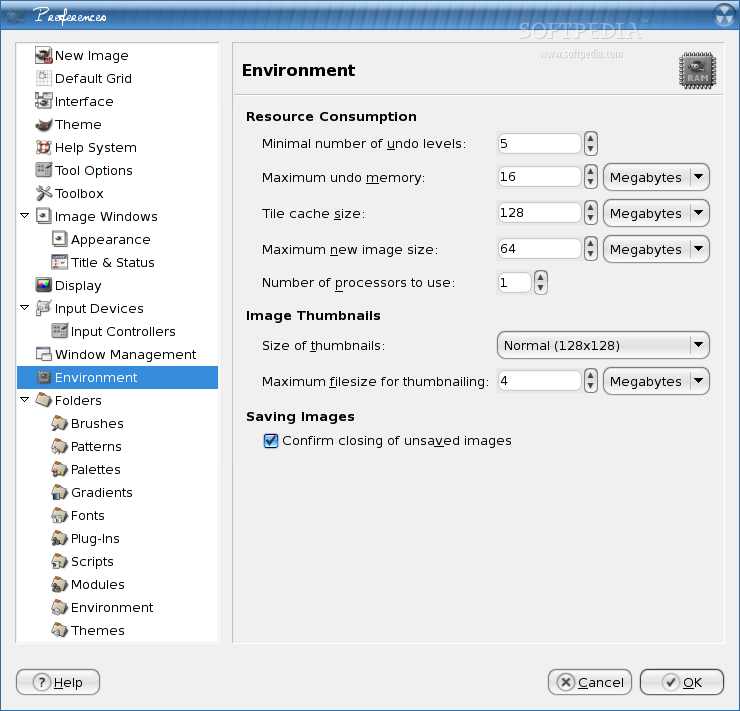
    · Multiple Undo/Redo (limited only by diskspace)
    · Editable text layers
    · Transformation tools including rotate, scale, shear and flip
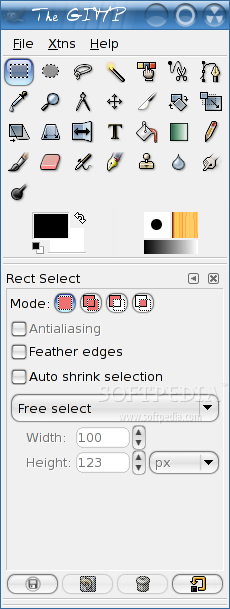
    · Selection tools including rectangle, ellipse, free, fuzzy and intelligent
    · Advanced path tool doing bezier and polygonal selections.
    · Transformable paths, transformable selections.
    · Quickmask to paint a selection.

    Extensible:

    · A Procedural Database for calling internal GIMP functions from external programs as in Script-fu
    · Advanced scripting capabilities (Scheme, Python, Perl)
    · Plug-ins which allow for the easy addition of new file formats and new effect filters
    · Over 100 plug-ins already available

    Animation:

    · Load and save animations in a convenient frame-as-layer format
    · MNG support
    · Frame Navigator (in GAP, the GIMP Animation Package)
    · Onion Skin (in GAP, the GIMP Animation Package)
    · Bluebox (in GAP, the GIMP Animation Package)

    File Handling:

    · File formats supported include bmp, gif, jpeg, mng, pcx, pdf, png, ps, psd, svg, tiff, tga, xpm, and many others
    · Load, display, convert, save to many file formats
    · SVG path import/export

    What's New in This Release: [ read full changelog ]

    UI:

    · Change the Text Tool to perform text editing on-canvas (GSoC 2008)
    · Add support for tagging GIMP resources such as brushes and allow filtering based on these tags (GSoC 2008)
    · Separate the activies of saving an image and exporting it, there is now an 'File->Export...' for example
    · Port file plug-ins to new export API which gets rid of many annoying export dialogs
    · Add a simple parser to size entry widgets, images can be scaled to e.g. "50%" or "2 * 37px + 10in"
    · Arrange layer modes into more logical and useful groups
    · Added support for rotation of brushes
    · Make the Pointer dockable show information about selection position and size
    · Get rid of the Tools dockable and move toolbox configuration to Preferences
    · Add status bar feedback for keyboard changes to brush paramaters
    · Add diagonal guides to the Crop Tool
    · New docks are created at the pointer position
    · Add support for printing crop marks for images
    · Move 'Text along path' from tool options to text context menu
    · Change default shortcuts for "Shrink Wrap" and "Fit in Window" to Ctrl+R and Ctrl+Shift+R respectively since the previous shortcuts are now used for the save+export feature
    · Make Alt+Click on layers in Layers dockable create a selection from the layer
    · Allow to specify written language in the Text Tool


    Plug-ins:

    · Map the 'Linear Dodge' layer mode in PSD files to the 'Addition' layer mode in GIMP
    · Add JPEG2000 load plug-in
    · Add X11 mouse cursor plug-in
    · Add support for loading 16bit (RGB565) raw data
    · Add palette exporter for CSS, PHP, Python, txt and Java, accessed through palette context menu
    · Add plug-in API for getting image URI, for manipulating size of text layers, for getting and setting text layer hint, and for unified export dialog appearance


    Data:

    · Add large variants of round brushes and remove duplicate and useless brushes
    · Add "FG to BG (Hardedge)" gradient


    GEGL:

    · Port the projection code, the code that composes a single image from a stack of layers, to GEGL
    · Port layer modes to GEGL
    · Port the floating selection code to GEGL
    · Refactor the layer stack code to prepare for layer groups later
    · Prepare better and more intuitive handling of the floating selection
    · Add File->Debug->Show Image Graph that show the GEGL graph of an image
    · Allow to benchmark projection performance with File->Debug->Benchmark Projection
    · When using GEGL for the projection, use CIELCH instead of HSV/HSL for color based layer modes


    Core:

    · Make painting strokes Catmull-Rom Spline interpolated
    · Add support for arbitrary affine transforms of brushes
    · Add support for brush dynamics to depend on tilt
    · Add aspect ratio to brush dynamics
    · Add infrastructure to soon support vector layers (GSoC 2006)
    · Rearrange legacy layer mode code to increase maintainability
    · Drop support for the obsolete GnomeVFS file-uri backend
    · Allow to dump keyboard shortucts ith File->Debug->Dump Keyboard Shortcuts
    · Prepare data structures for layer groups
    · Remove gimprc setting "menu-mnemonics", "GtkSettings:gtk-enable-mnemonics" shall be used instead
    · Remove "transient-docks" gimprc setting, the 'Utility window' hint and a sane window manager does a better job
    · Remove "web-browser" gimprc setting and use gtk_show_uri() instead


    General:

    · Changed licence to (L)GPLv3+
    · Use the automake 1.11 feature 'silent build rules' by default
    · Lots of bug fixes and cleanup


    TAGS:

    image processing | image conversion | image optimization | conversion | processing | optimization


    HTML code for linking to this page:


    Go to top

    Windows tabGames tabDrivers tabMac tabLinux tabScripts tabMobile tabHandheld tabGadgets tabNews tab

    SUBMIT PROGRAM   |   ADVERTISE   |   GET HELP   |   SEND US FEEDBACK   |   RSS FEEDS   |   ENTER NEWS SITE   |   ENGLISH BOARD   |   ROMANIAN FORUM