Softpedia


LINUX CATEGORIES:


GLOBAL PAGES >>
NEWS ARCHIVE >>
SOFTPEDIA REVIEWS >>
MEET THE EDITORS >>

WEEK'S BEST

  • BackTrack 5 R1
  • Wine 1.2.3 / 1.4 RC3
  • Mozilla Firefox 10...
  • Ubuntu 11.04
  • Angry Birds 1.1.2.1
  • Ubuntu 10.04.3 LTS
  • Linux Kernel 3.2.6
  • Ubuntu Manual 10.10
  • Adobe Flash Player...
  • Pidgin 2.10.1
  • Home > Linux > Multimedia > Graphics

    LightZone 3.9

    Download button

    Downloads: 11,089  View global page NEW!  Tell us about an update
    User Rating:
    Rated by:
    Good (3.0/5)
    33 user(s)
    Developer:

    License / Price:

    Last Updated:

    Category:
    Light Crafts | More programs
    Shareware / USD 99.95 | BUY the full version
    June 30th, 2010, 06:31 GMT [view history]
    ROOT / Multimedia / Graphics

     Read user reviews (0)  Refer to a friend  Subscribe

    LightZone description

    A proprietary photo editor for Linux!

    LightZone fully embraces fearless visual experimentation. It provides a unique visual approach to digital photo editing, allowing you to focus on what you want to do with your photos, not how you do it. All operations are live and have an immediate effect upon which you can make new editing decisions. No more guess work. The software allows you to enhance photos in a simple and natural way, without the steep learning-curve found in many other software programs.

    Camera requirements:

    LightZone supports every camera ever made using JPEG. LightZone reads JPEG(JPG) files, and most every camera ever made uses JPEG files. In addition LightZone can read specific RAW file formats from all major manufactures for additional image quality.

    RAW file support:

    Advanced photographers appreciate saving disk space with LightZone. LightZone is the only photo-editing application that edits RAW photographs without the need to convert them.

    Many digital SLR's and other cameras shoot in a format called RAW. In addition to JPEG, TIFF, DNG, LightZone supports the following RAW formats: ARW, CR2, CRW, DCR, KDC, MOS, MRW, NEF, ORF, PEF, RAW, SR2 and TIF.

    The currently supported camera RAW types are:

    Canon
    EOS 1D, EOS 1D Mark II, EOS 1D Mark II N, EOS 1Ds, EOS 1Ds Mark II, EOS-1D Mark III , EOS-1Ds Mark III, EOS 5D, EOS 10D, EOS 20D, EOS 30D, EOS D30, EOS 40D, EOS D60, EOS Digital Rebel (300D, KISS Digital N), EOS Digital Rebel XT (350D), EOS Digital Rebel XTi (400D), EOS 450D, EOS 1000D, EOS Kiss Digital Powershot G2, Powershot G3, Powershot G5, Powershot G6, PowerShot G9, Powershot S30, Powershot S40, Powershot S50, Powershot S60

    Fuji
    FinePix E550, FinePix E900, FinePix F700, FinePix F710, FinePix S20 Pro, FinePix S3 Pro, FinePix S5 Pro , FinePix S5000, FinePix S5100, FinePix S5200, FinePix S5600, FinePix S7000, FinePix S9000, FinePix S9500, FinePix S2 Pro, FinePix S100FS

    Kodak
    DCS Pro 14N, DCS Pro SLR-C, DCS Pro SLR-N, P850, P880, Pro Back, P712

    Leica
    M8 Digital, R9 Digital Back DMR, D-LUX 2, D-LUX 3, Digilux 2, Digilux 3, V-LUX 1

    Minolta
    Alpha-7 Digital, Dimage A1, Dimage A2, Dimage A200, Dimage 5, Dimage 7, Dimage 7 HI, Dynax 5D, Dynax 7D, Maxxum 7D

    Nikon
    D1H, D1X, D2H, D2Hs, D2X, D2Xs, D3, D40, D40X, D50, D60, D70, D70s, D80, D100, D200, D300, D700, E5400, E8400, E8700, E8800

    Olympus
    C-5050Z, C-5060WZ, C-70Z, C-7000Z, C-7070WZ, C-8080WZ, E-1, E-3, E-10, E-20, E-20N, E-20P, E-300, E-330, E-400, E-410, E-420, E-500, E-510, E-520, SP-350, SP-500UZ, SP-550UZ

    Panasonic
    DMC-FZ30, DMC-FZ50, DMC-FZ18, DMC-L1, DMC-LC1, DMC-LX1, DMC-LX2, DMC-L10

    Pentax
    K10D, K20D, K100D, K200D, *ist D, *ist DL, *ist DS

    Ricoh
    GX100, GR Digital II

    Sony
    DSC R1, DSLR A100, DSLR-A200, DSLR-A350, DSLR A700

    Samsung
    GX10


    Product's homepage

    Here are some key features of "LightZone":

    LightZone is 100% non-destructive:

    · From editing RAW photographs or JPEG, TIFF or DNG photos, LightZone is a complete digital image editing application in a single software package. LightZone's intelligent editing features help adjust exposures, boost overall color, correct color shifts and white balance errors, selectively sharpen or blur images or parts of images, remove dust spots and reduce the noise often found in high-ISO digital images.

    Connecting the dots:

    · LightZone is the only photo-editor where every operation is a smart operation.

    · No more tweaking of confusing histograms, no more guess-work; a single slider in LightZone can adjust any of the 16 exposure values in an image: individually, grouped or selectively.

    Built-in intelligence:

    · Safely experiment with change in exposures without changing color or vice versa. Instantly create High Dynamic Range images, without the need to take multiple exposures. All operations are performed in a 16-bit dynamic range for maximum editing flexibility.

    Unlimited layers:

    · An unlimited tool stack allows for unlimited edits to the photograph, in which the hierarchy determines in what order these edits are performed. Edit instructions are stored as non destructive operational layers (rather than pixel layers). Individual edit operations can be sequenced differently and turned on or off.

    Powerful selections and mask:

    · While many accurate adjustments can be made with tools without selections because of LightZone's advanced image analysis technology, sometimes a specific region requires more attention or isolation. LightZone's live-regions with feathering can be changed in shape, or moved even after the edit is applied. Regions are linked to individual tools, allowing for very detailed editing operations.

    Instant Styles:

    · High Dynamic Range
    · High Dynamic Range sunset
    · Black and White Toning
    · Blue filter Black and White
    · Contrast and Pop
    · InfraRed Look
    · Lomo Look
    · Palladium Toning
    · Sepia
    · Wow
    · Soft Wow
    · Page Soft Wow
    · Shadows opener
    · Alien InfraRed
    · Style creation
    · Import and Export Styles

    Intelligent Tools:

    · Relight tool
    · Colorized Black and White
    · Hue/saturation
    · Noise reduction
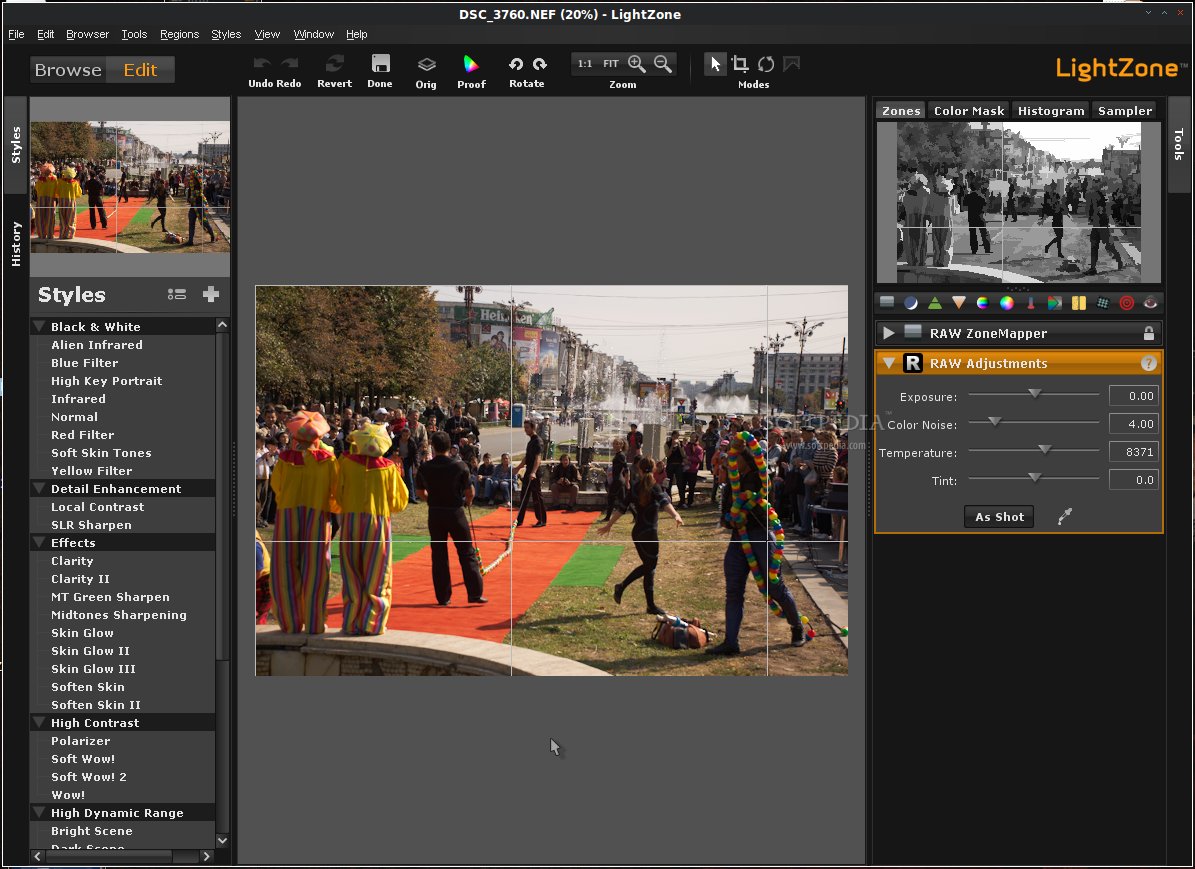
    · Modify live RAW adjustments
    · Selections and Masks
    · White Balance
    · ZoneMapper
    · Sharpen
    · Blur
    · Color Balance
    · Clone and stamp
    · Red-eye removal

    Powerful Workflow:

    · Embedded edit tool-stack in JPEG
    · Selective edit history
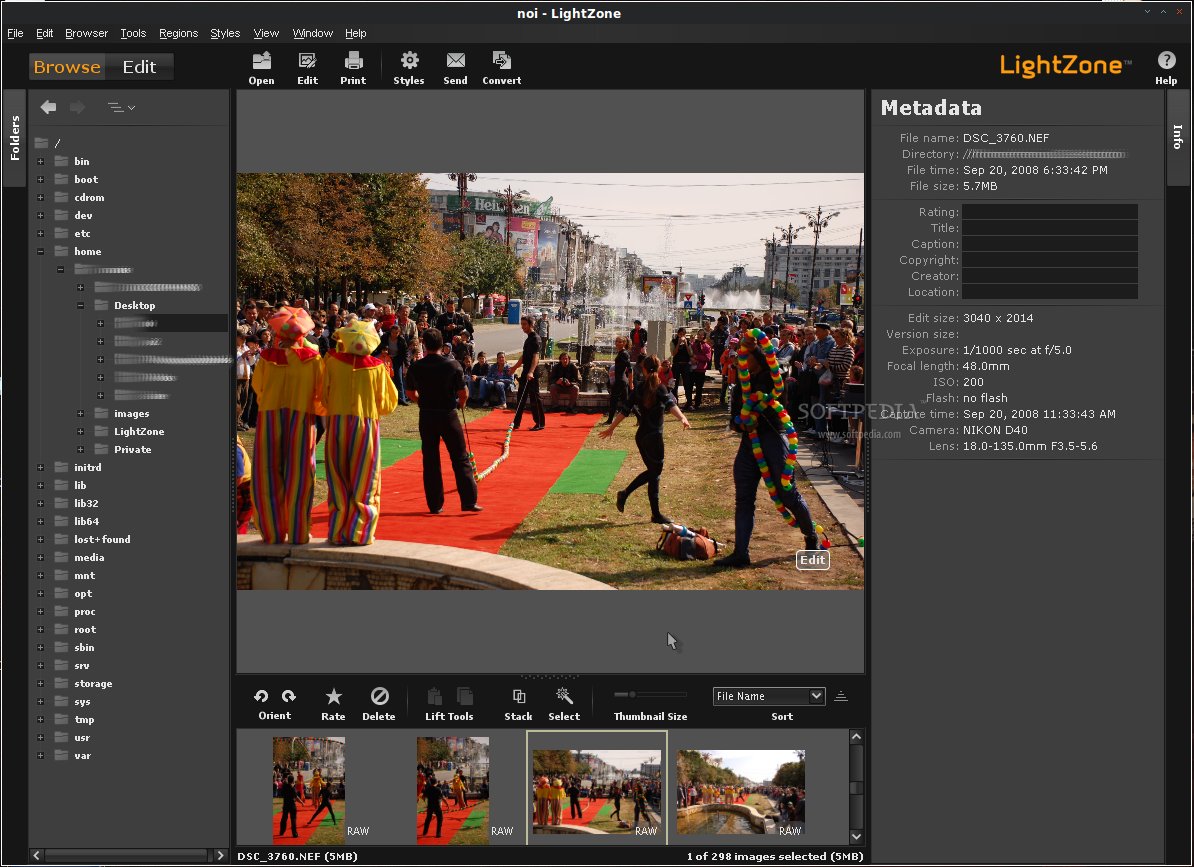
    · Metadata editor & preference
    · Lift and batch-apply Styles
    · Image stack and unstack
    · Smart select
    · Send and preference
    · Help and advice
    · ConvertImproved
    · Drag-and-drop
    · Photo browser
    · Batch processing
    · camera RAW support
    · Rank and sort
    · Soft Proof
    · Printing with automatic resize
    · RAW selective editing
    · Lightroom integration
    · iPhoto integration
    · Aperture integration

    Requirements:

    · Java 2 Standard Edition Runtime Environment
    · 1 GB RAM (2 GB recommended)
    · Pentium or AMD CPU w/SSE2

    Limitations:

    · 30-day trial

    What's New in This Release: [ read full changelog ]

    · Added Canon 450D RAW support
    · Added Canon 1000D RAW support
    · Added Fujifilm S100FS RAW support
    · Added Nikon D60 RAW support
    · Added Nikon D700 RAW support
    · Added Olympus E420 RAW support
    · Added Olympus E520 RAW support
    · Added Olympus SP550UZ RAW support
    · Added Panasonic DMCL10 RAW support
    · Added Pentax K20D RAW support
    · Added Pentax K200D RAW support
    · Added Sony DSLRA200 RAW support
    · Added Sony DSLRA350 RAW support


    TAGS:

    image viewer | photo browser | raw editor | LightZone | photo | browser


    HTML code for linking to this page:


    Go to top

    WindowsGamesDriversMacLinuxScriptsMobileHandheldNews

    SUBMIT PROGRAM   |   ADVERTISE   |   GET HELP   |   SEND US FEEDBACK   |   RSS FEEDS   |   UPDATE YOUR SOFTWARE   |   ROMANIAN FORUM