Search Perform an advanced search query SOFTPEDIA
 
SOFTPEDIA
Updated one minute ago
HomeSubmit a program for being reviewedAdvertise on our websiteGet help on surfing our websitesSend us your feedbackGet information about our XML/RSS backend and how to use itBrowse the news archiveVisit our discussion forumVizitati forumul in limba romana


Program Finder

Beryl 0.2.1

Download Beryl 0.2.1If you developed this product, click here to download your SoftPedia Pick Award
Add to download basket
Send update information
View more screenshots
Rating: Very Good
Rated by: 147 user(s)

Recent news
- Softpedia Recommended Mac A...
- iPhone 3G Gets Even Babies ...
- LinkedIn Sells Private Cust...
- Internet Explorer 8 - The G...
- BlackBerry Bold out on July...
- Google's StreetView Pr...
- Sony Ericsson W595 to Repla...
- E-fencing on the Rise in th...
- 50,000:1 Contrast Ratio LCD...
- A Nokia Aeon Wannabe

Downloads: 169,125
Developer: The Beryl Project | More programs by this producer
License: GPL (GNU General Public License)
Price: FREE 
Last Updated: March 18th, 2007 20:31
Category: MAIN :: Multimedia :: Graphics
 Read user reviews (0) Add a review Refer to friend Subscribe

Beryl description Download
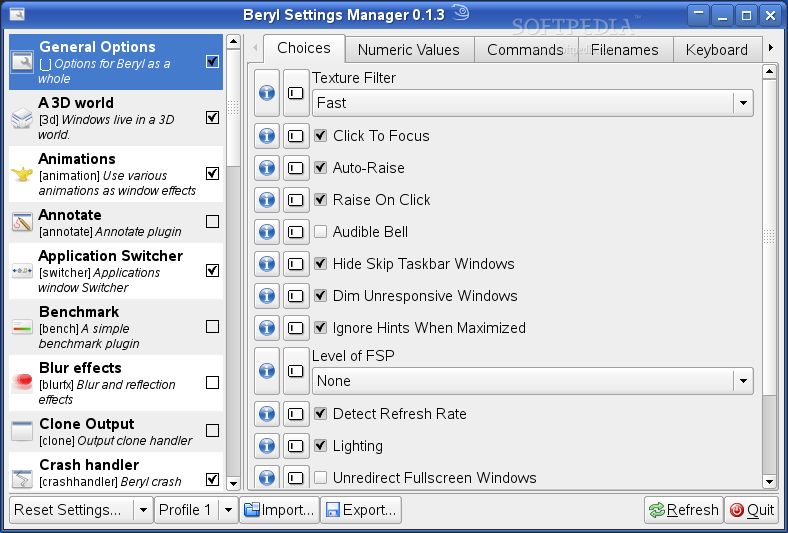
Beryl is an OpenGL accelerated desktop that seeks to provide a free, open source desktop experience to the community that reflects the wishes of the users. Above all else, the project seeks to listen to and respond to the requests of the user base.

Beryl is a combined window manager and composite manager written in C using OpenGL to provide acceleration. It is designed to be highly flexible, extensible, and portable, all the while keeping in mind that the users know how they want their desktops to act better than we do. With Beryl the rather esoteric concept of the computer desktop is brought down to a more human level, allowing for a more native and intuitive understanding of your workspace.

Highlights of Beryl:

OS X Expose Like Effect
Beryl allows users to activate the scale effect to find and switch between windows easily. Switching between windows using the scale effect is as easy as clicking on the thumbnail you want and Beryl will automatically pull up the selected window.

Live Window Previews
As is the staple of all Beryl Effects, the windows show in the Scale effect are live previews. Movies continue to play, websites update. By right clicking on any given window, it will be zoomed back to full size for closer inspection.

Drag and Drop Support
Dragging and dropping documents from folder to folder has never been easier. Overlapping windows are no longer an issue, just grab the document you wish to drag and drop, initiate scale with your mouse, and hover over the window you wish to drop it on. Easy...

Improved Visual Identification
The new switcher replaces the old boring icon based switcher. Now providing the user with live previews of their windows. Switching between many windows of the same app with Alt+Tab no longer requires reading the sometimes ambiguous window name.

Better Selectiong Control
By pressing Alt+Tab you can easily browse through windows on your current viewport. Or if you wish to browse through all windows on all desktops, pressing Ctrl+Alt+Tab will allow you to do so.

See Only What You Want
If you wish, the new switcher can be configured to dim all windows but the active one making your entire desktop your switcher. If you switch to a window not on your current viewport, the cube will rotate to show you.

Visualize Your Workspace
The human mind thinks very well in 3 dimensions, so why limit yourself to only two? Beryl can display your viewports as a cube, making it easier to organize your desktop. For the diehards though, the cube is unobtrusive as possible for these users.

See Through The Clutter
Optionally the cube may be turned transparent to allow a user to see whats on the other side of the cube at all times. This feature is working but is planned to be in a future release.

See Even More
For some the cube doesn't present enough information, only really showing the user one workspace at a time. In these situations it can be unfolded to show several viewports at once in a film strip style view by pressing Ctrl+Alt+Page Down.

See Whats Going On
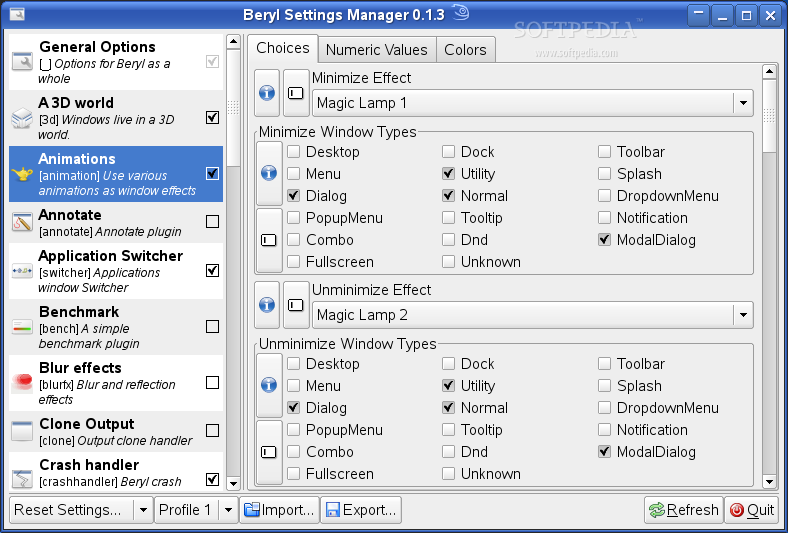
Just like metacity before it, Beryl will show you exactly where your windows are going when you minimize them. Animations are also available for close, create, show, and window shading.

Do It How You Want It
Beryl comes loaded with 10 different animations to choose from. You can have your windows simply fade in and out, or have them destroyed in a fiery inferno when they are closed. It is all up to you, you can even have it randomly select an animation each time.

Shade Windows
Like many window managers before it, Beryl can shade windows to save on desktop space. Beryl comes with several animations for window shading, from a simple role up, to a accordian style folding. Once again, it is all up to you.

Transparency, Brightness, and Saturation
The transparency, brightness, and saturation of a window can easily be changed simply by right clicking on its title bar and setting it in the menu. It can also be set via mouse bindings.

Gnome Terminal True Transparency
With Beryl providing a proper composited environment, Gnome Terminal can now use true transparency. That means you can see the windows below it instead of a copy of the wallpaper below it.

Negative Windows
Like the negative of a film camera, the color values of windows can be inverted. This simple inversion makes it much easier to read text in many situations and is often quite easier on the eyes. Neg is as simple as Super+n.

Forget Your Reading Glasses
Websites keep using smaller and smaller text as screen resolutions keep getting bigger and bigger. Reading on the computer without binoculars is getting harder and harder, but Beryl can give you a virtual telescope!

Zoomed Interaction
Beryl offers a proportional zoom that allows users to interact with their desktop while zoomed, working with tiny text, and tiny widgets was never easier. Super + Mouse Scroll is all it takes to help your eyes out.

Future Hopes
Sometime in the future Beryl hopes to implement the GNOME Mag API, giving proper zoom support to the visually impaired. This combined with the current Neg plugin *inverts the color values on your screen* is a very potent combination.

Eliminate the Clutter
One of the longstanding issues of transparent terminals been that reading the text over whatever was behind it became very difficult. Beryl allows users to blur what is behind their windows effectively removing hard lines that making reading difficult.

Read Your Titlebar
Blur can also be used to blur what is behind your titlebar if your decorations are transparent. In fact, it can blur behind just about any transparent window, even those using a non-standard shape such as Cairo-Clock.

Take It Easy GPU
Blur strives to be easier on the GPU by taking advantage of caching techniques and having many different shaders of variable strength to allow lower end cards to work more smoothly. Blur can even be used on cards without pixel shaders.

Emerald: True Beryl Themes
Emerald is a window decorator with minimal GTK requirements that enables fully transparent window decorations. It is one of the few window decorators that can be completely themed without ever touching an XML file.

Heliodor: Metacity Themes
Heliodor provides exactly what the header suggests, metacity theme support. Heliodor is not yet feature complete but works on a basic level, and in the future will support basic transparency settings.

Aquamarine: KWin Themes
Aquamarine provides support for KDE users who dont want to give up their KWin theme. Featuring full KWin theme support as well as direct integration with KControl, users don't have to know the difference.

Requirements:

You can find the following packages on the Softpedia website, just click on them:

ˇ Aquamarine
ˇ Heliodor
ˇ Emerlad
ˇ Emerlad Themes


Beryl Download
Beryl Screenshots
Find Related Downloads


MOST POPULAR PROGRAMS IN THIS CATEGORY ( Graphics )  

Beryl 0.2.1
Beryl is an OpenGL accelerated desktop that seeks to provide a free, open source desktop experience to the community.
screenshot
pick | update
Corel Photo-Paint 9
Corel Photo-Paint is the well known image creation and photo editing application.
screenshot
update
The Gimp 2.4.6 / 2.5.1
The GIMP is the GNU Image Manipulation Program.
screenshot
pick | update
XnView 4.51
XnView is an efficient multimedia viewer, browser and converter.
screenshot
new
Flash for Linux 0.2.1
Flash for Linux is a SWF editor for Linux.
screenshot
update
ImageMagick 6.4.2-1
ImageMagick is a comprehensive package supporting automated and interative manipulation of images.
screenshot
pick | update
gPhoto2 2.4.1
gPhoto2 is a GNU Digital Camera download software.
screenshot
update

go to top  


Welcome!
Hello, Guest

Login if you have a Softpedia.com account.

Otherwise, register for one.

Main categories:
  • Adaptive Technologies
  • Adobe AIR Apps
  • Artistic Software
  • Communications
  • Database
  • Desktop Environment
  • Documentation
  • Education
  • Games
  • Home Automation
  • Information Management
  • Internet
  • Multimedia
  • Office
  • Printing
  • Programming
  • Religion
  • Science
  • Science and Engineering
  • Security
  • System
  • Text Editing&Processing
  • Utilities

  • Week's best:
  • Softpedia Linux RSS ...
  • Ubuntu 8.04.1 (Hardy...
  • Pidgin 2.4.3
  • Adobe Flash Player f...
  • The Gimp 2.4.6 / 2.5...
  • openSUSE Linux 11.0
  • Linux Kernel 2.6.25....
  • Super Grub Disk 0.97...
  • Skype 2.0.0.68
  • OpenOffice.org 2.4.1...
  • Mozilla Firefox 3.0 ...
  • Transmission 1.22
  • DeVeDe 3.9
  • Wine 1.1.0
  • wine-doors 0.1.2
  • Shoreline Firewall 4...
  • Linux Mint 5.0 (Elys...
  • Google Gadgets 0.9.3
  • Fedora 9
  • Opera 9.51
  • Latest Distributions
  • Caixa Mágica 12 Live...
  • Greenie Linux 3.0.4H
  • SYS 0.23 RC4
  • GoblinX Micro Editio...
  • Clonezilla-SysRescCD...
  • SchilliX 0.6.7
  • PING 2.01.13
  • Edubuntu 8.04.1 (Har...
  • Gobuntu 8.04.1 (Hard...
  • Ubuntu JeOS 8.04.1 (...
  • Xubuntu 8.04.1 (Hard...
  • Ubuntu Studio 8.04.1...
  • MythBuntu 8.04.1
  • Kubuntu 8.04.1 (Hard...
  • Kubuntu 8.04.1 (Hard...
  • Ubuntu 8.04.1 (Hardy...
  • Pardus Linux 2008
  • Poseidon Linux 3.0
  • GParted LiveCD 0.3.7...
  • Elive 1.7.8 Developm...
  • Latest Ubuntu Packages
  • KubXtra 8.04-7
  • GScrot 0.38
  • Rapache 0.4
  • Furius ISO Mount 0.9...
  • GNU Interactive Tool...
  • Advene 0.32
  • TrueCrypt 6.0
  • Listaller 0.1.16 Pre...
  • Newspost 2.1.1
  • Ortro 1.3.2a
  • ManDVD 2.5-3
  • QLandkarte 0.7.3
  • LOVE 0.3.2
  • DjVuSmooth 0.1.2
  • Amaya 10.0 / 10.1 Pr...
  • TriX 0.94
  • Alien GUI 0.99.1
  • XWii 2.5
  • Domain Technologie C...
  • XML Copy Editor 1.1....
  • © 2001 - 2008 Softpedia. All rights reserved.
    Softpedia™ and Softpedia™ logo are registered trademarks of SoftNews NET SRL.
    Copyright Information | Privacy Policy | Terms of Use | Contact Softpedia | Update your software | Archive