
A tool for splitting audio CD image to tracks with cue sheet info.. #Cue to track #AudioCD splitter #CUE sheets #CUE #Tracks #AudioCD
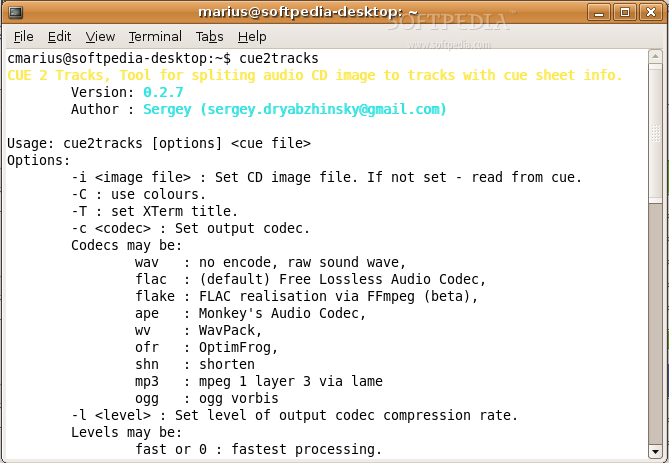
cue2tracks (CUE 2 Tracks) is a tool for splitting audio CD image to tracks with cue sheet info.
Usage: cue2tracks [options] < cue file >
-i < image file > : Set CD image file. If not set - read from cue. -C : use colours. -T : set XTerm title. -c < codec > : Set output codec.
wav : no encode, raw sound wave, flac : (default) Free Lossless Audio Codec, flake : FLAC realisation via FFmpeg (beta), ape : Monkey's Audio Codec, wv : WavPack, ofr : OptimFrog, shn : shorten mp3 : mpeg 1 layer 3 via lame ogg : ogg vorbis
-l : Set level of output codec compression rate.
fast or 0 : fastest processing. best or 1 : (default) better compression.
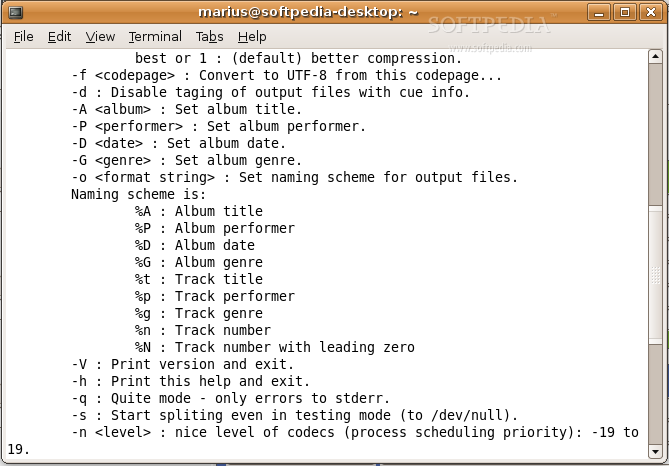
-f < codepage > : Convert to UTF-8 from this codepage... -d : Disable taging of output files with cue info. -A < album > : Set album title. -P < performer > : Set album performer. -D < date > : Set album date. -G < genre > : Set album genre. -o < format string > : Set naming scheme for output files.
%A : Album title %P : Album performer %D : Album date %G : Album genre %t : Track title %p : Track performer %g : Track genre %n : Track number %N : Track number with leading zero
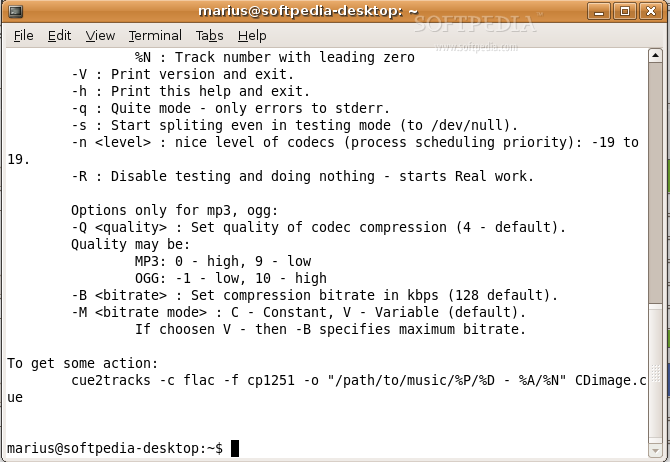
-V : Print version and exit. -h : Print this help and exit. -q : Quite mode - only errors to stderr. -s : Start spliting even in testing mode (to /dev/null). -n < level > : nice level of codecs (process scheduling priority): -19 to 19. -R : Disable testing and doing nothing - starts Real work.
-Q < quality > : Set quality of codec compression (4 - default).
MP3: 0 - high, 9 - low OGG: -1 - low, 10 - high
-B < bitrate > : Set compression bitrate in kbps (128 default). -M < bitrate mode > : C - Constant, V - Variable (default). If choosen V - then -B specifies maximum bitrate.
cue2tracks -c flac -f cp1251 -o "/path/to/music/%P/%D - %A/%N" CDimage.cue
What's new in cue2tracks 0.2.9.4:
- Added support of composer info (new option -K)
- Fixed starting of new splitting process
- Fixes for clean full paths from split process output
- Updated colouring
cue2tracks 0.2.9.4
add to watchlist add to download basket send us an update REPORT- runs on:
- Linux
- main category:
- Multimedia
- developer:
- visit homepage
4k Video Downloader 1.5.2.0077 Plus / 4.30.0.5655

Microsoft Teams 24060.2623.2790.8046 Home / 1.7.00.7956 Work

Bitdefender Antivirus Free 27.0.35.146

IrfanView 4.67

calibre 7.8.0

ShareX 16.0.1

Windows Sandbox Launcher 1.0.0

7-Zip 23.01 / 24.04 Beta

paint.net 5.0.13 (5.13.8830.42291)

Zoom Client 6.0.0.37205

- 7-Zip
- paint.net
- Zoom Client
- 4k Video Downloader
- Microsoft Teams
- Bitdefender Antivirus Free
- IrfanView
- calibre
- ShareX
- Windows Sandbox Launcher