
ReplayGain is a amaroK script to support replaygain tags. #Amarok script #Replaygain tags #Audio tags #ReplayGain #Amarok #Script
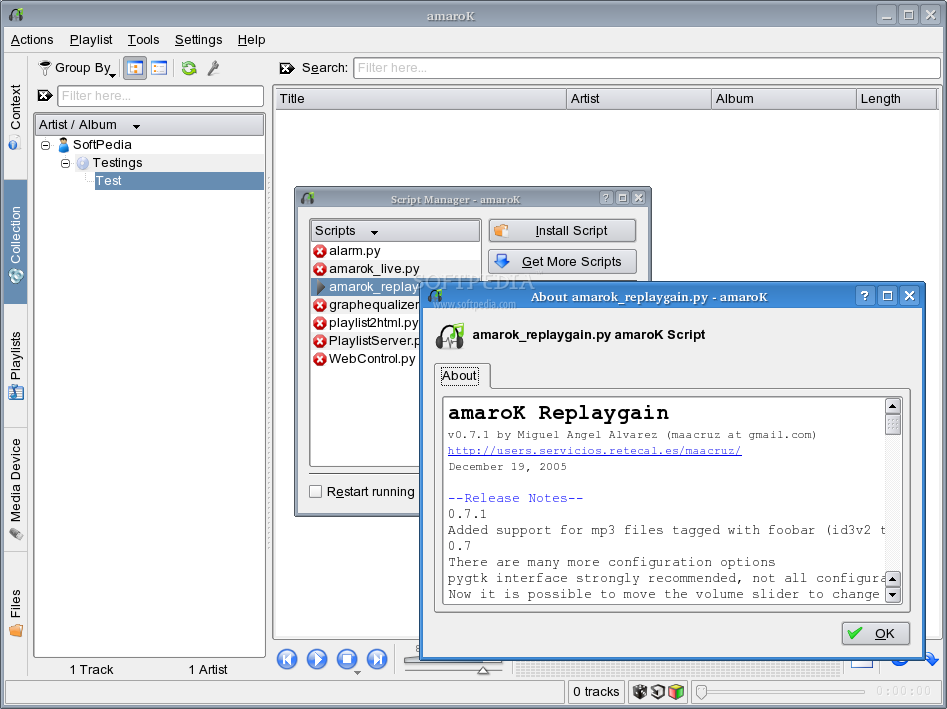
ReplayGain is a amaroK script to support replaygain tags.
Using replaygain will make all your songs have the same perceived volume, making unnecesary to adjust the volume on each song change (specially if they are from different albums/artists).
· vorbis ogg: needs vorbis-tools (uses vorbiscomment) · mp3: needs mp3gain or aacgain · aac (mp4/m4a): needs aacgain · needs flac (uses metaflac) · musepack (mpc): needs musepack utilities (uses replaygain)
First you need to analyze all your song files with the corresponding utility. The utility will write some tags to the file which will be used to correct the playing volume.
Once a file is tagged, the script will be able to read such tags and it will update the volume as needed so all files/albums sound equally loud.
If a file doesn't have replaygain tags it will be played at 0 dB+pregain (dB stands for decibel, search wikipedia or google if you don't know what it is)
Vorbis ogg: vorbisgain -arfs *
mp3 (using mp3gain): find -type d -exec sh -c "mp3gain "{}"/*.mp3" ;
mp4 and mp3 (using aacgain): find -type d -exec sh -c "aacgain "{}"/*.mp[34]" ;
mpc: find -type d -exec sh -c "replaygain --auto "{}"/*.mpc" ;
The script will adjust the volume slider for you on each song change. You should use your soundcard's mixer to adjust the volume, but you can change the pregain too. The script is calibrated with gstreamer, xine and arts engines.
Crossfade is supported, so the volume changes slowly when crossfading. You have also the option of sudden or smooth volume change when crossfade is disabled in amarok.
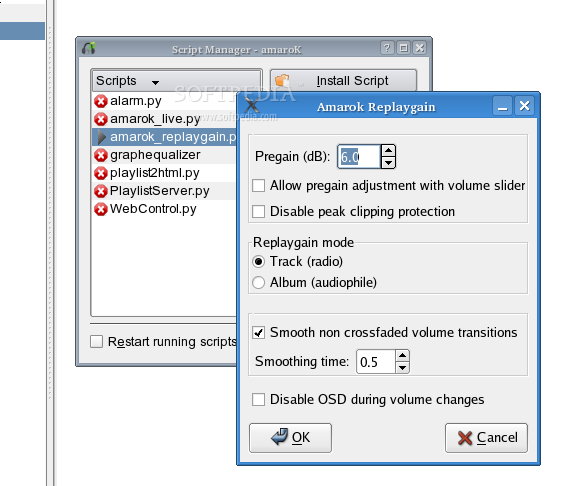
The 0 dB point is set at 55% volume, but a default +6 dB pregain is applied. The pregain is just the volume reference level, that is, how loud a song with no need of volume adjustment will play.
The pregain can be changed in the configure dialog, or if configured to do so, by moving the volume slider. But beware that if the pregain is too high or too low, the script may have not enough space to move the volume slider to get the needed volume correction for a given file, depending on your song collection.
The gain range goes aproximately from 11 dB to -17 dB (5 to -23 if the 6 dB pregain is applied) with gstreamer and xine engines.
ReplayGain 1.0.0 Beta 5
add to watchlist add to download basket send us an update REPORT- runs on:
- Linux
- main category:
- Multimedia
- developer:
- visit homepage
Microsoft Teams 24060.3102.2733.5911 Home / 1.7.00.10152 Work

Windows Sandbox Launcher 1.0.0

ShareX 16.0.1

7-Zip 23.01 / 24.04 Beta

calibre 7.10.0

Zoom Client 6.0.4.38135

4k Video Downloader 1.6.0.0085 Plus / 4.30.0.5655

Bitdefender Antivirus Free 27.0.35.146

IrfanView 4.67

Context Menu Manager 3.3.3.1

- Bitdefender Antivirus Free
- IrfanView
- Context Menu Manager
- Microsoft Teams
- Windows Sandbox Launcher
- ShareX
- 7-Zip
- calibre
- Zoom Client
- 4k Video Downloader