
A music player and organizer application written in FOX for any desktop environment. #Music manager #Music organizer #Music player #Goggles #Music #Audio
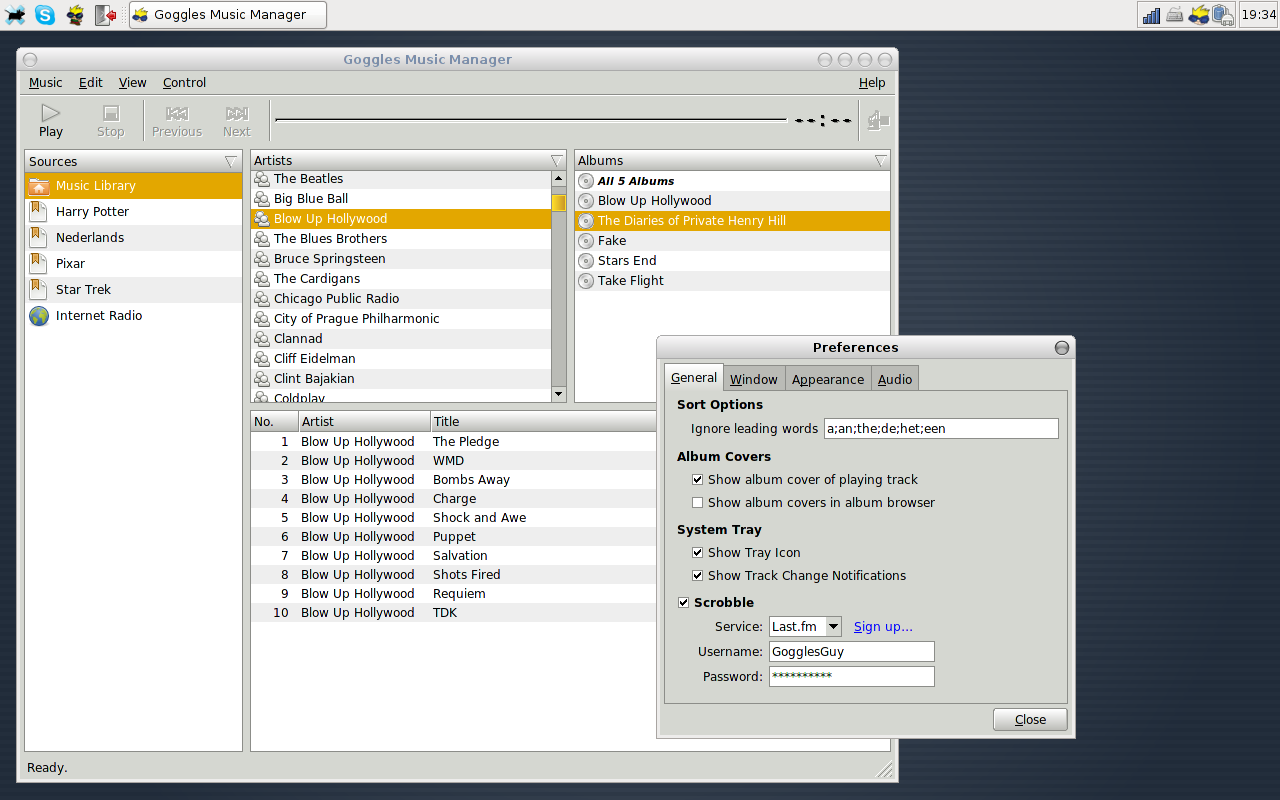
Goggles Music Manager is an open source project that provides users with a lightweight and fast way to organize and playback their music collection using a universal graphical application that runs on any Linux-based operating system.
It should not be confused with a graphical user interface for the Google Music Play service, as it’s nothing more than a standard music player application that provides support for Internet radios and podcasts.
It features support for several audio formats, such as MP3, FLAC, OGG Vorbis, MP4 and Opus. It supports replay gain, playlists, podcasts, tag editing, file renaming, album art, drag & drop, clipboard, as well as the Last.fm and Libre.fm audio scrobbler services.
Another interesting feature is the ability to automatically sort files using a user-configurable smart word filter. It can also import and export the entire music library or playlists to the PLS, M3U, Extended M3U, CSV, and XSPF file formats.
Under the hood, we can report that the application’s user interface is written with the FOX GUI toolkit, offering a low on resources, responsive and very fast graphical front-end. It uses a fast and clean database backend powered by SQLite3.
The project is distributed only as a source archive, which can be used to configure, compile and install the program in any Linux distribution. When opened for the first time, the application will ask users to import music from a specific directory.
It’s a good music playback application that can be deployed on lightweight desktop environments, such as Xfce, MATE, Openbox and Fluxbox. It is translated into multiple languages, including English, German, Spanish, French, Hungarian, Russian, and Portuguese.
However, it should not be used on state-of-the-art desktop environments, such as GNOME or KDE, simply because they use powerful music player software like Rhythmbox or Amarok, and because the user interface of Goggles Music Manager will never blend with the rest of the desktop.
What's new in Goggles Music Manager 1.0.7:
- Add support for ratings and tags to filters.
- Change default color scheme to Clearlooks.
- Read duration from downloaded podcasts if feed didn't contain this information
- Close connection for http 1.0 connections if keep-alive is not specified.
Goggles Music Manager 1.0.7
add to watchlist add to download basket send us an update REPORT- runs on:
- Linux
- filename:
- 1.0.7.tar.gz
- main category:
- Multimedia
- developer:
- visit homepage
Zoom Client 6.0.3.37634

Context Menu Manager 3.3.3.1

Microsoft Teams 24060.3102.2733.5911 Home / 1.7.00.7956 Work

4k Video Downloader 1.5.3.0080 Plus / 4.30.0.5655

calibre 7.9.0

7-Zip 23.01 / 24.04 Beta

IrfanView 4.67

Bitdefender Antivirus Free 27.0.35.146

Windows Sandbox Launcher 1.0.0

ShareX 16.0.1

- Bitdefender Antivirus Free
- Windows Sandbox Launcher
- ShareX
- Zoom Client
- Context Menu Manager
- Microsoft Teams
- 4k Video Downloader
- calibre
- 7-Zip
- IrfanView