
A small graphical utility that simplifies the mount of ISO files under GNU/Linux systems. #Mount iso #Mount img #Mount image #Acetone #Mount #ISO
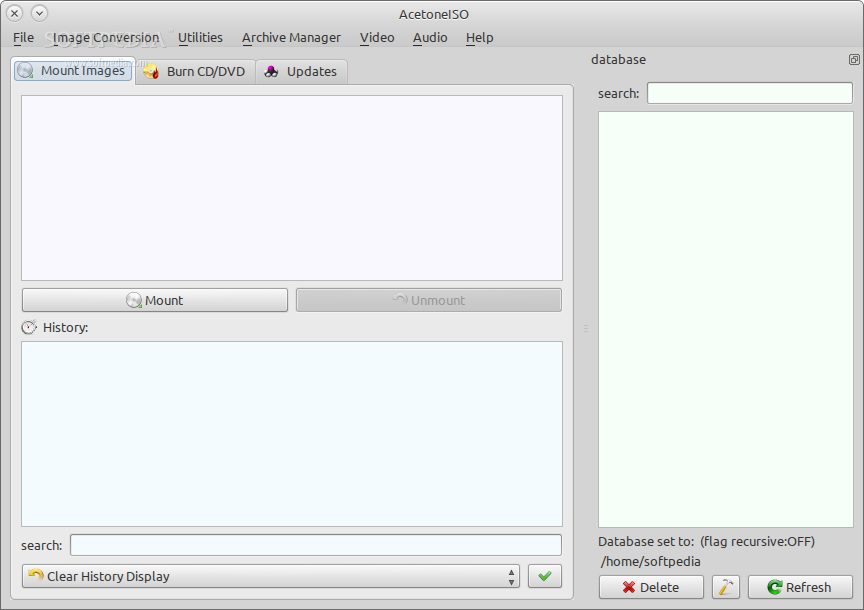
AcetoneISO is an open source and full featured software project that allows users to manage CD/DVD images, also known as ISO images, under any GNU/Linux operating system. It can mount both standard and proprietary images formats, as well as to do many other things.
Key features include support for a wide range of CD/DVD image file formats, such as ISO, IMG, BIN, MDF, NRG, DMG, DAA, CDI, PDI, BWI and B5I, clean and easy-to-use graphical user interface for mounting the aforementioned CD/DVD images, as well as to convert them to the ISO format.
The application allows you to extract the contents of these CD/DVD images to a specific folder, compress, encrypt and split any type of image, convert DVD-Video images, as well as any generic video file to the common AVI XviD format, and extract audio from video files.
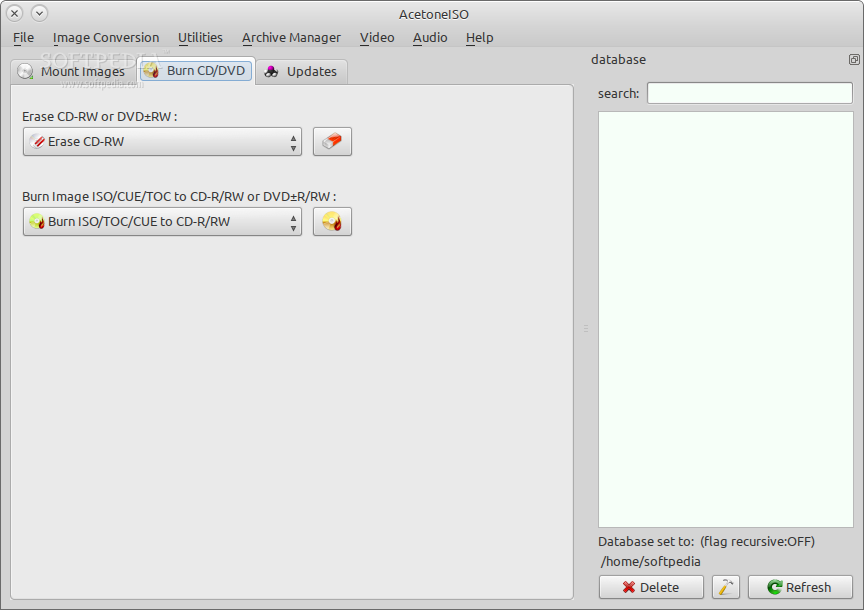
It is also possible to download videos from YouTube or burn the images to CD and DVD discs. When running the program for the first time, it will automatically prompt users with a first time configuration dialog where they have to set their default file manager, default media player, program's database, and other settings.
While the application is written in the C++ programming language, its graphical user interface is written with the help of the well known Qt GUI toolkit, which means that it integrates well in Qt-based desktop environment like KDE, LXQt or Razor-qt.
It is available for download as a source archive, allowing the user to configure, compile and install it on any GNU/Linux operating system, but can be easily installed from the default software repositories of many Linux distributions.
Summing up, AcetoneISO is an all-in-one ISO utility primarly designed for managing ISO images under GNU/Linux systems, but also used for converting video files, downloading YouTube video clips, and much more.
AcetoneISO 2.3
add to watchlist add to download basket send us an update REPORT- runs on:
- Linux
- main category:
- Multimedia
- developer:
- visit homepage
Context Menu Manager 3.3.3.1

IrfanView 4.67

calibre 7.9.0

ShareX 16.0.1

Windows Sandbox Launcher 1.0.0

4k Video Downloader 1.5.3.0080 Plus / 4.30.0.5655

Microsoft Teams 24060.3102.2733.5911 Home / 1.7.00.7956 Work

Bitdefender Antivirus Free 27.0.35.146

7-Zip 23.01 / 24.04 Beta

Zoom Client 6.0.3.37634

- Bitdefender Antivirus Free
- 7-Zip
- Zoom Client
- Context Menu Manager
- IrfanView
- calibre
- ShareX
- Windows Sandbox Launcher
- 4k Video Downloader
- Microsoft Teams