
BeOS theme for your GNOME desktop. #BeOS theme #GNOME theme #GTK style #GNOME #BeOS #Theme
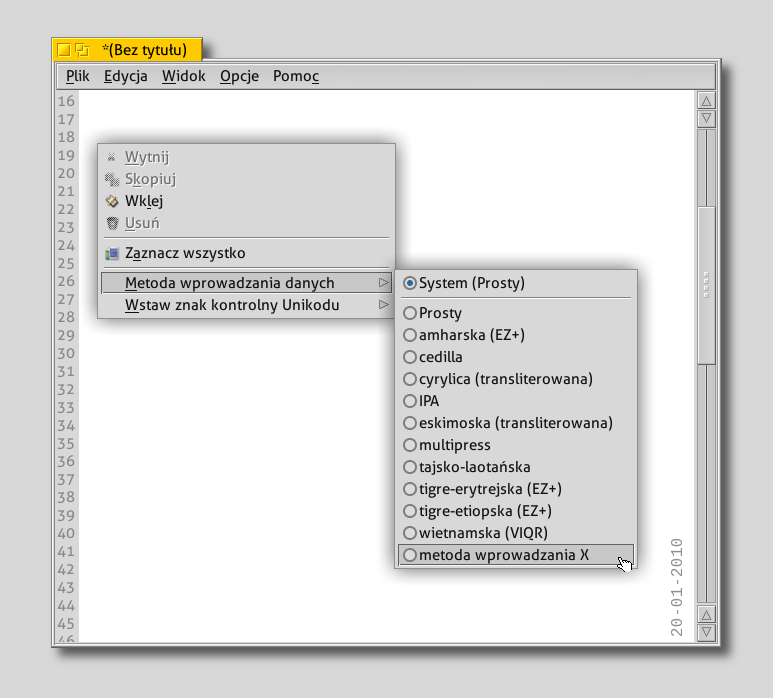
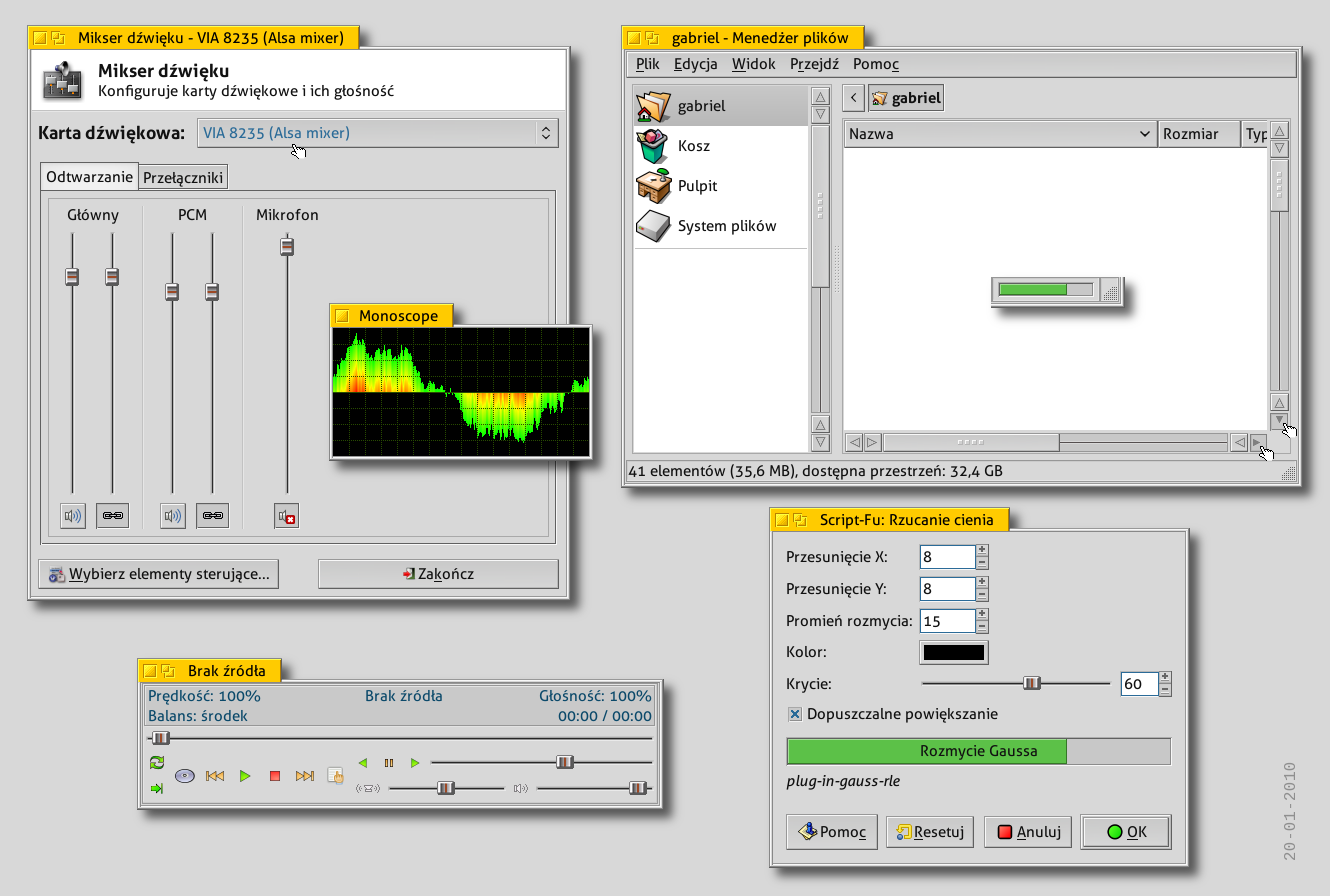
BEOS-R5-inspired-GTK2-theme is a GTK2 theme that is part of the Xfce4 theme by the same author:
http://xfce-look.org/content/show.php/BEOS-R5-inspired-Xfce4-theme?content=115899
It's not a simple copy of BEOS GUI. No.
You can find a really close R5-looking theme here, on xfce-look.org. Really, really close.
My GTK2 & mouse themes are inspired by simplicity & clean interface of BEOS GUI.
I made those themes just for light & "not turning attention" from the current work on the desktop. (I really don't like "flying things" with raibow colors on my desktop when I am working on it...)
All graphics included in themes are hand - drawned graphics from scratch.
If You like the icons theme which I use on my desktop, You can find them here:
http://www.gnome-look.org/content/show.php/Haiku?content=114723
There are beautiful simply icons, like on the good, old days...
I am using those beautiful fonts:
http://www.fontsquirrel.com/fonts/Aller
I made those themes for my use, but I hope You like it.
· Right click on your desktop and select Change Desktop Background · Click on the first tab: Theme · Drag and drop the theme's archive in the Appearance Preferences window. · If everything is OK, you will receive a confirmation message and you can activate the theme just by clicking on it.
GNOME is an international effort to build a complete desktop environment—the graphical user interface which sits on top of a computer operating system—entirely from free software. This goal includes creating software development frameworks, selecting application software for the desktop, and working on the programs which manage application launching, file handling, and window and task management.
GNOME is part of the GNU Project and can be used with various Unix-like operating systems, most notably Linux, and as part of Java Desktop System in Solaris.
The name originally stood for GNU Network Object Model Environment, though this acronym is deprecated. The GNOME project puts heavy emphasis on simplicity, usability, and making things “just work”.
BEOS-R5-inspired-GTK2-theme 08-06-2010
add to watchlist add to download basket send us an update REPORT- runs on:
- Linux
- filename:
- 116462-BEOS-R5-inspired.tar.gz
- main category:
- Desktop Environment
- developer:
- visit homepage
IrfanView 4.67

Microsoft Teams 24060.3102.2733.5911 Home / 1.7.00.7956 Work

Windows Sandbox Launcher 1.0.0

Zoom Client 6.0.0.37205

ShareX 16.0.1

Bitdefender Antivirus Free 27.0.35.146

4k Video Downloader 1.5.3.0080 Plus / 4.30.0.5655

calibre 7.9.0

7-Zip 23.01 / 24.04 Beta

paint.net 5.0.13 (5.13.8830.42291)

- calibre
- 7-Zip
- paint.net
- IrfanView
- Microsoft Teams
- Windows Sandbox Launcher
- Zoom Client
- ShareX
- Bitdefender Antivirus Free
- 4k Video Downloader