
An OSX-like theme for your GNOME desktop. #Mac theme #GNOME theme #GTK style #GNOME #Mac #Theme
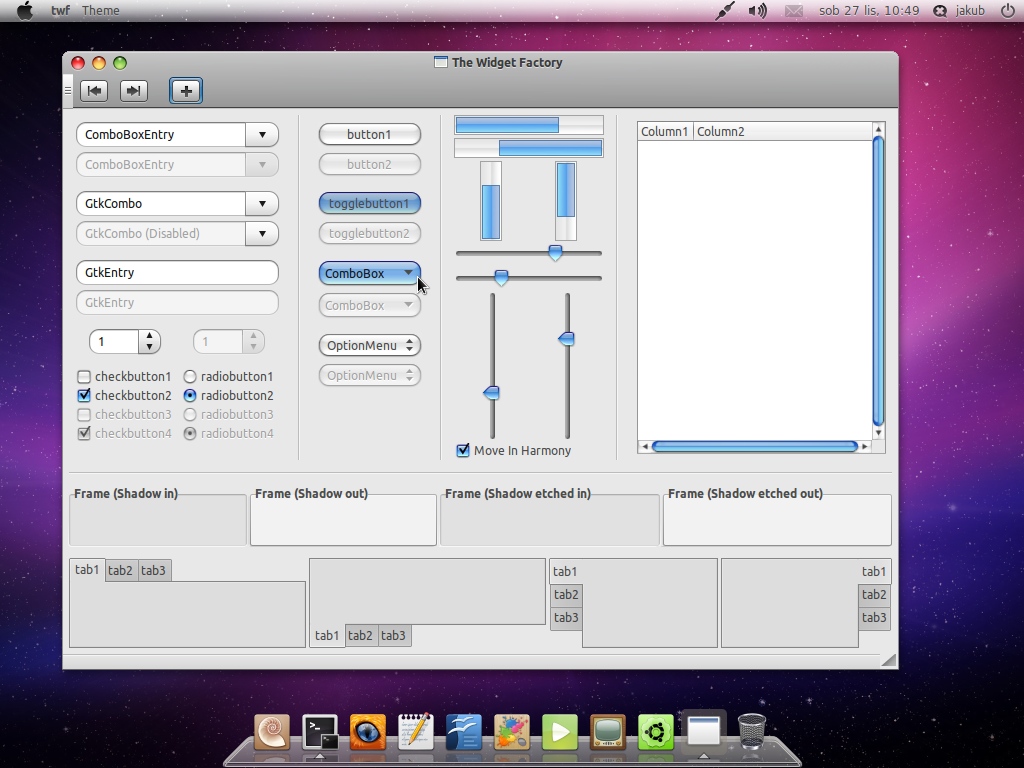
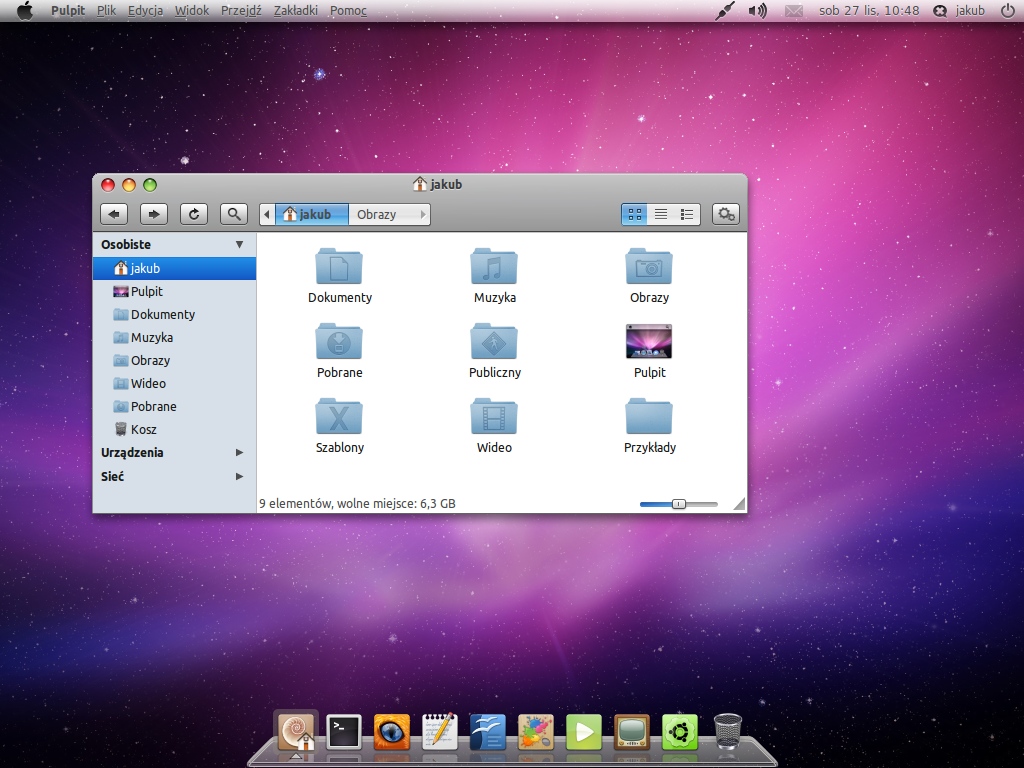
Arbeit Macbuntu is a GTK theme using Murrine engine (latest for Maverick Meerkat or from the Git), Aurora engine and of course Pixmap.
It's very macish, so if you don't like OS X style themes just don't download there is no obligation.
-It is using metacity and a little bit modified icons from Macbuntu. -Toolbar separators are invisible. -Notebook are made with Murrine (because every attempt to make them look good in pixmap failed) (sorry for bad english) -Entries and Combobox entries are made with Aurora. Also Trees are made with aurora.
Theme uses metacity, icons and some of graphic from Macbuntu so credits goes to it's creator Bagley. Theme is also using some of the code from eGtk so credits goes to DanRabbit and to Seahorsepip (for great view-mode-button). Last but not least credits goes to Timorei who solved a nasty bug in gedit, thank you Timorei!
Important: Theme was designed to use with Global-menu-applet and Nautilus-elementary. Theme looks good even without global menu, but i have not tested it yet with regular nautilus.
-unpack "Arbeit Macbuntu Theme.zip" - there will be "Arbeit Macbunut.tar.gz", "arbeit-macbuntu-icons.tar.gz" and "Panel backgrounds" folder.
-To install icons, grab "arbeit-macbuntu-icons.tar.gz" and drag-and-drop it to your theme manager.
Or
You can unpack this package and copy "arbeit-macbuntu-icons" folder to your ".icons" folder (it is hidden in your user folder)
-To install theme do as i\'ve said before: drag-and-drop "Arbeit Macbuntu.tar.gz" to theme manager, or unpack it and copy to ".themes" folder (also hidden in your user folder"
Panels: -Panel backgrounds are in folder "Panel backgrounds" If you want to use them, right click on your panel, go to properties and change panel background to one of those in folder.
GNOME is an international effort to build a complete desktop environment—the graphical user interface which sits on top of a computer operating system—entirely from free software. This goal includes creating software development frameworks, selecting application software for the desktop, and working on the programs which manage application launching, file handling, and window and task management.
GNOME is part of the GNU Project and can be used with various Unix-like operating systems, most notably Linux, and as part of Java Desktop System in Solaris.
The name originally stood for GNU Network Object Model Environment, though this acronym is deprecated. The GNOME project puts heavy emphasis on simplicity, usability, and making things “just work”.
What's new in Arbeit Macbuntu 1.3:
- New notebooks.
- Version for normal nautilus.
- No Aurora or Equinox anymore.
- Slightly recoloured buttons.
Arbeit Macbuntu 1.3
add to watchlist add to download basket send us an update REPORT- runs on:
- Linux
- filename:
- wildcat_gtk_theme_1_3_by_dolsilwa-d39szib.zip
- main category:
- Desktop Environment
- developer:
- visit homepage
4k Video Downloader 1.5.3.0080 Plus / 4.30.0.5655

Bitdefender Antivirus Free 27.0.35.146

paint.net 5.0.13 (5.13.8830.42291)

Zoom Client 6.0.2.37566

IrfanView 4.67

Windows Sandbox Launcher 1.0.0

Microsoft Teams 24060.3102.2733.5911 Home / 1.7.00.7956 Work

calibre 7.9.0

ShareX 16.0.1

7-Zip 23.01 / 24.04 Beta

- calibre
- ShareX
- 7-Zip
- 4k Video Downloader
- Bitdefender Antivirus Free
- paint.net
- Zoom Client
- IrfanView
- Windows Sandbox Launcher
- Microsoft Teams