
A silver white theme for GNOME. #GNOME theme #GTK style #GNOME #Silver #Theme #White
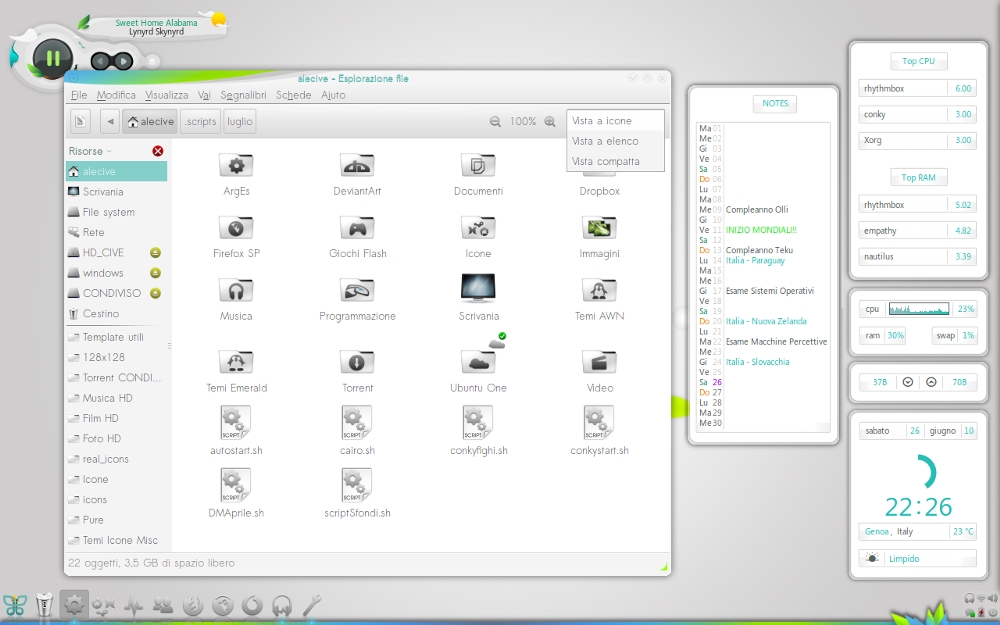
The A New Start package contains:
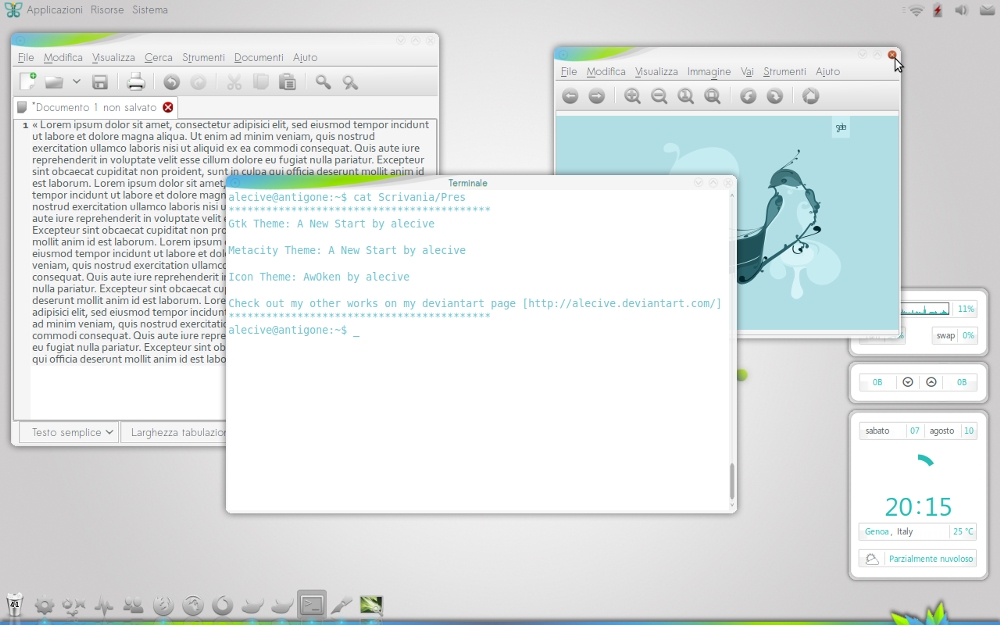
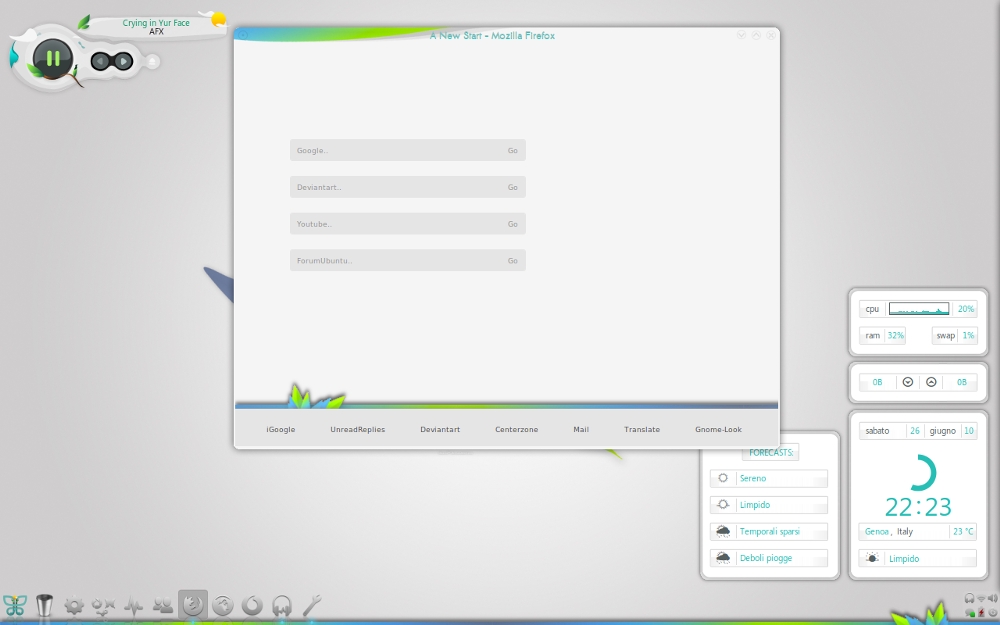
*README (with credits) *GTK Theme *Metacity Theme *Firefox Startpage (modified startpage by =Folter-x the bar at the bottom pops out only when hovering it with the mouse) *Conky Configuration files *Gnome-Panel Backgrounds *Full-Resolution Images
*Icon Theme: AwOken, made by me (released version 0.9! :D) *Wallpaper: Pure by ilario57 *Dock at the bottom: avant-window-navigator (background image in harmony with desktop) *At the right there is a conky that shows essential informations. In second and third desktop there are three conky popup, that popups to show other informations: 1.calendar: shows the calendar and uses a python script that prints for each month what has to be done reading from a text file located in my /home. It gives the possibilità to insert notes in various colours, and for each month in the year; 2. cpu: it describes himself; 3. forecasts: it describes himself; *Covergloobus Theme: Ported (by me) a Rainlendar theme kept from GAIA10.
· Right click on your desktop and select Change Desktop Background · Click on the first tab: Theme · Drag and drop the theme's archive in the Appearance Preferences window. · If everything is OK, you will receive a confirmation message and you can activate the theme just by clicking on it.
GNOME is an international effort to build a complete desktop environment—the graphical user interface which sits on top of a computer operating system—entirely from free software. This goal includes creating software development frameworks, selecting application software for the desktop, and working on the programs which manage application launching, file handling, and window and task management.
GNOME is part of the GNU Project and can be used with various Unix-like operating systems, most notably Linux, and as part of Java Desktop System in Solaris.
The name originally stood for GNU Network Object Model Environment, though this acronym is deprecated. The GNOME project puts heavy emphasis on simplicity, usability, and making things “just work”.
What's new in A New Start 1.3:
- Added GTK3 and Gnome-Shell Theme
- Added Unity support; there is also a "Unity tweak" folder with images you can use to beautify your Unity experience (simple instructions are in the README pdf file).
- Revision of the Metacity theme (no rounded corner in fullscreen mode, edges removal in full-screen mode, revision of minor stuff)
- Revision of the GTK2 theme (now it's slick and more integrated with the overall look&feel)
A New Start 1.3
add to watchlist add to download basket send us an update REPORT- runs on:
- Linux
- filename:
- a_new_start___1_3_by_alecive-d2soex8.zip
- main category:
- Desktop Environment
- developer:
- visit homepage
4k Video Downloader 1.5.2.0077 Plus / 4.30.0.5655

Zoom Client 6.0.0.37205

calibre 7.8.0

Windows Sandbox Launcher 1.0.0

IrfanView 4.67

Bitdefender Antivirus Free 27.0.35.146

paint.net 5.0.13 (5.13.8830.42291)

7-Zip 23.01 / 24.04 Beta

ShareX 16.0.1

Microsoft Teams 24060.2623.2790.8046 Home / 1.7.00.7956 Work

- 7-Zip
- ShareX
- Microsoft Teams
- 4k Video Downloader
- Zoom Client
- calibre
- Windows Sandbox Launcher
- IrfanView
- Bitdefender Antivirus Free
- paint.net