Softpedia


LINUX CATEGORIES:


GLOBAL PAGES >>
NEWS ARCHIVE >>
SOFTPEDIA REVIEWS >>
MEET THE EDITORS >>
WEEK'S BEST
  • BackTrack 5 R2
  • Wine 1.4 / 1.5.5
  • Mozilla Firefox 12...
  • Ubuntu 11.04
  • Angry Birds 1.1.2.1
  • Ubuntu 10.04.4 LTS
  • Linux Kernel 3.4
  • Ubuntu Manual 10.10
  • Adobe Flash Player...
  • Pidgin 2.10.4
  • Home > Linux > Desktop Environment > File managers

    X File Explorer 1.32.5

    Download button

    Downloads: 5,158  Tell us about an update
    User Rating:
    Rated by:
    Fair (2.9/5)
    28 user(s)
    Developer:

    License / Price:

    Last Updated:

    Category:
    Roland Baudin | More programs
    GPL / FREE
    April 9th, 2012, 11:34 GMT [view history]
    ROOT / Desktop Environment / File managers

     Read user reviews (0)  Refer to a friend  Subscribe

    X File Explorer description

    X File Explorer is a file manager for the X Window System.

    X File Explorer (Xfe) is an MS-Explorer like file manager for X. X File Explorer is based on the popular, but discontinued, X Win Commander, originally developed by Maxim Baranov.

    Xfe aims to be the file manager of choice for all the Unix addicts!

    Why another file manager when the excellent Konqueror or Nautilus exist on Linux systems? The answer is quite simple : these file managers are very good, features rich and look wonderful, but they are like a brontosaurus when you are a console addict and only want to copy some files or delete it. Another problem is that they require either the whole Gnome or KDE desktops to be installed on your system!

    On the contrary, Xfe is small, very rapid and only requires the FOX library to be fully functional. It can be launched from the command line in a fraction of second, and can efficiently complete the set of command line tools.

    Here are some key features of "X File Explorer":

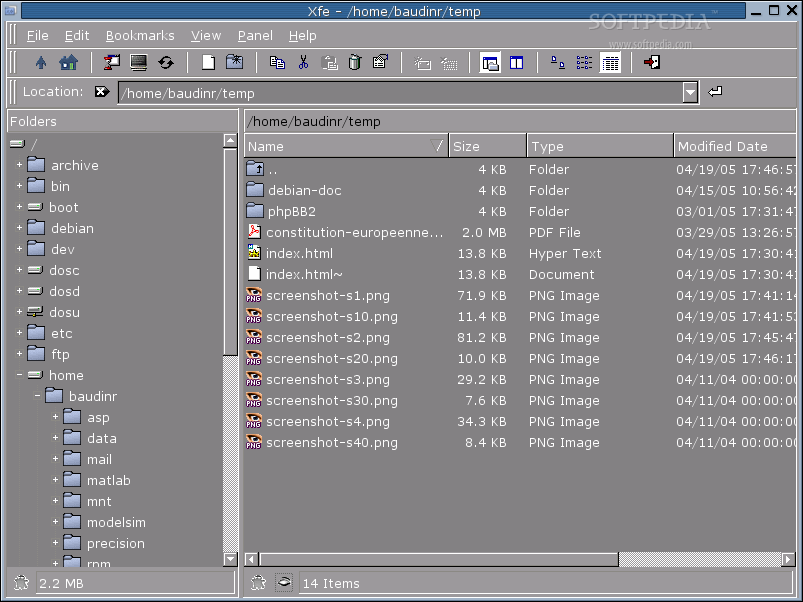
    · Four different file manager styles (one panel, two panels, tree list and one panel, tree list and two panels)
    · Integrated text viewer (X File View, xfv)
    · Integrated RPM viewer / installer / uninstaller (X File Query, xfq)
    · Status line
    · File associations
    · Auto save registry
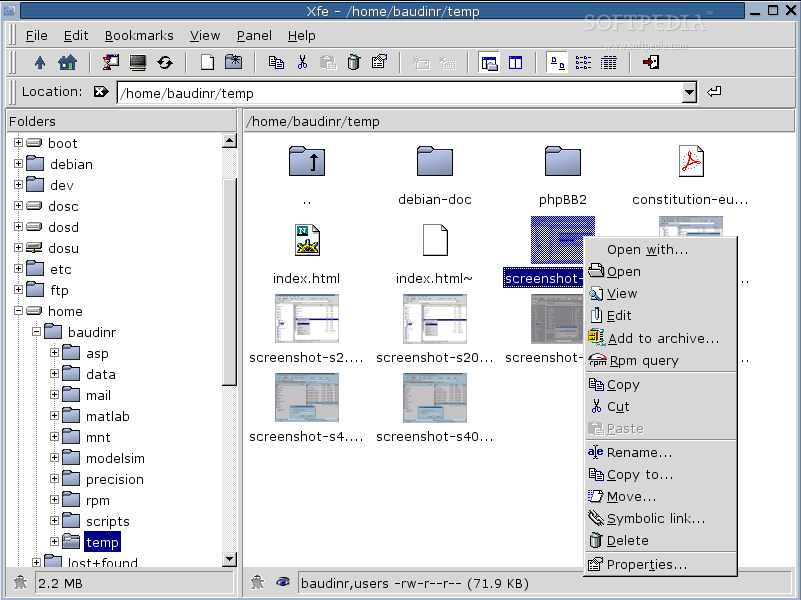
    · Right mouse click pop-up menu in tree list and file list
    · Change file(s) attributes
    · Mount/Unmount devices (for Linux only)
    · Toolbar
    · Bookmarks (up to 20)
    · Color schemes (GNOME, KDE, Windows...)
    · Drag and Drop ( ctrl -> copy, shift -> move, alt -> symlink )
    · Create / Extract archives (tar, zip, gzip, bzip2, compress formats are supported)
    · Tool tips for long file names
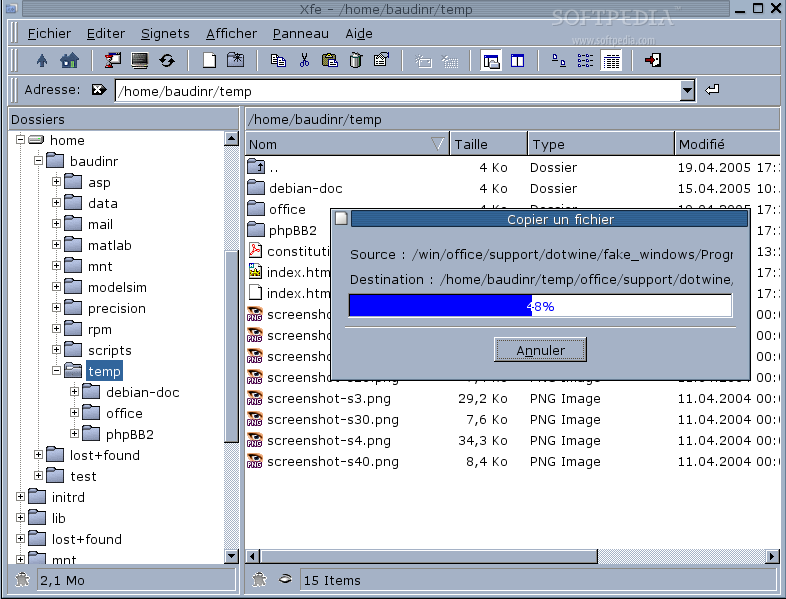
    · Progress bars or dialogs for lengthy file operations
    · Image preview as thumbnails
    · Ability to enqueue multimedia files (open command)

    Key bindings:

    · Help - F1
    · View - F3, return
    · Edit - F4
    · Copy - F5, ctrl-c
    · Cut - ctrl-x
    · Paste - ctrl-v
    · Move - F6, ctrl-d
    · Rename - ctrl-n
    · Delete - F8, del, ctrl-del
    · Symlink - ctrl-s
    · New file - F2
    · New folder - F7
    · Properties - F9
    · Tree and one panel - ctrl-F1
    · Tree and two panels - ctrl-F2
    · One panel - ctrl-F3
    · Two panels - ctrl-F4
    · Hidden files - ctrl-F5
    · Hidden folders - ctrl-F6
    · Execute - ctrl-e
    · Go home - ctrl-h
    · Go up - backspace
    · Terminal - ctrl-t
    · Console file manager - ctrl-k
    · Refresh - ctrl-r
    · Select all - ctrl-a
    · Deselect all - ctrl-z
    · Invert selection - ctrl-i
    · Add bookmark - ctrl-b
    · Mount (Linux only) - ctrl-m
    · Unmount (Linux only) - ctrl-u
    · Quit - ctrl-q

    Requirements:

    · Xfe is written in C++ and built using the FOX graphical toolkit library.
    · For version of Xfe prior to 0.70, you need the FOX library 1.0.x.
    · From version 0.70, you need the FOX library 1.2.x.
    · Note that Xfe 0.70 and above don't compile with development versions of FOX (1.3.x series)!
    · Xfe is known to run on Linux systems but it should compile and run on any decent Unix system. However, it doesn't actually run on Windows.

    What's New in This Release:

    · This release adds support for the 7zip archive format.
    · Some minor bugs have been fixed.
    · The German, Spanish, and Hungarian translations have been updated.


    Product's homepage

    What's New in This Release: [ read full changelog ]

    · This version fixes a memory leak and updates Spanish, Argentinian Spanish, and Czech translations.


    TAGS:

    file manager | X file manager | file management | manager | filemanager | manager


    HTML code for linking to this page:


    Go to top

    WindowsGamesDriversMacLinuxScriptsMobileHandheldNews

    SUBMIT PROGRAM   |   ADVERTISE   |   GET HELP   |   SEND US FEEDBACK   |   RSS FEEDS   |   UPDATE YOUR SOFTWARE   |   ROMANIAN FORUM