
A Midnight Commander-like highly configurable graphical file manager for Linux/UNIX. #File manager #File explorer #File commander #File manager #Explorer #Navigator
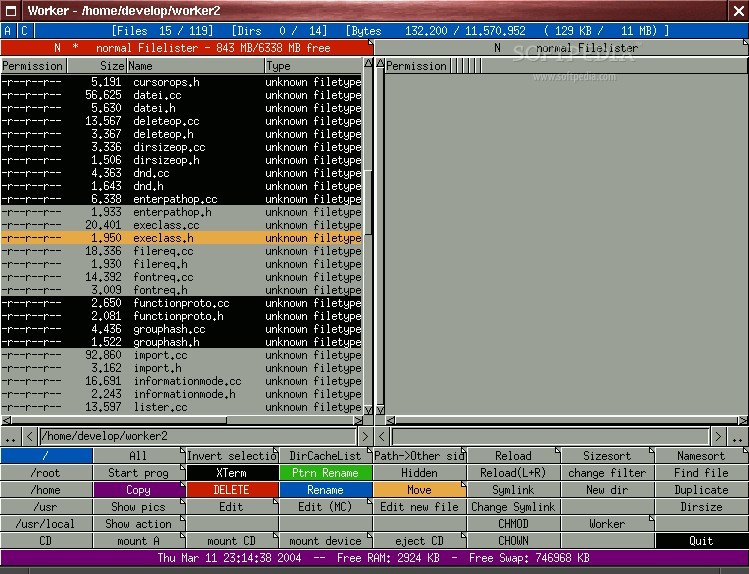
Worker is a completely free and open source graphical two-pane file manager specifically designed for the X Window System on UN*X operating systems. It is very similar to the Midnight Commander program, which runs only from the command-line interface.
The software is fast, allows users to easily and quickly access archives and remote websites, as well as to browse tar, tgz, tbz, gzip, zip, bzip2, rar, ar, lha, rpm, zoo, iso9660, arj, diff, cpio, ISO files.
Worker comes with several basic file management functions, such as copy, rename, move or delete files and folders, directory creation, support for creating and modifying symlinks, support for modifying file/folder permission with chmod and chown, and many more. The built-in copy function supports parallel operations in the background.
Among other features, Worker includes a text viewer, tab-based navigation, file search, flexible file type system, context menu, bookmarks, labels, external drive manager, VFS (Virtual File System) support for accessing remote websites, UTF8 support, and built-in configuration GUI.
Another interesting feature is the ability to browse various archive types, including TAR, TGZ, GZIP, Bzip2, RAR, AR, RPM, ISO9660, DIFF, ARJ, ZOO, LHA, CPIO, as well as ZIP.
The software offers support for browsing FTP sites, allows you to execute external programs, comes with a powerful mechanism for binding external programs to file types, keyboard shortcuts or buttons, supports Lua scripting, and it is translated in multiple languages.
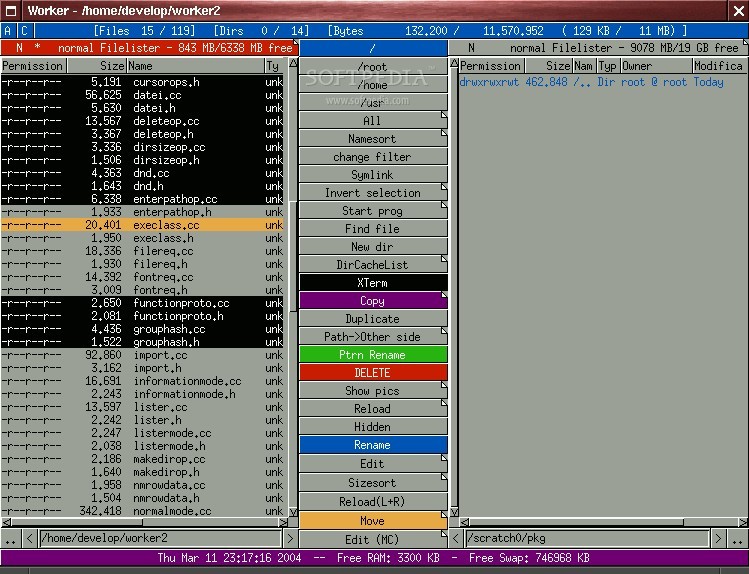
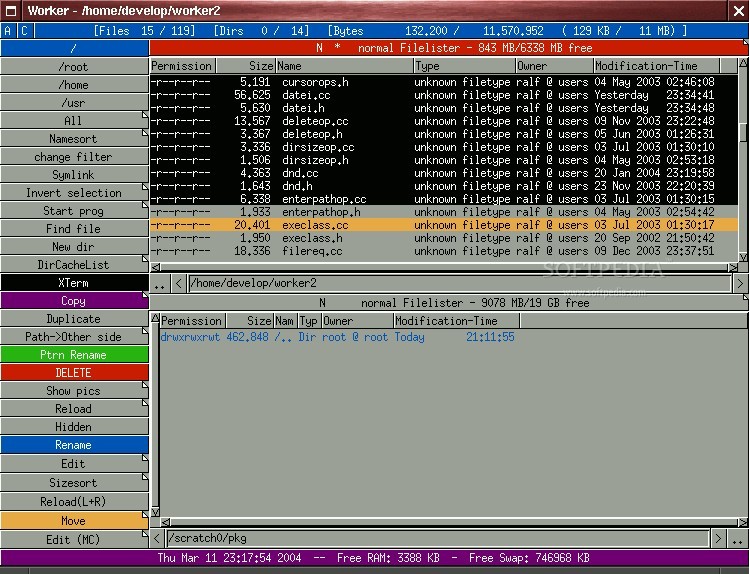
The GUI (Graphical User Interface) of the Worker application looks very old, which might make some users hop over to the rival for a ride. It includes all the necessary functions in the main window, so you won’t have to look for hidden gems. You can easily navigate the interface only with your keyboard.
What's new in Worker 3.6.1:
- new features:
- added general setting to use extended regular expressions instead of basic regular expressions
- the label popup menu now remembers the last selected item and highlights it for the following usages, unless the menu is closed without selected any item
Worker 3.6.1
add to watchlist add to download basket send us an update REPORT- runs on:
- Linux
- main category:
- Desktop Environment
- developer:
- visit homepage
Windows Sandbox Launcher 1.0.0

Zoom Client 6.0.3.37634

Context Menu Manager 3.3.3.1

Bitdefender Antivirus Free 27.0.35.146

calibre 7.9.0

7-Zip 23.01 / 24.04 Beta

IrfanView 4.67

4k Video Downloader 1.5.3.0080 Plus / 4.30.0.5655

Microsoft Teams 24060.3102.2733.5911 Home / 1.7.00.7956 Work

ShareX 16.0.1

- 4k Video Downloader
- Microsoft Teams
- ShareX
- Windows Sandbox Launcher
- Zoom Client
- Context Menu Manager
- Bitdefender Antivirus Free
- calibre
- 7-Zip
- IrfanView