
KDirStat is a graphical disk usage utility, very much like the Unix #Disk usage utility #Disk manager #File manager #KDirStat #Disk #Usage
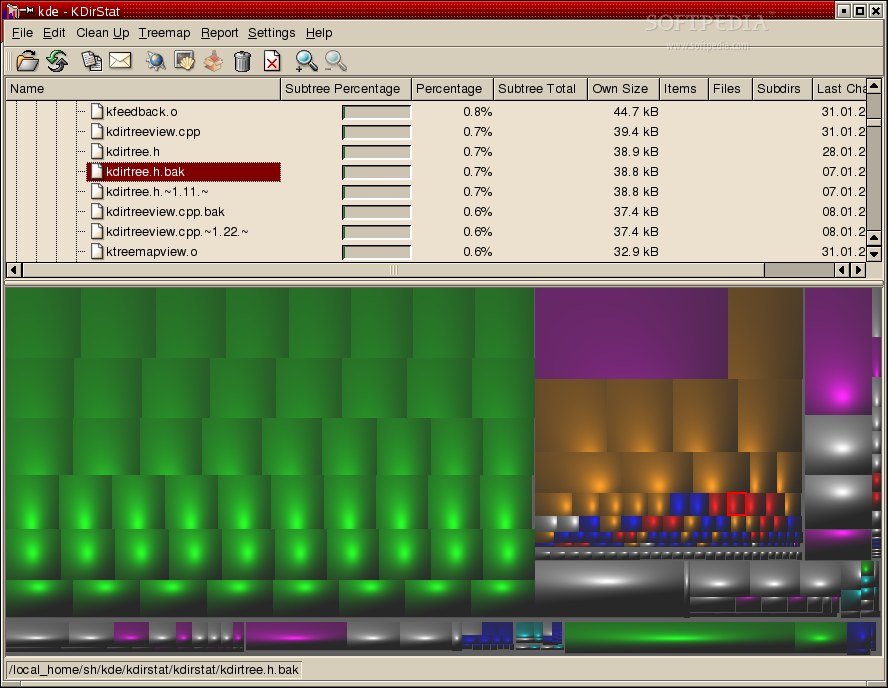
KDirStat is a graphical disk usage utility, very much like the Unix "du" command.
KDirStat project displays a directory tree both in classical tree format (like Konqueror, but with accumulated tree sizes, shown as MB / GB and as percentage bars) and in "treemap" format like SequoiaView.
In addition to that, KDirStat provides cleanup facilities to reclaim disk space - both predefined and customizable.
Here are some key features of "KDirStat":
� Graphical and numeric display of used disk space � Files kept apart from directories in separate items to prevent cluttering the display � All numbers displayed human readable - e.g., 34.4 MB instead of 36116381 Bytes � Different colors in the directory tree display to keep the different tree levels visually apart � Display of latest change time within an entire directory tree - you can easily see what object was changed last and when.
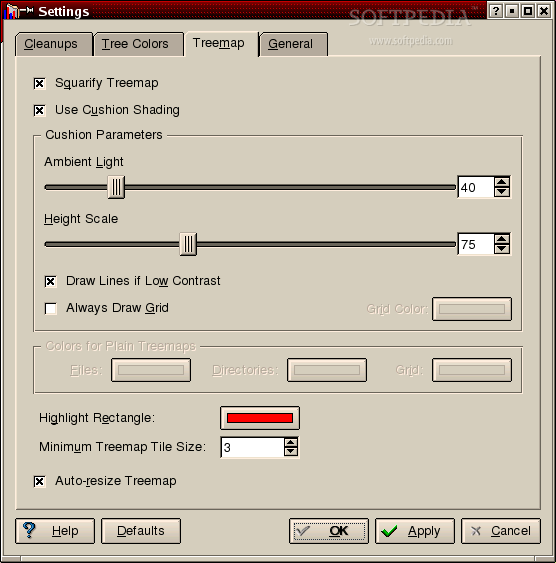
� Treemap as alternate (auxiliary) view of a directory tree � Easily find large in a directory tree: You see the entire tree at once. Large rectangles are large files - you can see them even if they are hidden somewhere deep within the tree. � Treemap view slaved to the tree (list) view: Click on a file in the treemap, and it is selected in the tree view - and vice versa. � Treemap tiles are colored by file type - all images in cyan, all audio tracks (MP3 etc.) in yellow, executables in magenta etc.; you can see from the color what a treemap rectangle is. � Many treemap variants available: � Plain treemap � Squarified treemap (no thin elongated rectangles) � Cushion treemap � Colored treemap � All combinations of the above � Fast implementation: Treemap built in fractions of a second (on quite ordinary machines: Athlon-550 class) � Treemap subwindow can be resized as the user prefers � Treemap can be switched off with a single keypress (F9) � Context menu with cleanup actions etc. � Zoom the treemap in/out treemap with double click (left/right) � Many treemap configuration options
� Stays on one file system by default - reads mounted file systems only on request. � You don't care about a mounted /usr file system if the root file system is full and you need to find out why in a hurry, nor do you want to scan everybody's home directory on the NFS server when your local disk is full. � Network transparency: Scan FTP or Samba directories - or whatever else protocols KDE support. � PacMan animation while directories are being read. OK, this is not exactly essential, but it's fun.
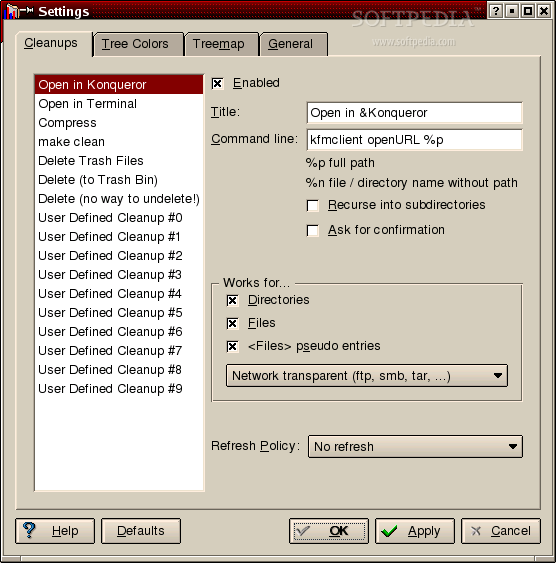
� Predefined cleanup actions: Easily delete a file or a directory tree, move it to the KDE trash bin, compress it to a .tar.bz2 archive or simply open a shell or a Konqueror window there. � User-defined cleanup actions: Add your own cleanup commands or edit the existing ones. � "Send mail to owner" report facility: Send a mail requesting the owner of a large directory tree to please clean up unused files.
� Feedback mail facility: Rate the program and tell the authors your opinion about it.
What's New in 2.4.4 Release:
� Sparse files and hard links are now properly supported.
What's New in 2.5.2 Release:
� Can now read and write directory contents from cache files generated by (supplied) Perl script, e.g. in cron job over night
KDirStat 2.5.2
add to watchlist add to download basket send us an update REPORT- runs on:
- Linux
- main category:
- Desktop Environment
- developer:
- visit homepage
Microsoft Teams 24060.3102.2733.5911 Home / 1.7.00.10152 Work

ShareX 16.0.1 / 16.1.0 Pre-release

Zoom Client 6.0.4.38135

calibre 7.10.0

Context Menu Manager 3.3.3.1

7-Zip 23.01 / 24.04 Beta

Bitdefender Antivirus Free 27.0.35.146

Windows Sandbox Launcher 1.0.1

4k Video Downloader 1.6.0.0085 Plus / 4.30.0.5655

IrfanView 4.67

- Windows Sandbox Launcher
- 4k Video Downloader
- IrfanView
- Microsoft Teams
- ShareX
- Zoom Client
- calibre
- Context Menu Manager
- 7-Zip
- Bitdefender Antivirus Free