
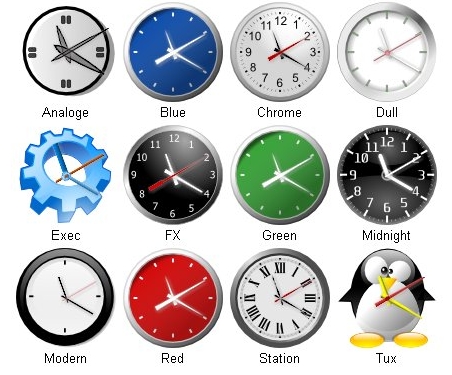
KClock is a SuperKaramba theme (desktop widget) that at the moment comes with 12 different clock styles. #Desktop clock #KDE clock #Desktop widget #Clock #Widget #Superkaramba
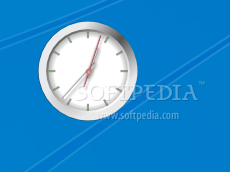
KClock is a SuperKaramba theme (desktop widget) that at the moment comes with 12 different clock styles.
Here are some key features of "KClock":
� Clock hands can be shaded (only if PIL or ImageMagick is installed, see below about auto detection). � Option to remove the second hand. � All clock hand images are cached, so reduce system overhead. � All clocks styles are in svg format and so can be resized to any size (see auto detection of Inkscape or librsvg below). � Extra clock styles can be added from the widget menu � Clock styles can be removed from the widget menu
Requirements:
� PIL (Python Image Library) � Image Magick � PyQt � Inkscape � librsvg � Superkaramba � KDE 3.5.x
What's New in This Release:
� On KClock startup if the current used style or the default 'chrome' style is removed, then the first available style will be used. � Added a new GUI configuration window. (only available if you have pyqt installed). � Added Timezones. � Added auto installation of the pytz timezone package. � Changed the KClock widget to automatically throttle back the update frequency when not showing a second hand. � Bug fixes and general cleanup
KClock 1.2e
add to watchlist add to download basket send us an update REPORT- runs on:
- Linux
- filename:
- 66205-KClock_1.2e.tar.gz

- main category:
- Desktop Environment
- developer:
- visit homepage
Windows Sandbox Launcher 1.0.0

4k Video Downloader 1.6.0.0085 Plus / 4.30.0.5655

7-Zip 23.01 / 24.04 Beta

ShareX 16.0.1

calibre 7.10.0

Context Menu Manager 3.3.3.1

Bitdefender Antivirus Free 27.0.35.146

Microsoft Teams 24060.3102.2733.5911 Home / 1.7.00.10152 Work

IrfanView 4.67

Zoom Client 6.0.4.38135

- Microsoft Teams
- IrfanView
- Zoom Client
- Windows Sandbox Launcher
- 4k Video Downloader
- 7-Zip
- ShareX
- calibre
- Context Menu Manager
- Bitdefender Antivirus Free