
MySQL Pack for QNAP TS-101/TS-201 was created to install MySQL on the QNAP NAS server, TS-101/TS-201.. #Install MySQL #QNAP NAS server #TS-101 server #MySQL #QNAP #TS-101
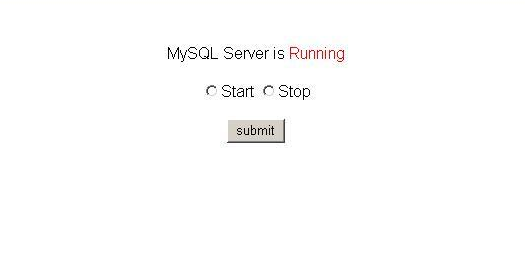
MySQL Pack for QNAP TS-101/TS-201 was created to install MySQL on the QNAP NAS server, TS-101/TS-201. It contains a pre-compiled MySQL server and install programs. The php module supporting MySQL client will be also included if it's necessary. The Pack also contains simple webpages for start/stop mysql.
Create a share folder named MySQL. You may directly create Network Shares named MySQL on TS-101 Administration page. Please make sure both the real folder name and share volume name be MySQL. Upload and unzip the package file (e.g. MySQL-4.1.21-TS-101-v0.2.tar) to the share folder created in the step 1. Here, using administrator to access the share folder is recommanded. login in your TS-101 through Telnet Refer to http://scratchpad.wikia.com/wiki/Open_Turbostation:TS101, or find a TS-101 firmware with telnet enabled (You may find it on http://tech.groups.yahoo.com/group/OpenTurbostation/) Run install.sh to install MySQL > /share/MySQL/install.sh /share/MySQL/mysql-4.1.21-TS-101.tgz /share/MySQL Run mysqld.sh to start/stop MySQL > /usr/local/mysql/mysqld.sh start > /usr/local/mysql/mysqld.sh stop Try to connect MySQL If you could connect MySQL with the following command, it means that your MySQL works. > /usr/local/mysql/bin/mysql mysql -u root --password=admin After installation finished, MySQL will automatically start while booting. You may also run sys_initialize.sh to re-initialize MySQL. sys_initialize.sh won't remove the existed MySQL Pack and your database. > /share/MySQL/sys_initialize.sh /share/MySQL
What's New in This Release:
� PHP supports sockets. � gd-jpeg errors that occurred in PHP have been fixed.
MySQL Pack for QNAP TS-101/TS-201 0.3.4
add to watchlist add to download basket send us an update REPORT- runs on:
- Linux
- filename:
- MySQL-Pack-TS-101-v0.3.4.tar
- main category:
- Database
- developer:
- visit homepage
4k Video Downloader 1.5.3.0080 Plus / 4.30.0.5655

IrfanView 4.67

Windows Sandbox Launcher 1.0.0

Bitdefender Antivirus Free 27.0.35.146

7-Zip 23.01 / 24.04 Beta

Microsoft Teams 24060.3102.2733.5911 Home / 1.7.00.7956 Work

calibre 7.9.0

Context Menu Manager 3.3.3.1

ShareX 16.0.1

Zoom Client 6.0.3.37634

- Context Menu Manager
- ShareX
- Zoom Client
- 4k Video Downloader
- IrfanView
- Windows Sandbox Launcher
- Bitdefender Antivirus Free
- 7-Zip
- Microsoft Teams
- calibre
