
An easy to use tool that lets you monitor your MySQL database anywhere in the world. #MySQL monitor #Monitor database #SQL logger #SQLyog #MySQL #Monitor
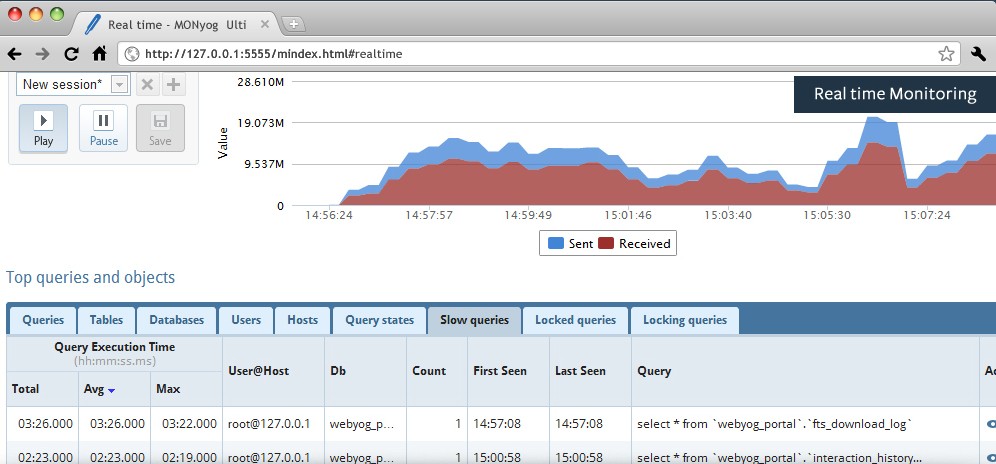
MONyog is a cross-platform, easy-to-use and commercial software that lets users easily monitor their MySQL databases from anywhere in the world. It is part of the SQLyog application, which allows users to manage MySQL databases.
Key features include support for monitoring hacking and security attempts, supports deadlock monitoring, multi-user support, configuration management, real-time monitoring, events manager, and error log monitoring.
MONyog features a query analyzer with query sniping, lock and disk monitoring, replication manager, wayback machine, trend and history analysis, dashboard, as well as custom SQL objects and full customization using JavaScript.
MONyog is cloud ready, which means that you can deploy it on a web server and use it from any computer, anywhere. The installation takes only 2 minutes and requires no agents on the host where the MySQL server is installed. It provides real-time monitoring functions that will always show you what are the top running queries, top users, top tables, as well as top locked queries.
Believe it or not, over 2,000,000 users have bought the MONyog software and it is used by more than 30,000 companies to administer and monitor their MariaDB, Percona and MySQL servers.
Among some of the most important companies that use MONyog, we can mention Google, Apple, Novell, PayPal, 3M, Comcast, CBS, Sony, NASA, Xerox, IBM, Berkeley, DivX, Segway, Disney, Cisco, Verizon, Amazon, Siemens, Fujitsu, Pentax, AOL, Best Buy, eBay and Yahoo!.
The software is supported on all Microsoft Windows and GNU/Linux operating systems, successfully tested with both 64-bit and 32-bit instruction set architectures. It is available for download as a 14-day free trial, but a full license will cost 199 USD (160 EUR) for the Professional edition supporting a single MySQL server.
What's new in MONyog 6.23:
- PAM authentication for MySQL and MariaDB servers.
- And, numerous bug fixes.
MONyog 6.23
add to watchlist add to download basket send us an update REPORT- runs on:
- Linux
- main category:
- Database
- developer:
- visit homepage
calibre 7.9.0

7-Zip 23.01 / 24.04 Beta

Zoom Client 6.0.3.37634

Microsoft Teams 24060.3102.2733.5911 Home / 1.7.00.7956 Work

Bitdefender Antivirus Free 27.0.35.146

Context Menu Manager 3.3.3.1

4k Video Downloader 1.5.3.0080 Plus / 4.30.0.5655

Windows Sandbox Launcher 1.0.0

ShareX 16.0.1

IrfanView 4.67

- Windows Sandbox Launcher
- ShareX
- IrfanView
- calibre
- 7-Zip
- Zoom Client
- Microsoft Teams
- Bitdefender Antivirus Free
- Context Menu Manager
- 4k Video Downloader